Age_empires@india.com Ransomware
Threat Scorecard
EnigmaSoft Threat Scorecard
EnigmaSoft Threat Scorecards are assessment reports for different malware threats which have been collected and analyzed by our research team. EnigmaSoft Threat Scorecards evaluate and rank threats using several metrics including real-world and potential risk factors, trends, frequency, prevalence, and persistence. EnigmaSoft Threat Scorecards are updated regularly based on our research data and metrics and are useful for a wide range of computer users, from end users seeking solutions to remove malware from their systems to security experts analyzing threats.
EnigmaSoft Threat Scorecards display a variety of useful information, including:
Popularity Rank: The ranking of a particular threat in EnigmaSoft’s Threat Database.
Severity Level: The determined severity level of an object, represented numerically, based on our risk modeling process and research, as explained in our Threat Assessment Criteria.
Infected Computers: The number of confirmed and suspected cases of a particular threat detected on infected computers as reported by SpyHunter.
See also Threat Assessment Criteria.
| Threat Level: | 100 % (High) |
| Infected Computers: | 0 |
| First Seen: | August 25, 2016 |
| OS(es) Affected: | Windows |
The detection of Age_empires@india.com Ransomware on your system indicates a serious security threat that requires immediate attention. Ransomware is a type of malware designed to encrypt files on a victim's computer, demanding payment in exchange for the decryption key. In this report, we will provide an overview of the Age_empires@india.com Ransomware threat, its operating methods, symptoms of infection, and guidance on how to remove it from your system.
Table of Contents
What Is Age_empires@india.com Ransomware?
Ransomware, like Age_empires@india.com Ransomware, is a malicious software that uses encryption to hold a victim's files hostage. It typically spreads through phishing emails, exploited vulnerabilities, or infected software downloads. Once inside a system, it starts encrypting files, making them inaccessible to the user. The attackers then demand a ransom, usually in cryptocurrency, in exchange for the decryption key. It's crucial to understand that paying the ransom does not guarantee that the attackers will provide the decryption key or that the key will work.
How Age_empires@india.com Ransomware Operates
Age_empires@india.com Ransomware operates by first gaining access to a system, often through user interaction with a malicious email attachment or link, or by exploiting vulnerabilities in software. Once inside, it begins to scan the system for files to encrypt. The encryption process can happen rapidly, and once files are encrypted, the ransomware displays a ransom note, explaining how to pay the ransom and recover the files. It's designed to cause maximum disruption, aiming to pressure the victim into paying the ransom.
Symptoms of Infection
Symptoms of a Age_empires@india.com Ransomware infection can include the inability to access files, files having strange extensions appended to them, and the presence of a ransom note or demand for payment. Systems may also behave slower than usual, and in some cases, applications may fail to launch or operate correctly. Recognizing these symptoms early is crucial for minimizing the damage caused by the ransomware.
How to Remove Age_empires@india.com Ransomware
- Boot your computer in Safe Mode with Networking. This will allow you to perform the necessary steps to remove the malware without it interfering.
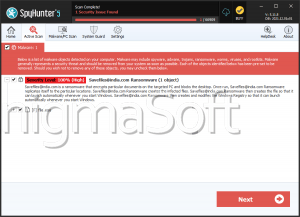
- Download and install a reputable anti-malware tool, such as SpyHunter. Perform a full scan of your system to detect and remove all traces of the Age_empires@india.com Ransomware.
- Uninstall any suspicious programs that you do not recognize or that were installed around the time of the infection.
- Reset your web browsers (Chrome, Firefox, Edge, etc.) to their default settings. This can help remove any malicious extensions or settings that the ransomware may have altered.
- Reboot your computer and perform another full scan with your anti-malware tool to ensure that all malware has been removed.
Conclusion
Dealing with a Age_empires@india.com Ransomware infection requires careful and immediate action to minimize damage. It's essential to understand that prevention is the best defense against ransomware. Keeping your operating system, software, and security solutions up to date, being cautious with emails and downloads, and regularly backing up important files can significantly reduce the risk of infection. If you do become a victim, following the steps outlined above can help you remove the malware and recover your system. Always prioritize caution and consider seeking professional help if you're unsure about any part of the removal process.