Adware.Duckplay
Threat Scorecard
EnigmaSoft Threat Scorecard
EnigmaSoft Threat Scorecards are assessment reports for different malware threats which have been collected and analyzed by our research team. EnigmaSoft Threat Scorecards evaluate and rank threats using several metrics including real-world and potential risk factors, trends, frequency, prevalence, and persistence. EnigmaSoft Threat Scorecards are updated regularly based on our research data and metrics and are useful for a wide range of computer users, from end users seeking solutions to remove malware from their systems to security experts analyzing threats.
EnigmaSoft Threat Scorecards display a variety of useful information, including:
Popularity Rank: The ranking of a particular threat in EnigmaSoft’s Threat Database.
Severity Level: The determined severity level of an object, represented numerically, based on our risk modeling process and research, as explained in our Threat Assessment Criteria.
Infected Computers: The number of confirmed and suspected cases of a particular threat detected on infected computers as reported by SpyHunter.
See also Threat Assessment Criteria.
| Popularity Rank: | 21,179 |
| Threat Level: | 20 % (Normal) |
| Infected Computers: | 46 |
| First Seen: | December 16, 2012 |
| Last Seen: | April 23, 2026 |
| OS(es) Affected: | Windows |
The detection of Adware.Duckplay on your system indicates the presence of unwanted software that may be compromising your computer's security and performance. Adware, short for advertising-supported software, is designed to display unwanted advertisements, collect user data, and potentially lead to more severe security issues if not addressed promptly.
Table of Contents
What Is Adware.Duckplay?
Adware.Duckplay refers to a specific type of adware program that has been identified as a potential threat to computer systems. While the exact nature and origins of Adware.Duckplay are not detailed here, it is essential to understand that adware in general operates by infiltrating a system, often through bundled software downloads, deceptive links, or exploits in software vulnerabilities. Once installed, adware can significantly disrupt the user experience by displaying pop-ups, altering browser settings, and slowing down system performance.
How Adware.Duckplay Operates
Adware programs like Adware.Duckplay typically operate by embedding themselves within a system and then connecting to remote servers to download and display advertisements. These ads can range from benign but annoying pop-ups to more malicious forms that attempt to trick users into downloading additional malware or revealing sensitive information. The primary goal of adware is to generate revenue for its creators through pay-per-click schemes or by selling collected user data. In some cases, adware may also serve as a vector for more severe malware infections, making prompt removal crucial.
Symptoms of Infection
Symptoms of an Adware.Duckplay infection can vary but commonly include an increase in unwanted advertisements appearing on the computer or while browsing the internet. Users may also notice changes in their browser's homepage, default search engine, or the appearance of unwanted toolbars. System performance may degrade, with increases in startup time, frequent crashes, or the presence of suspicious programs in the system tray. If you are experiencing these symptoms, it is likely that your system is infected with adware or another form of malware.
- Unwanted advertisements and pop-ups
- Changes to browser settings
- Appearance of unwanted toolbars or programs
- Decreased system performance
How to Remove Adware.Duckplay
- Boot your computer in Safe Mode with Networking to prevent the adware from loading and to give you a clean environment to work in.
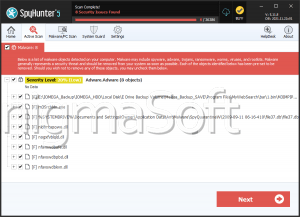
- Conduct a full scan of your system using a reputable anti-malware tool, such as SpyHunter, to identify and remove all traces of Adware.Duckplay and any other malware that may be present.
- Uninstall any suspicious programs that you do not recognize or that were installed around the time your issues began. Be cautious and only remove programs you are certain are not needed for your system's operation.
- Reset your web browsers (Chrome, Firefox, Edge, etc.) to their default settings to remove any changes made by the adware, such as altered homepages or search engines.
- Reboot your computer and perform another scan with your anti-malware tool to ensure that all threats have been removed. This step is crucial to confirm the removal and to check for any remnants that might have been missed during the initial scan.
Conclusion
The removal of Adware.Duckplay requires a combination of technical knowledge and the right tools. By following the steps outlined above and maintaining vigilance in your computing practices, you can protect your system from adware and other forms of malware. Regularly updating your operating system, browsers, and other software, as well as being cautious with downloads and links, are key preventive measures. If you are not comfortable with the removal process or if the problem persists after attempting to remove the adware, consider seeking help from a professional to ensure your system is thoroughly cleaned and protected.
Analysis Report
General information
| Family Name: | Adware.Duckplay |
|---|---|
| Signature status: | Modified signature |
Known Samples
Known Samples
This section lists other file samples believed to be associated with this family.|
MD5:
9057134688d2519e969f5ab3420dd3c1
SHA1:
61df806b7bb7820f8f4784f79a26abc70c2e80c8
SHA256:
AABD6A16A8FFE5456635B8867BC7E9944C32F5DACCB50AC1061E9BB03350BB69
File Size:
891.53 KB, 891528 bytes
|
|
MD5:
b3b940479b0a527c9832da3d5a3de904
SHA1:
fbf82e6597be7d660677f67a16440dbcacf208f3
SHA256:
50A470FF9644128F02A817A68081BD1908BE35D017C714E44EAEFD90AF289BE9
File Size:
1.06 MB, 1057920 bytes
|
Windows Portable Executable Attributes
- File doesn't have "Rich" header
- File doesn't have debug information
- File doesn't have exports table
- File doesn't have relocations information
- File has TLS information
- File is 32-bit executable
- File is either console or GUI application
- File is GUI application (IMAGE_SUBSYSTEM_WINDOWS_GUI)
- File is Native application (NOT .NET application)
- File is not packed
Show More
- IMAGE_FILE_DLL is not set inside PE header (Executable)
- IMAGE_FILE_EXECUTABLE_IMAGE is set inside PE header (Executable Image)
File Icons
File Icons
This section displays icon resources found within family samples. Malware often replicates icons commonly associated with legitimate software to mislead users into believing the malware is safe.


Windows PE Version Information
Windows PE Version Information
This section displays values and attributes that have been set in the Windows file version information data structure for samples within this family. To mislead users, malware actors often add fake version information mimicking legitimate software.| Name | Value |
|---|---|
| Comments | This installation was built with Inno Setup. |
| File Description | My Program Setup |
| Product Name | My Program |
| Product Version | 1.5 |
Digital Signatures
Digital Signatures
This section lists digital signatures that are attached to samples within this family. When analyzing and verifying digital signatures, it is important to confirm that the signature’s root authority is a well-known and trustworthy entity and that the status of the signature is good. Malware is often signed with non-trustworthy “Self Signed” digital signatures (which can be easily created by a malware author with no verification). Malware may also be signed by legitimate signatures that have an invalid status, and by signatures from questionable root authorities with fake or misleading “Signer” names.| Signer | Root | Status |
|---|---|---|
| Duck Play, LLC. | VeriSign Class 3 Code Signing 2010 CA | Self Signed |
Block Information
Block Information
During analysis, EnigmaSoft breaks file samples into logical blocks for classification and comparison with other samples. Blocks can be used to generate malware detection rules and to group file samples into families based on shared source code, functionality and other distinguishing attributes and characteristics. This section lists a summary of this block data, as well as its classification by EnigmaSoft. A visual representation of the block data is also displayed, where available.| Total Blocks: | 257 |
|---|---|
| Potentially Malicious Blocks: | 31 |
| Whitelisted Blocks: | 61 |
| Unknown Blocks: | 165 |
Visual Map
? - Unknown Block
x - Potentially Malicious Block
Files Modified
Files Modified
This section lists files that were created, modified, moved and/or deleted by samples in this family. File system activity can provide valuable insight into how malware functions on the operating system.| File | Attributes |
|---|---|
| c:\users\user\appdata\local\temp\is-btedo.tmp\61df806b7bb7820f8f4784f79a26abc70c2e80c8_0000891528.tmp | Generic Write,Read Attributes |
| c:\users\user\downloads\temp\shsandbox-win32.dll-5.22.8.9999-x86.dmp | Generic Read,Write Data,Write Attributes,Write extended,Append data |
Windows API Usage
Windows API Usage
This section lists Windows API calls that are used by the samples in this family. Windows API usage analysis is a valuable tool that can help identify malicious activity, such as keylogging, security privilege escalation, data encryption, data exfiltration, interference with antivirus software, and network request manipulation.| Category | API |
|---|---|
| Process Manipulation Evasion |
|
| Process Shell Execute |
|
Shell Command Execution
Shell Command Execution
This section lists Windows shell commands that are run by the samples in this family. Windows Shell commands are often leveraged by malware for nefarious purposes and can be used to elevate security privileges, download and launch other malware, exploit vulnerabilities, collect and exfiltrate data, and hide malicious activity.
"C:\Users\Ixwaqtam\AppData\Local\Temp\is-BTEDO.tmp\61df806b7bb7820f8f4784f79a26abc70c2e80c8_0000891528.tmp" /SL5="$4034A,850647,54272,c:\users\user\downloads\61df806b7bb7820f8f4784f79a26abc70c2e80c8_0000891528"
|