MonitoringTool:Win32/SniperSpy
Threat Scorecard
EnigmaSoft Threat Scorecard
EnigmaSoft Threat Scorecards are assessment reports for different malware threats which have been collected and analyzed by our research team. EnigmaSoft Threat Scorecards evaluate and rank threats using several metrics including real-world and potential risk factors, trends, frequency, prevalence, and persistence. EnigmaSoft Threat Scorecards are updated regularly based on our research data and metrics and are useful for a wide range of computer users, from end users seeking solutions to remove malware from their systems to security experts analyzing threats.
EnigmaSoft Threat Scorecards display a variety of useful information, including:
Popularity Rank: The ranking of a particular threat in EnigmaSoft’s Threat Database.
Severity Level: The determined severity level of an object, represented numerically, based on our risk modeling process and research, as explained in our Threat Assessment Criteria.
Infected Computers: The number of confirmed and suspected cases of a particular threat detected on infected computers as reported by SpyHunter.
See also Threat Assessment Criteria.
| Threat Level: | 80 % (High) |
| Infected Computers: | 5 |
| First Seen: | March 21, 2013 |
| OS(es) Affected: | Windows |
The detection of MonitoringTool:Win32/SniperSpy on your system indicates the presence of a potentially unwanted program (PUP) that could be compromising your privacy and security. This type of software is designed to secretly monitor and collect information about your computer activities, which can then be used for malicious purposes. It's essential to understand the nature of this threat and take immediate action to remove it and protect your system.
Table of Contents
What Is MonitoringTool:Win32/SniperSpy?
MonitoringTool:Win32/SniperSpy is a type of spyware that can infiltrate your computer without your knowledge or consent. Its primary function is to gather sensitive information, such as browsing history, login credentials, and other personal data, which can be transmitted to remote servers for exploitation. This malware can be particularly dangerous as it can lead to identity theft, financial loss, and other serious consequences.
How MonitoringTool:Win32/SniperSpy Operates
MonitoringTool:Win32/SniperSpy typically operates in stealth mode, making it difficult to detect without the aid of security software. Once installed, it can start monitoring your activities, such as keystrokes, browser sessions, and even screen captures. The collected data is then sent to the malware's command and control servers, where it can be analyzed and used for malicious purposes. This spyware can also create backdoors, allowing hackers to remotely access your system and perform further malicious activities.
Symptoms of Infection
Identifying the symptoms of a MonitoringTool:Win32/SniperSpy infection can be challenging, as it is designed to remain hidden. However, you may notice some unusual system behavior, such as slow performance, frequent crashes, or unexpected pop-ups. You may also observe that your browser is being redirected to unfamiliar websites or that your search results are being manipulated. Additionally, you might notice that your system is connecting to unknown servers or that there are unfamiliar programs installed on your computer.
How to Remove MonitoringTool:Win32/SniperSpy
- Boot your system in Safe Mode with Networking to prevent the malware from loading and to allow for a more effective removal process.
- Perform a full scan of your system using a reputable anti-malware tool, such as SpyHunter, to detect and remove all instances of the malware.
- Uninstall any suspicious programs that may be related to the malware. Be cautious when removing programs, as some may be legitimate or required by your system.
- Reset your browsers, including Chrome, Firefox, and Edge, to their default settings to remove any malicious extensions or add-ons that may have been installed by the malware.
- Reboot your system and perform another full scan to ensure that all remnants of the malware have been removed.
Conclusion
Removing MonitoringTool:Win32/SniperSpy from your system is crucial to protecting your privacy and security. By following the steps outlined above and maintaining good security practices, such as regularly updating your operating system and software, using strong antivirus tools, and being cautious when clicking on links or downloading attachments, you can significantly reduce the risk of infection. Remember, prevention is key, and staying informed about the latest threats and security best practices is essential in today's digital landscape.
Aliases
15 security vendors flagged this file as malicious.
| Antivirus Vendor | Detection |
|---|---|
| Panda | Trj/CI.A |
| Ikarus | Trojan-Spy.Win32.Banker.JU |
| AntiVir | Adware/Kraddare.4.2 |
| BitDefender | Gen:Variant.Adware.Kraddare.4 |
| McAfee | Artemis!CD367EABCBF5 |
| Panda | Generic Trojan |
| AVG | PSW.Generic9.CLXY |
| Fortinet | W32/Spenir.DB!tr |
| Ikarus | Trojan-Spy.Win32.Spenir |
| AhnLab-V3 | Spyware/Win32.Spenir |
| Microsoft | MonitoringTool:Win32/SniperSpy |
| Antiy-AVL | Trojan/Win32.Spenir.gen |
| AntiVir | SPR/Tool.SniperSpy.3 |
| Comodo | UnclassifiedMalware |
| Sophos | SniperSpy |
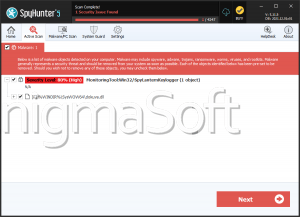
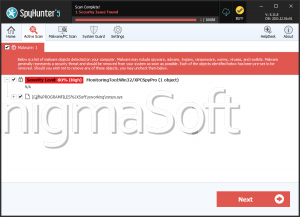
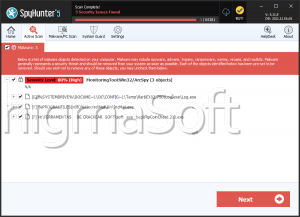
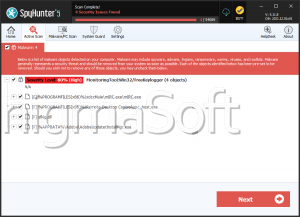
SpyHunter Detects & Remove MonitoringTool:Win32/SniperSpy
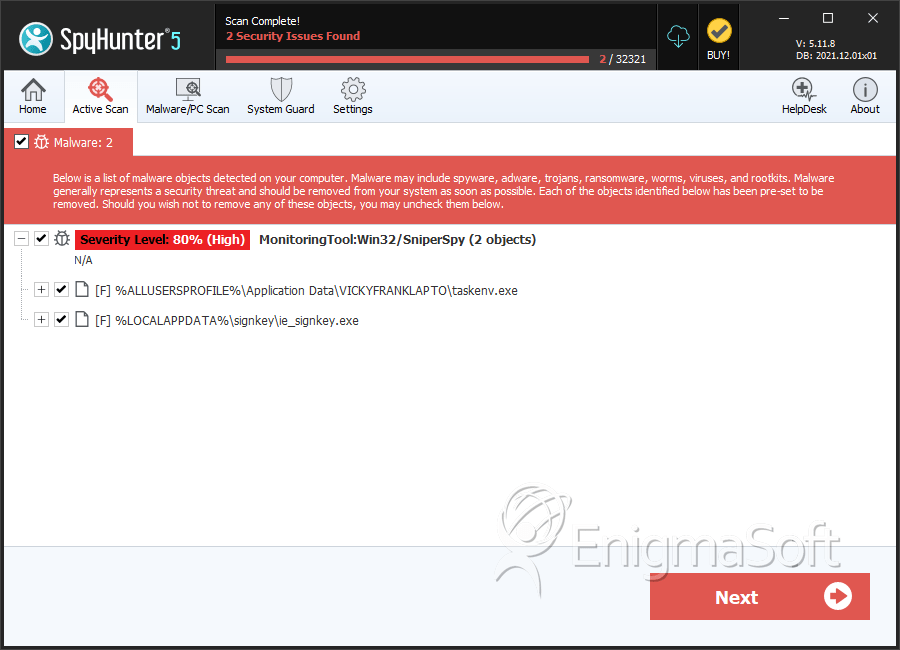
File System Details
| # | File Name | MD5 |
Detections
Detections: The number of confirmed and suspected cases of a particular threat detected on
infected computers as reported by SpyHunter.
|
|---|---|---|---|
| 1. | taskenv.exe | f651d06be4944c711446cf90e86de649 | 3 |
| 2. | ie_signkey.exe | cd367eabcbf5851f10dbf3ed13e14ab9 | 2 |