How to Run EnigmaSoft Diagnostic Uploader Tool
If your SpyHunter or RegHunter program has reported a crash, we would like to further investigate the case in order to improve your experience.
After crashing, our applications generate log files which can be very helpful to improve functionality in the upcoming versions.
In order to facilitate the transmission of those logs, we created an EnigmaSoft Diagnostic Uploader tool to collect the crash log files, located in SpyHunter's and RegHunter's folder.
Follow the instructions below to download and execute the EnigmaSoft Diagnostic Uploader Tool:
-
Download EnigmaSoft Diagnostic Uploader tool from the link below depending on your Windows operating system:
For Windows 32 bit operating systems:
For Windows 64 bit operating systems:
-
Open the EnigmaSoft Diagnostic Uploader tool. A new window will appear like the one shown below:
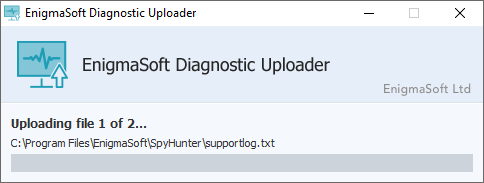
Note: Make sure to enable the tool in any Firewall programs that may block it from accessing the Internet once run. Alternatively, you can shut down any firewall enabled on your computer temporarily.
-
Click the Start Upload button to start the process of automatically uploading all of the necessary log files to our servers.
Note: Absolutely NO personal identifiable information will be collected from your computer. Only log files from SpyHunter's and RegHunter's directory will be uploaded.
-
Once the transmission has been completed, you will see a window like the one shown below.
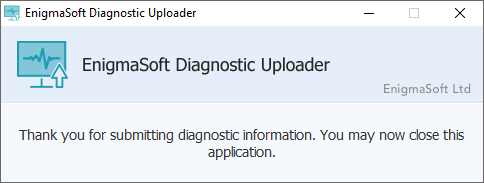
- After a few seconds the EnigmaSoft Diagnostic Uploader tool will automatically close.
-
Please submit a support ticket notifying us that you ran the tool and files were transmitted.
For SpyHunter:
- Open SpyHunter and click on the HelpDesk tab.
- In the new window that opens, click on the Submit a Support Ticket button.
For RegHunter:
- Open RegHunter and click on the Registry HelpDesk tab.
- Select Open a Support Ticket.
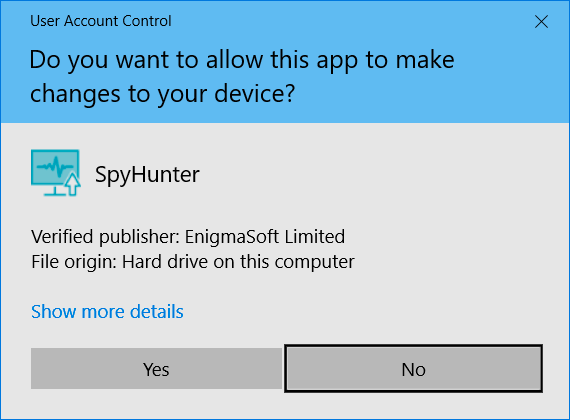
Note for Windows Vista and 7 users: If you have User Access Control (UAC) enabled in your Windows system, you might get the warnings below, when you open the EnigmaSoft Diagnostic Uploader tool.
Please click Yes, if you get a User Access Control window like the one shown below.