Backdoor.Orcus.RA
Threat Scorecard
EnigmaSoft Threat Scorecard
EnigmaSoft Threat Scorecards are assessment reports for different malware threats which have been collected and analyzed by our research team. EnigmaSoft Threat Scorecards evaluate and rank threats using several metrics including real-world and potential risk factors, trends, frequency, prevalence, and persistence. EnigmaSoft Threat Scorecards are updated regularly based on our research data and metrics and are useful for a wide range of computer users, from end users seeking solutions to remove malware from their systems to security experts analyzing threats.
EnigmaSoft Threat Scorecards display a variety of useful information, including:
Popularity Rank: The ranking of a particular threat in EnigmaSoft’s Threat Database.
Severity Level: The determined severity level of an object, represented numerically, based on our risk modeling process and research, as explained in our Threat Assessment Criteria.
Infected Computers: The number of confirmed and suspected cases of a particular threat detected on infected computers as reported by SpyHunter.
See also Threat Assessment Criteria.
| Popularity Rank: | 26,433 |
| Threat Level: | 60 % (Medium) |
| Infected Computers: | 2 |
| First Seen: | July 22, 2026 |
| Last Seen: | October 4, 2026 |
| OS(es) Affected: | Windows |
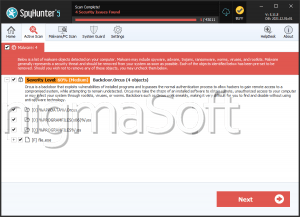
Backdoor.Orcus.RA is a backdoor-type threat designed to give attackers covert, unauthorized remote access to an infected Windows computer. Like other members of the backdoor category, it operates quietly in the background, allowing a remote operator to control the machine, monitor the user, and manipulate data without the victim's knowledge or consent. Its presence poses a serious risk to both personal privacy and system security.
Table of Contents
What Backdoor.Orcus.RA Does
Once active on a system, Backdoor.Orcus.RA establishes a hidden channel of communication between the infected computer and a remote attacker. Through this connection, cybercriminals can typically issue commands to the compromised machine, allowing them to browse and transfer files, install additional malicious software, capture screenshots, log keystrokes, or monitor user activity in real time. Many backdoors of this type are also capable of modifying system settings, disabling security features, and maintaining persistence so that the malicious program continues running even after the computer is restarted.
Because backdoors are built for stealth, Backdoor.Orcus.RA is designed to avoid detection by blending in with legitimate system processes, hiding its files, and limiting any visible symptoms that might alert the user to its presence.
How It Usually Gets Onto Computers
Backdoor threats like this one are rarely installed directly by the victim. Instead, they are typically delivered through deceptive means such as malicious email attachments, bundled software downloads, cracked or pirated applications, fake software updates, or links to compromised websites. In many cases, the backdoor is dropped onto the system by another piece of malware, such as a trojan, worm, or malicious downloader, which first breaches the computer and then silently installs the backdoor component. Users who download software from unofficial sources or click on unsolicited links and attachments are at heightened risk of encountering this type of infection.
Risks for the User
The presence of Backdoor.Orcus.RA on a computer can lead to severe consequences. Because the attacker effectively gains remote control over the machine, sensitive information such as passwords, banking details, personal files, and browsing history can be stolen or exposed. The backdoor can also be used as a launching point for further attacks, including the installation of additional malware, participation in botnets, or the deployment of ransomware. In some cases, the compromised system may be used to attack other computers or networks, making the victim an unwitting participant in larger cybercriminal operations.
Signs of Infection
Because backdoors are built to operate covertly, infections can be difficult to notice. However, users may observe warning signs such as unusual network activity, unexplained slowdowns in system performance, programs opening or closing without user input, unfamiliar processes running in the background, security software being disabled unexpectedly, or increased data usage. Any of these symptoms, especially in combination, can indicate the presence of a hidden threat like Backdoor.Orcus.RA.
How to Stay Protected
To reduce the risk of backdoor infections, users should avoid downloading software from untrusted or unofficial sources, refrain from opening email attachments or links from unknown senders, and keep their operating system and installed applications updated with the latest security patches. Using reputable anti-malware tools to regularly scan the system, enabling firewalls, and practicing caution when browsing unfamiliar websites can also help prevent backdoors like Backdoor.Orcus.RA from gaining a foothold on a computer.
Analysis Report
General information
| Family Name: | Backdoor.Orcus.RA |
|---|---|
| Signature status: | No Signature |
Known Samples
Known Samples
This section lists other file samples believed to be associated with this family.|
MD5:
f5620301a852f67580b5619de61b22c3
SHA1:
b8fdbe22dc5469e8fb3ade4e67a1b6f868085f83
SHA256:
3607E07B19E169EA6DBAAEA3EB94081DDE52EE81ABBA98D6C33F2648506F9341
File Size:
197.63 KB, 197632 bytes
|
Windows Portable Executable Attributes
- File doesn't have "Rich" header
- File doesn't have exports table
- File doesn't have relocations information
- File doesn't have security information
- File is .NET application
- File is 64-bit executable
- File is either console or GUI application
- File is GUI application (IMAGE_SUBSYSTEM_WINDOWS_GUI)
- File is not packed
- IMAGE_FILE_DLL is not set inside PE header (Executable)
Show More
- IMAGE_FILE_EXECUTABLE_IMAGE is set inside PE header (Executable Image)
File Icons
File Icons
This section displays icon resources found within family samples. Malware often replicates icons commonly associated with legitimate software to mislead users into believing the malware is safe.
Windows PE Version Information
Windows PE Version Information
This section displays values and attributes that have been set in the Windows file version information data structure for samples within this family. To mislead users, malware actors often add fake version information mimicking legitimate software.| Name | Value |
|---|---|
| Assembly Version | 0.0.0.0 |
| File Version | 0.0.0.0 |
| Internal Name | Yoga Shooting Beta.exe |
| Original Filename | Yoga Shooting Beta.exe |
| Product Version | 0.0.0.0 |
File Traits
- .NET
- HighEntropy
- x64
Block Information
Block Information
During analysis, EnigmaSoft breaks file samples into logical blocks for classification and comparison with other samples. Blocks can be used to generate malware detection rules and to group file samples into families based on shared source code, functionality and other distinguishing attributes and characteristics. This section lists a summary of this block data, as well as its classification by EnigmaSoft. A visual representation of the block data is also displayed, where available.| Total Blocks: | 233 |
|---|---|
| Potentially Malicious Blocks: | 7 |
| Whitelisted Blocks: | 45 |
| Unknown Blocks: | 181 |
Visual Map
? - Unknown Block
x - Potentially Malicious Block
Windows API Usage
Windows API Usage
This section lists Windows API calls that are used by the samples in this family. Windows API usage analysis is a valuable tool that can help identify malicious activity, such as keylogging, security privilege escalation, data encryption, data exfiltration, interference with antivirus software, and network request manipulation.| Category | API |
|---|---|
| Syscall Use |
Show More
|
| User Data Access |
|
| Anti Debug |
|