The Ultimate Comprehensive Guide to Staying Safe While Shopping Online This Holiday Season
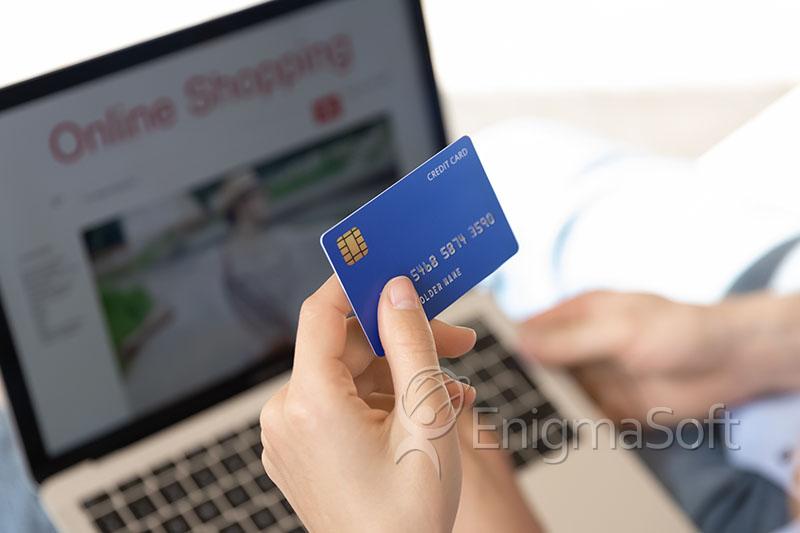
As the holiday season arrives, so does the annual migration of millions of shoppers to online retailers—seeking convenience, last-minute deals, and the perfect gifts for friends and family. But as the digital sleigh bells ring, cybercriminals sharpen their tools. Every year, threat actors exploit the holiday rush: people are busier, more distracted, and more willing to click on anything promising fast shipping or a deep discount. The result? A dramatic spike in phishing attempts, fraudulent stores, fake shipping notifications, and payment scams designed to separate you from your money—or your identity.
This article provides a technical yet accessible blueprint for staying safe while shopping online this holiday season. It’s the cybersecurity playbook that security professionals wish every consumer would read.
Table of Contents
The Holiday Threat Landscape
Cyber threats multiply during November and December because attackers know the average consumer is overwhelmed with deals, deliveries, and deadlines. Phishing emails impersonating Amazon, UPS, FedEx, Target, Best Buy, and other major retailers surge in volume. Fake tracking messages become especially convincing as people anxiously await packages. Cybercriminals also spin up counterfeit e-commerce sites designed to look nearly identical to real ones. These fraudulent stores collect credit card data, harvest credentials, and often never deliver a product at all.
Public Wi-Fi—especially in airports, cafes, and malls—becomes another trap. Attackers set up rogue access points or use man-in-the-middle attacks to intercept browsing sessions. Meanwhile, malicious PDFs disguised as invoices or receipts may carry embedded JavaScript or macro-based malware. And with credential stuffing attacks on the rise, any account that reuses a password is at risk of being taken over.
Foundational Defenses: Your Holiday Cyber Checklist
To navigate this landscape safely, shoppers need strong cyber hygiene—simple but powerful habits that dramatically reduce risk. The following measures create a robust personal security posture.
Use a Dedicated Shopping Email
Create a separate email account for all online purchases. This isolates shopping-related spam and reduces exposure if one retailer suffers a breach.
Verify HTTPS and Domain Authenticity
Never shop on a site that doesn’t use HTTPS. Look for a valid certificate and ensure the domain name is spelled exactly right—no extra letters, swapped characters, or unfamiliar extensions. Typosquatted sites are a major attack vector during the holidays.
Enable Multi-Factor Authentication Everywhere
MFA is one of the strongest protections against credential theft. Use app-based authenticators—such as Google Authenticator or Authy—especially on accounts like Amazon, PayPal, Google, Apple, and your banking apps.
Use Tokenized Payments Instead of Storing Credit Cards
Don’t save your card directly on retailer accounts. Instead, use Apple Pay, Google Pay, or PayPal. These systems tokenize your payment information, meaning the retailer never sees your real card number.
Take Advantage of Virtual or One-Time-Use Card Numbers
Most major banks now offer temporary or single-use card numbers. Using one means even if a merchant is compromised, your real card remains safe.
Secure Your Devices Before You Shop
Before diving into the digital marketplace, ensure your devices are fully updated. Install the latest patches for your operating system, browser, antivirus, router, and password manager. An outdated device is much more vulnerable to exploit kits, drive-by downloads, and browser-based attacks.
Password managers are critical here—they not only store and generate strong, unique passwords but also refuse to autofill on malicious or spoofed websites. If your password manager won’t fill the login field, take it as a warning sign.
Avoid Public Wi-Fi—Or Use It Safely
Public Wi-Fi networks are notoriously insecure. Attackers routinely create look-alike hotspots or use sniffing tools to intercept traffic. While HTTPS greatly reduces this risk, logging in to financial or shopping accounts on public Wi-Fi is still not recommended.
If you absolutely must shop on public Wi-Fi, use a reputable VPN. While VPNs don’t magically make everything secure, they do help prevent man-in-the-middle attacks by encrypting your connection end-to-end.
Be Skeptical of Holiday Deals, Pop-Ups, and “Flash Sales”
Every December, scammers launch sites offering deals too good to be true—90% off electronics, luxury items at suspiciously low prices, or “free” giveaways that require only a shipping fee. Many of these sites are designed solely to collect payment information and vanish.
When you come across a deal that seems extraordinary, validate it. Check:
- How long the domain has existed
- Whether the company has verified reviews
- Whether a physical address and customer service number exist
- Whether other shoppers have reported scams
If the site was registered in November or December of this year, treat it with extreme caution.
Monitor Your Financial Accounts Proactively
Even with strong defenses, breaches can still happen. Set up real-time alerts with your bank or credit card provider, enabling notifications for every transaction. Many banks also allow:
- Instant card locking
- Temporary spending limits
- International transaction blocking
Fraudulent activity often begins with small “test charges,” so vigilance is key.
Protect Your Email From Holiday-Themed Scams
Attackers frequently send fake shipping updates, receipts, and gift confirmations. If you receive an unexpected notification, do not click any links. Instead, go directly to the retailer’s website by typing the URL manually.
For more advanced users who manage their own personal domains, enabling SPF, DKIM, and DMARC adds an extra layer of protection against email spoofing.
Q&A: Your Most Common Online Shopping Safety Questions
Q: Are VPNs necessary for online shopping?
A: Not if you’re on a secure home network using HTTPS. A VPN is helpful on public Wi-Fi but not required for everyday purchases.
Q: Is PayPal safer than using a credit card directly?
A: Yes. PayPal, Apple Pay, and Google Pay all use tokenized payments, meaning your real card number stays hidden.
Q: How do I know if a website is fake?
A: Check for HTTPS, verify the domain spelling, look up online reviews, and inspect how long the domain has existed. Newly created domains are an immediate red flag.
Q: Should I open PDF receipts or invoices emailed to me?
A: Only if you were expecting them and can verify the sender. Malicious PDFs are a common delivery method for malware.
Q: Is it safe to store my credit card in my Amazon account?
A: It’s safer than storing it on smaller retail sites, but best practice is to use a tokenized payment method when possible.
Final Thoughts
The holiday season is meant to be joyful—not an opportunity for cybercriminals to steal your identity or financial information. With a combination of strong digital hygiene, awareness of seasonal scams, and modern security tools, you can navigate the online shopping rush with confidence. Make these cyber-safe habits part of your annual holiday routine, and you’ll protect yourself, your devices, and your finances all year long.
Stay safe, stay vigilant—and may your holidays be merry, bright, and malware-free.