PUP.Reg Organizer
Threat Scorecard
EnigmaSoft Threat Scorecard
EnigmaSoft Threat Scorecards are assessment reports for different malware threats which have been collected and analyzed by our research team. EnigmaSoft Threat Scorecards evaluate and rank threats using several metrics including real-world and potential risk factors, trends, frequency, prevalence, and persistence. EnigmaSoft Threat Scorecards are updated regularly based on our research data and metrics and are useful for a wide range of computer users, from end users seeking solutions to remove malware from their systems to security experts analyzing threats.
EnigmaSoft Threat Scorecards display a variety of useful information, including:
Popularity Rank: The ranking of a particular threat in EnigmaSoft’s Threat Database.
Severity Level: The determined severity level of an object, represented numerically, based on our risk modeling process and research, as explained in our Threat Assessment Criteria.
Infected Computers: The number of confirmed and suspected cases of a particular threat detected on infected computers as reported by SpyHunter.
See also Threat Assessment Criteria.
| Popularity Rank: | 14,124 |
| Threat Level: | 10 % (Normal) |
| Infected Computers: | 3,963 |
| First Seen: | July 1, 2020 |
| Last Seen: | November 10, 2026 |
| OS(es) Affected: | Windows |
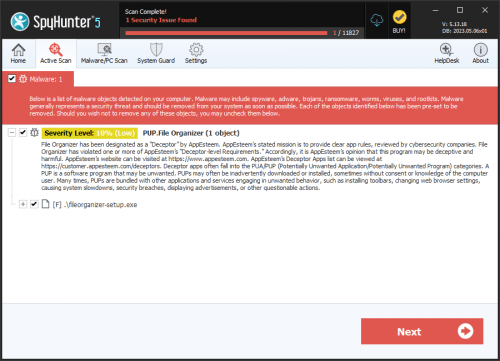
PUP.Reg Organizer is the detection name for the installer of Reg Organizer, a Windows program. It is classified as a Possibly Unwanted Program (PUP). Its danger level is 1 out of 10, so it is not considered malware in the traditional sense. It is flagged because of how the program is judged to behave, not because it is known to destroy or steal data. The detection has been recorded since 2020-07-01, most recently on 2026-11-10, with 3,963 detections in total.
Table of Contents
Why it is flagged
According to the feed, Reg Organizer has been designated a "Deceptor" by AppEsteem, an organization that publishes app rules reviewed by cybersecurity companies. The program is said to have violated one or more of AppEsteem's "Deceptor-level Requirements." It is AppEsteem's opinion that the program may be deceptive and harmful. This is an assessment of the program's conduct, not proof of a virus.
What the file does
The analyzed file is a setup package named "Reg Organizer Setup", version 6.60, with the company name ChemTable Software in its version information. It was built with Inno Setup. It is a 32-bit, unpacked Windows GUI application, and its digital signature status is listed as self signed, so it does not carry a signature from a trusted chain.
When run, the installer behaved as many setup programs do:
- It extracted temporary helper files into a temporary folder in the user's profile, including a setup library and a "close application" component.
- It created a further temporary executable and launched it as a new process, passing it setup parameters that point to the downloaded file.
The feed lists several Windows functions the file uses, including process creation, reading user object information, checking key state and unmapping a memory view. The feed does not say what the program used them for. These calls appear in many legitimate installers, so on their own they do not show harmful intent. No blocked connections or other harmful activity were recorded in the feed's block data.
How it usually gets onto computers
The feed does not describe a distribution method. Potentially unwanted programs are typically installed in one of these ways:
- The user downloads the installer directly from a website, often without knowing the full behavior of the program.
- It is bundled with other free software and installed alongside it.
- The user is nudged toward it by "optimize your PC" or "clean your registry" style promotions.
Risks for the user
The main concern is deceptive behavior. Programs in this category typically use alarming scan results or unclear offers to push users toward paid upgrades. Registry cleaning and system optimization tools can also change settings that Windows and other programs rely on. If you remove entries you do not understand, the result can be instability. The feed does not state which of these practices apply to this program, so treat them as typical of the category and not as confirmed facts.
Signs it may be on your computer
- A program called Reg Organizer appears in your installed apps list and you do not remember installing it.
- A setup file with "Reg Organizer Setup" in its description is in your Downloads folder.
- Your security software reports the detection name PUP.Reg Organizer.
- You see prompts to scan, clean or optimize the registry that you did not ask for.
How to stay protected
- Download software only from sources you trust, and prefer the official site of the publisher.
- Choose custom or advanced installation options so you can see and decline extra components.
- Be cautious with unsigned or self-signed installers. The lack of a trusted signature is a reason to double-check the source.
- Be skeptical of registry cleaners and "PC booster" tools. Modern Windows rarely needs them.
- If you do not want the program, uninstall it through Windows Settings under Apps, then delete the leftover setup file from your Downloads folder.
- Run a full scan with your existing security software and keep it updated.
If you installed the program on purpose and want to keep it, that is your choice. Make a system restore point or backup before letting any registry tool change your settings.
Analysis Report
General information
| Family Name: | PUP.Reg Organizer |
|---|---|
| Signature status: | Self Signed |
Known Samples
Known Samples
This section lists other file samples believed to be associated with this family.|
MD5:
9697f53f9b2c66cf5024ec2a1dcb8c6d
SHA1:
f5cb45495ccdd897ed690fba4de708871f0aa6c0
SHA256:
3273AFB7CD60B78E82B5C66A3C25F7CD624ECF7E19FA0DE7801006583D222E6A
File Size:
6.02 MB, 6018920 bytes
|
Windows Portable Executable Attributes
- File doesn't have "Rich" header
- File doesn't have debug information
- File doesn't have exports table
- File doesn't have relocations information
- File has TLS information
- File is 32-bit executable
- File is either console or GUI application
- File is GUI application (IMAGE_SUBSYSTEM_WINDOWS_GUI)
- File is Native application (NOT .NET application)
- File is not packed
Show 2 more
- IMAGE_FILE_DLL is not set inside PE header (Executable)
- IMAGE_FILE_EXECUTABLE_IMAGE is set inside PE header (Executable Image)
File Icons
File Icons
This section displays icon resources found within family samples. Malware often replicates icons commonly associated with legitimate software to mislead users into believing the malware is safe.


Windows PE Version Information
Windows PE Version Information
This section displays values and attributes that have been set in the Windows file version information data structure for samples within this family. To mislead users, malware actors often add fake version information mimicking legitimate software.| Name | Value |
|---|---|
| Comments | This installation was built with Inno Setup. |
| Company Name | ChemTable Software |
| File Description | Reg Organizer Setup |
| Product Name | Reg Organizer |
| Product Version | 6.60 |
Digital Signatures
Digital Signatures
This section lists digital signatures that are attached to samples within this family. When analyzing and verifying digital signatures, it is important to confirm that the signature’s root authority is a well-known and trustworthy entity and that the status of the signature is good. Malware is often signed with non-trustworthy “Self Signed” digital signatures (which can be easily created by a malware author with no verification). Malware may also be signed by legitimate signatures that have an invalid status, and by signatures from questionable root authorities with fake or misleading “Signer” names.| Signer | Root | Status |
|---|---|---|
| Konstantin Polyakov | StartCom Class 2 Primary Intermediate Object CA | Self Signed |
Files Modified
Files Modified
This section lists files that were created, modified, moved and/or deleted by samples in this family. File system activity can provide valuable insight into how malware functions on the operating system.| File | Attributes |
|---|---|
| c:\users\user\appdata\local\temp\is-67e5t.tmp\_isetup\_setup64.tmp | Generic Read,Write Data,Write Attributes,Write extended,Append data |
| c:\users\user\appdata\local\temp\is-67e5t.tmp\_isetup\_shfoldr.dll | Generic Read,Write Data,Write Attributes,Write extended,Append data |
| c:\users\user\appdata\local\temp\is-67e5t.tmp\closeapplication.dll | Generic Write,Read Attributes |
| c:\users\user\appdata\local\temp\is-ndkes.tmp\f5cb45495ccdd897ed690fba4de708871f0aa6c0_0006018920.tmp | Generic Write,Read Attributes |
Windows API Usage
Windows API Usage
This section lists Windows API calls that are used by the samples in this family. Windows API usage analysis is a valuable tool that can help identify malicious activity, such as keylogging, security privilege escalation, data encryption, data exfiltration, interference with antivirus software, and network request manipulation.| Category | API |
|---|---|
| Process Manipulation Evasion |
|
| Process Shell Execute |
|
| User Data Access |
|
| Keyboard Access |
|
Shell Command Execution
Shell Command Execution
This section lists Windows shell commands that are run by the samples in this family. Windows Shell commands are often leveraged by malware for nefarious purposes and can be used to elevate security privileges, download and launch other malware, exploit vulnerabilities, collect and exfiltrate data, and hide malicious activity.
"C:\Users\Bpbbnbxo\AppData\Local\Temp\is-NDKES.tmp\f5cb45495ccdd897ed690fba4de708871f0aa6c0_0006018920.tmp" /SL5="$A040A,5592460,119296,c:\users\user\downloads\f5cb45495ccdd897ed690fba4de708871f0aa6c0_0006018920"
|