PUP.ByteLixir
Threat Scorecard
EnigmaSoft Threat Scorecard
EnigmaSoft Threat Scorecards are assessment reports for different malware threats which have been collected and analyzed by our research team. EnigmaSoft Threat Scorecards evaluate and rank threats using several metrics including real-world and potential risk factors, trends, frequency, prevalence, and persistence. EnigmaSoft Threat Scorecards are updated regularly based on our research data and metrics and are useful for a wide range of computer users, from end users seeking solutions to remove malware from their systems to security experts analyzing threats.
EnigmaSoft Threat Scorecards display a variety of useful information, including:
Popularity Rank: The ranking of a particular threat in EnigmaSoft’s Threat Database.
Severity Level: The determined severity level of an object, represented numerically, based on our risk modeling process and research, as explained in our Threat Assessment Criteria.
Infected Computers: The number of confirmed and suspected cases of a particular threat detected on infected computers as reported by SpyHunter.
See also Threat Assessment Criteria.
| Popularity Rank: | 13,574 |
| Threat Level: | 10 % (Normal) |
| Infected Computers: | 106 |
| First Seen: | August 18, 2026 |
| Last Seen: | October 29, 2026 |
| OS(es) Affected: | Windows |
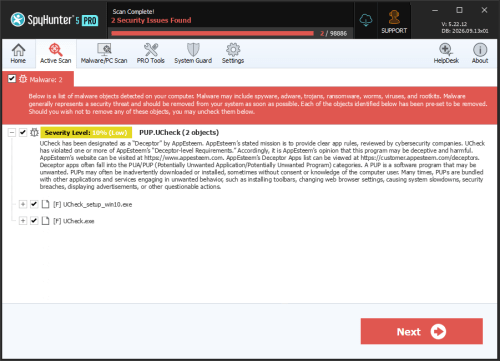
PUP.ByteLixir is the detection name for a program classified as a Possibly Unwanted Program (PUP) on Windows. It is rated at danger level 1 out of 10, so it is not considered a severe threat. It still deserves attention, because programs in this category tend to behave in ways users do not expect or want.
Table of Contents
Why ByteLixir is flagged
According to the feed data, ByteLixir has been designated a "Deceptor" by AppEsteem, an organization that publishes app rules reviewed by cybersecurity companies. ByteLixir is said to have violated one or more of AppEsteem's "Deceptor-level Requirements." In AppEsteem's opinion, the program may be deceptive and harmful.
This is a judgment about the program's behavior and business practices, not proof that it is classic malware such as a virus or ransomware. The feed does not say which specific requirements were violated, so it is best not to assume any particular behavior.
What programs like this typically do
The feed data does not list the exact actions of ByteLixir. In general, apps labeled as deceptive often share some of these traits:
- Misleading or unclear descriptions of what the software does
- Hard-to-find or confusing consent and installation options
- Making it difficult to close, decline or uninstall the program
- Pushing extra offers or changing settings without clear permission
These are typical behaviors for the category, not confirmed facts about ByteLixir.
How it usually gets onto computers
The feed does not describe a distribution method for ByteLixir. Potentially unwanted programs typically spread through free software bundles, download pages that wrap installers in extra offers, and advertisements that encourage users to install a "useful" tool. Users often install them voluntarily without noticing what they agreed to. The detection data lists an installer-style file and an application executable, which suggests the program is installed like ordinary software, but that alone does not show how it reached a given computer.
Risks for the user
The low danger rating suggests the direct risk is limited. Possible concerns with deceptive software of this kind include:
- Unwanted changes to how the computer behaves
- Reduced trust in what the program tells you
- Extra software or offers you did not intend to accept
- Wasted time and system resources
Because the program is judged potentially deceptive, it is wise to treat it with caution rather than ignore it.
Signs it may be on your computer
The feed reports 106 detections, with activity first seen on 2026-08-18 and most recently on 2026-10-29. If your security software reports PUP.ByteLixir, that is the clearest sign. Other things to check:
- A program called ByteLixir appears in your list of installed apps and you do not remember installing it
- You recently ran a setup file from an unfamiliar download source
- Your computer shows unexpected prompts, offers or changes in settings
How to stay protected
- Download from official sources. Avoid third-party download sites that bundle installers.
- Read each installation step. Choose custom or advanced options when available, and decline anything you do not recognize.
- Review installed programs. Open the Windows list of installed apps and remove anything you do not remember installing or do not need.
- Run a full system scan. Use a reputable, up-to-date security tool to check for leftover components after removal.
- Keep Windows and your browser updated. Updates close security gaps that unwanted software can take advantage of.
If a scan detects PUP.ByteLixir, remove it through your security software or the standard Windows uninstall options, then rescan to confirm it is gone.
File System Details
| # | File Name | MD5 |
Detections
Detections: The number of confirmed and suspected cases of a particular threat detected on
infected computers as reported by SpyHunter.
|
|---|---|---|---|
| 1. | bytelixir.exe | 38ea7e5f159fc8edb015177d10346ce6 | 75 |
| 2. | ByteLixir-Setup.exe | 592f2358c8e8ec0d492dffd68042cb20 | 26 |