Strong Malware Defender
Threat Scorecard
EnigmaSoft Threat Scorecard
EnigmaSoft Threat Scorecards are assessment reports for different malware threats which have been collected and analyzed by our research team. EnigmaSoft Threat Scorecards evaluate and rank threats using several metrics including real-world and potential risk factors, trends, frequency, prevalence, and persistence. EnigmaSoft Threat Scorecards are updated regularly based on our research data and metrics and are useful for a wide range of computer users, from end users seeking solutions to remove malware from their systems to security experts analyzing threats.
EnigmaSoft Threat Scorecards display a variety of useful information, including:
Ranking: The ranking of a particular threat in EnigmaSoft’s Threat Database.
Severity Level: The determined severity level of an object, represented numerically, based on our risk modeling process and research, as explained in our Threat Assessment Criteria.
Infected Computers: The number of confirmed and suspected cases of a particular threat detected on infected computers as reported by SpyHunter.
See also Threat Assessment Criteria.
| Threat Level: | 100 % (High) |
| Infected Computers: | 12 |
| First Seen: | February 20, 2012 |
| Last Seen: | October 26, 2022 |
| OS(es) Affected: | Windows |
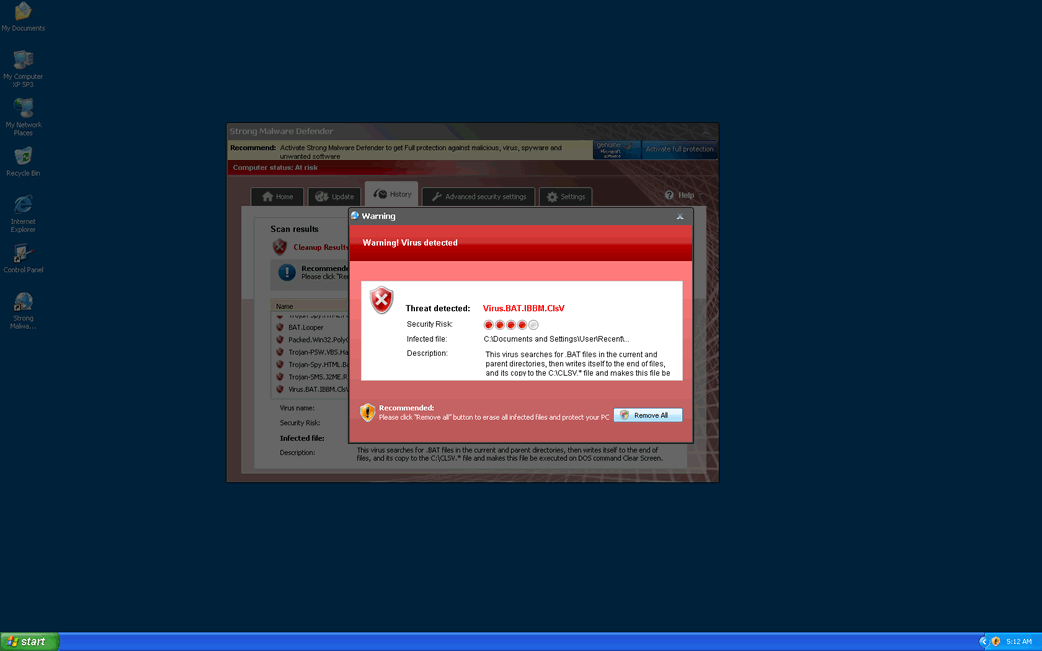
Strong Malware Defender Image
Strong Malware Defender is one of two fake anti-malware programs released in February of 2012, the other being Home Malware Cleaner. Both of these are essentially the same bogus anti-malware program which belongs to a large family of fake security applications, the WinPC Defender family. According to ESG security researchers, there are thousands of varieties of fake security programs which all are part of the same basic online scam. Basically, these kinds of malware threats attempt to prey on inexperienced computer users by making them believe that their computer system is infested with malware so that they will purchase a fake security program in order to remove it.
Strong Malware Defender is very similar to rogue security programs like WinPC Defender, SystemDefender, IE Defender, IE Defender, XPdefender, WinDefender2008, PC Privacy Defender, Malware Defender 2009, Smart Defender Pro, Ultimate Defender, Advanced XP Defender, Security Defender Pro 2015.
To carry out its scam, Strong Malware Defender has the capacity to spam its victim with constant error messages as well as carrying out a fake scan and displaying a bogus malware report with a highly authentic-looking GUI (Graphic User Interface). However, at its core Strong Malware Defender does not have the capacity to detect or to remove malware. The capabilities of Strong Malware Defender do not extend beyond displaying alarming error messages and directing its victims to the Strong Malware Defender website so that they will enter their credit card information. ESG security researchers strongly advise against purchasing Strong Malware Defender – this fake security program should be removed with a legitimate security application. Computer users that have fallen for this scam may be able to dispute the credit card charges incurred by indicating that Strong Malware Defender is actually malware.
Table of Contents
Do Not Fall for the Strong Malware Defender Scam!
The best action you can take to prevent falling into the trap that Strong Malware Defender sets is by learning to differentiate these kinds of fake security programs from the real thing. There are several details you should watch for which will indicate that you are not handling a real security program. First of all, Strong Malware Defender will not come from a reliable source. It will often appear on your computer without alerting you, delivered by a Trojan infection. It may also install itself automatically after clicking on a pop-up Window. Once installed, you will find that rogue security programs like Strong Malware Defender are not easy to remove. When trying to uninstall it, Strong Malware Defender may crash. Regardless of whether the uninstallation was successful or not, you can be sure that Strong Malware Defender will reinstall itself automatically when you reboot Windows.
SpyHunter Detects & Remove Strong Malware Defender
Strong Malware Defender Video
Tip: Turn your sound ON and watch the video in Full Screen mode.
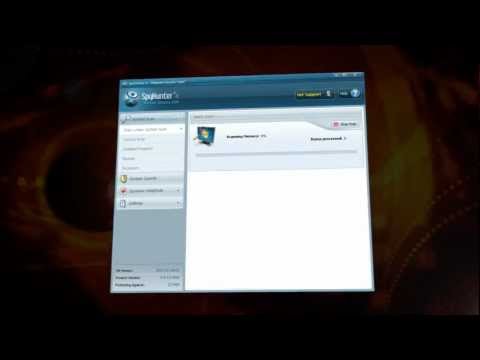
File System Details
| # | File Name | MD5 |
Detections
Detections: The number of confirmed and suspected cases of a particular threat detected on
infected computers as reported by SpyHunter.
|
|---|---|---|---|
| 1. | StrongMD.exe | d4d7cfef9f046c27ea229f7c1db3f624 | 2 |
| 2. | StrongMD.exe | 23f945317255b67992d1e69a092a70c2 | 1 |
| 3. | %CommonAppData%\[RANDOM CHARACTERS]\[RANDOM CHARACTERS].exe | ||
| 4. | %AppData%\Strong Malware Defender\ScanDisk_.exe | ||
| 5. | %AppData%\Strong Malware Defender\Instructions.ini | ||
| 6. | %Programs%\Strong Malware Defender.lnk | ||
| 7. | %AppData%\Microsoft\Internet Explorer\Quick Launch\Strong Malware Defender.lnk | ||
| 8. | %CommonAppData%\[RANDOM CHARACTERS]\[RANDOM CHARACTERS].cfg | ||
| 9. | %Desktop%\Strong Malware Defender.lnk | ||
| 10. | %CommonAppData%\[RANDOM CHARACTERS]\ASE.ico | ||
| 11. | %StartMenu%\Strong Malware Defender.lnk | ||
| 12. | SMbf0.exe | 4c8f629b6cb36c5af155c225fc95e383 | 0 |
Registry Details
Directories
Strong Malware Defender may create the following directory or directories:
| %AppData%\Strong Malware Defender |



