XP Defender

By JubileeX in Rogue Anti-Spyware Program | 4,161 views
Rate it:
1 Star2 Stars3 Stars4 Stars5 Stars (9 votes, average: 3.67 out of 5)
Loading ... Loading ...
Translate To:     Português
More... More

XP Defender Description

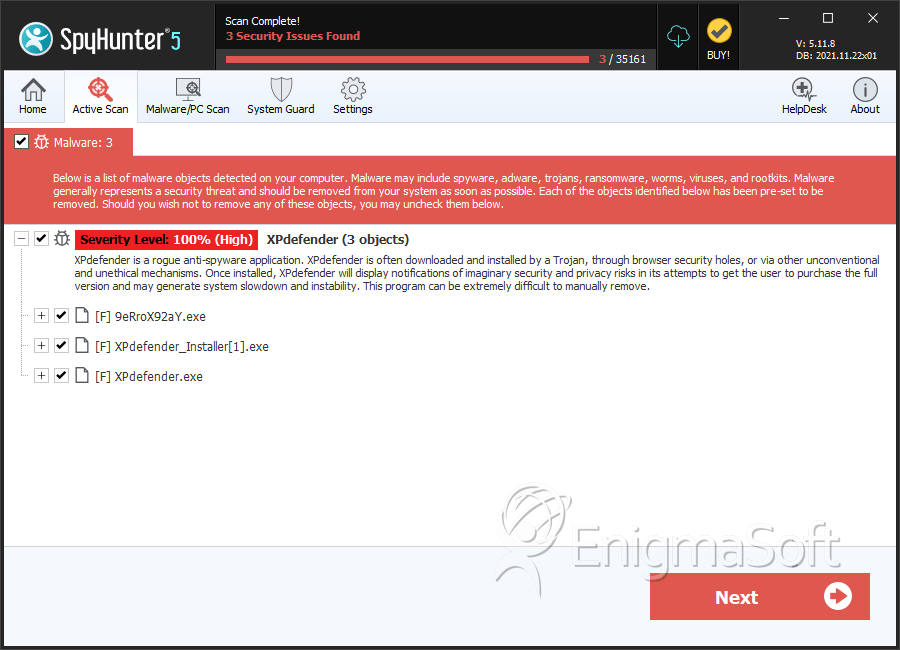
Image Screenshot

[+] Click Image to Enlarge

XP Defender is one of the variants of the multi-rogue Defender family, typically attacking computers running the Windows XP OS. Other Windows variants are not safe from the multi-rogue Defender clones, but will usually be infected with other variants of this family corresponding to each operating system (for example, computers using the Windows Vista operating system will be infected with a variant named Vista Defender). The main aspect of XP Defender that computer users need to be aware is that XP Defender is not a real security program, despite its efforts to convince you otherwise. XP Defender is used to rob money from computer users via a well known online scam. If XP Defender is installed on your computer, a real anti-malware utility should be used to remove this fake security application as soon as possible.

The XP Defender attack involves convincing victims that their computer has been compromised, and XP Defender can help solve this supposed problem. The main way in which XP Defender does this is by harassing the victim with numerous error messages designed to scare them into paying for a ‘full version’ of XP Defender. Since this supposed full version has no way of removing malware, ESG security researchers strongly advise computer users not to waste their money. More importantly, paying for XP Defender’s full version involves giving the criminals responsible for this attack your credit card information, meaning that you may become the target of credit card fraud or identity theft.

How XP Defender Attempts to Convince You that Your Computer is in Trouble

To convince you that your computer is infected, XP Defender runs a fake scan of your hard drives. This scan will invariably indicate that your computer is severely infected with malware. XP Defender will also try to emulate common malware symptoms, such as causing browser redirects, preventing access to your files and causing your computer to run slowly and crash frequently. To prevent removal, XP Defender can interfere with legitimate security programs, causing them to crash or to become ineffective. ESG malware analysts advise starting up your computer in Safe Mode to prevent XP Defender from running automatically and causing these symptoms when you try to remove XP Defender using the assistance of a dedicated anti-malware program.

Type: Rogue AntiSpyware Programs

How Can You Detect XP Defender?

XP Defender Technical Report

As new XP Defender details are reported by our customers and findings from our Threat Research Center, we will update this section.

Fake message for XP Defender:

The following fake error message(s) appears for XP Defender:

XP Defender Firewall Alert
Iexplore.exe is infected with Hoax.HTML.Agent.i. Private data can be stolen by third parties, including credit card details and passwords.

System Security Alert
Unknown program is scanning your system registry right now! Identity theft detected.

System Security Alert
Vulnerabilities found
Background scan for security breaches was finished. Serious issues were detected. Safeguard your system against exploits, malware and viruses right now by activating Proactive Defense.

‘How XP Defender Infects Your Computer’ Video

XP Defender Removal Details

XP Defender has typically the following processes in memory:

  • %CommonAppData%\pcdfdata\.exe
  • %Documents and Settings%\[UserName]\Application Data\ave.exe
  • ave.exe

XP Defender creates the following files in the system:

  • %CommonAppData%\pcdfdata\config.bin
  • %CommonAppData%\pcdfdata\uninst.ico
  • %CommonStartMenu%\Programs\XP Defender\XP Defender Help and Support.lnk
  • %CommonAppData%\pcdfdata\app.ico
  • %CommonAppData%\pcdfdata\support.ico
  • %CommonStartMenu%\Programs\XP Defender\Remove XP Defender.lnk
  • %AllUsersProfile%\Desktop\XP Defender.lnk
  • %CommonAppData%\pcdfdata\defs.bin
  • %CommonAppData%\pcdfdata\vl.bin
  • %CommonStartMenu%\Programs\XP Defender\XP Defender.lnk

XP Defender creates the following registry entries:

  • HKEY_CLASSES_ROOT\.exe\shell\open\command “(Default)” = “av.exe” /START “%1? %*
  • HKEY_LOCAL_MACHINE\SOFTWARE\Clients\StartMenuInternet\FIREFOX.EXE\shell\safemode\command “(Default)” = “av.exe” /START “firefox.exe” -safe-mode
  • HKEY_LOCAL_MACHINE\SOFTWARE\Microsoft\Security Center “FirewallOverride” = “1?
  • HKEY_CLASSES_ROOT\.exe\shell\open\command “(Default)” = “ave.exe” /START “%1″ %*
  • HKEY_LOCAL_MACHINE\SOFTWARE\Clients\StartMenuInternet\FIREFOX.EXE\shell\safemode\command “(Default)” = “ave.exe” /START “firefox.exe” -safe-mode
  • HKEY_CURRENT_USER\Software\Classes\secfile\shell\open\command “(Default)” = “av.exe” /START “%1? %*
  • HKEY_LOCAL_MACHINE\SOFTWARE\Clients\StartMenuInternet\FIREFOX.EXE\shell\open\command “(Default)” = “av.exe” /START “firefox.exe”
  • HKEY_LOCAL_MACHINE\SOFTWARE\Microsoft\Security Center “AntiVirusOverride” = “1?
  • HKEY_CURRENT_USER\Software\Classes\secfile\shell\open\command “(Default)” = “ave.exe” /START “%1″ %*
  • HKEY_LOCAL_MACHINE\SOFTWARE\Clients\StartMenuInternet\FIREFOX.EXE\shell\open\command “(Default)” = “ave.exe” /START “firefox.exe”
  • HKEY_CURRENT_USER\Software\Classes\.exe\shell\open\command “(Default)” = “av.exe” /START “%1? %*
  • HKEY_CLASSES_ROOT\secfile\shell\open\command “(Default)” = “av.exe” /START “%1? %*
  • HKEY_LOCAL_MACHINE\SOFTWARE\Clients\StartMenuInternet\IEXPLORE.EXE\shell\open\command “(Default)” = “av.exe” /START “iexplore.exe”
  • HKEY_CURRENT_USER\Software\Classes\.exe\shell\open\command “(Default)” = “ave.exe” /START “%1″ %*
  • HKEY_CLASSES_ROOT\secfile\shell\open\command “(Default)” = “ave.exe” /START “%1″ %*
  • HKEY_LOCAL_MACHINE\SOFTWARE\Clients\StartMenuInternet\IEXPLORE.EXE\shell\open\command “(Default)” = “ave.exe” /START “iexplore.exe”

Important Article Disclaimer

ESG Support Center

This entry was last updated on 01/15/13 and posted on 01/18/08. You can follow any responses to this entry through the RSS 2.0 feed. You can leave a response, or trackback from your own site.

Leave a Comment

Note: Abusive comments are not allowed. Please do not post comments regarding technical support issues. ESG customers that have issues with SpyHunter should open a customer support ticket.

*
To prove you're a person (not a spam script), type the security word shown in the picture. Click on the picture to hear an audio file of the word.
Click to hear an audio file of the anti-spam word

Home | SpyHunter Risk Assessment Model | Privacy Policy | End User License Agreement | Additional Terms and Conditions
Copyright 2003-2012. Enigma Software Group USA, LLC. All Rights Reserved.