PC Defender Plus
Threat Scorecard
EnigmaSoft Threat Scorecard
EnigmaSoft Threat Scorecards are assessment reports for different malware threats which have been collected and analyzed by our research team. EnigmaSoft Threat Scorecards evaluate and rank threats using several metrics including real-world and potential risk factors, trends, frequency, prevalence, and persistence. EnigmaSoft Threat Scorecards are updated regularly based on our research data and metrics and are useful for a wide range of computer users, from end users seeking solutions to remove malware from their systems to security experts analyzing threats.
EnigmaSoft Threat Scorecards display a variety of useful information, including:
Ranking: The ranking of a particular threat in EnigmaSoft’s Threat Database.
Severity Level: The determined severity level of an object, represented numerically, based on our risk modeling process and research, as explained in our Threat Assessment Criteria.
Infected Computers: The number of confirmed and suspected cases of a particular threat detected on infected computers as reported by SpyHunter.
See also Threat Assessment Criteria.
| Threat Level: | 100 % (High) |
| Infected Computers: | 3 |
| First Seen: | October 31, 2012 |
| Last Seen: | April 18, 2018 |
| OS(es) Affected: | Windows |
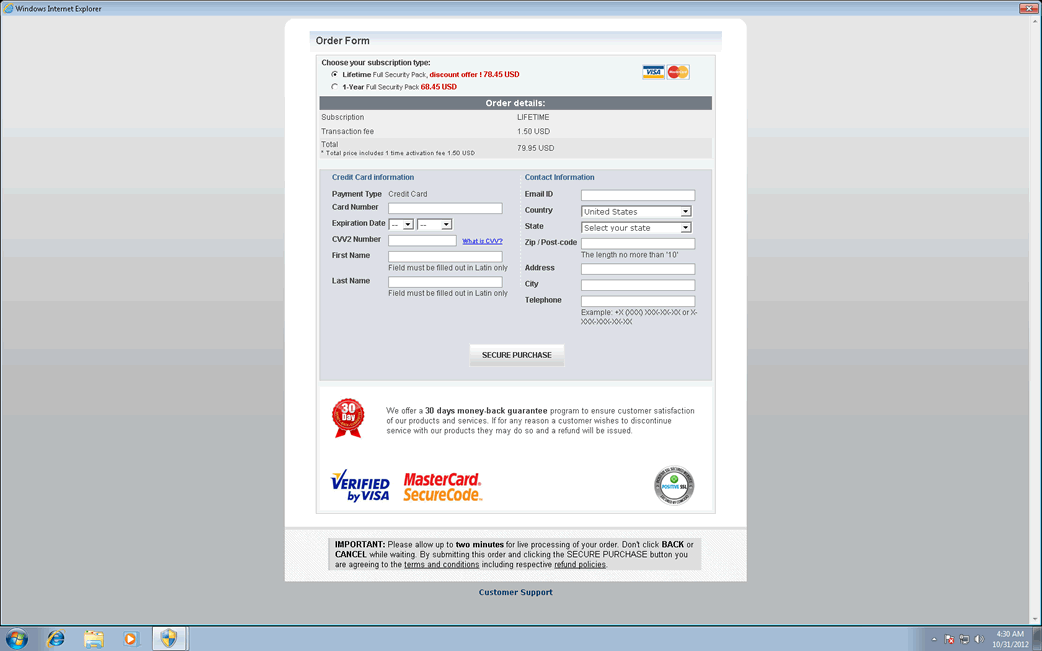
PC Defender Plus Image
Even though PC Defender Plus' name implies that PC Defender Plus is a security application, PC Defender Plus is actually a kind of malware threat from the WinPC Defender family. This program is part of the payload for a dangerous Trojan infection designed to install fake security software on victims' computer systems. Rogue security programs like PC Defender Plus are used to carry out a well known online scam in which criminals convince inexperienced computer users to pay for useless, fake security software. It is important to remember that PC Defender Plus is part of a malware attack on your computer and that all of its indications and messages should be ignored. Rather than following PC Defender Plus' instructions, ESG malware analysts strongly urge computer users to remove this fake security program with a real, effective and fully-updated anti-malware application.
Fake security applications like PC Defender Plus have been the most common kinds of malware infections for the last several years. Among the PC Defender Plus variants are WinPC Defender, SystemDefender, IE Defender, IE Defender, XPdefender, WinDefender2008, PC Privacy Defender, Malware Defender 2009, Smart Defender Pro, Ultimate Defender, Advanced XP Defender, Security Defender Pro 2015.
These fake security programs will display numerous error messages and security alerts, regardless of the actual state of the victim's computer. PC Defender Plus also makes changes to the Windows Registry and to the system settings that allow PC Defender Plus to cause problems deliberately on the infected computer. For example, PC Defender Plus has been known to reduce system performance or to hide files on the infected computer. This is all done to convince the victim that it is necessary to purchase an expensive 'full version' of PC Defender Plus. However, since PC Defender Plus is actually a malware infection, ESG malware researchers advise against paying for an upgraded version of this fake security tool.
There is no question that using properly updated anti-malware software can protect your computer from PC Defender Plus infections. However, most of these kinds of attacks start with a social engineering approach that can be avoided by simply using common sense. You should avoid downloading unknown files or clicking on unknown links. In most cases, the initial Trojan responsible for the PC Defender Plus infection is actually downloaded and installed by the computer users themselves, thinking that it is actually a completely different file (such as a news item or photo contained in a spam email message or a fake video codec for viewing a pornographic streaming video online).
File System Details
| # | File Name |
Detections
Detections: The number of confirmed and suspected cases of a particular threat detected on
infected computers as reported by SpyHunter.
|
|---|---|---|
| 1. | %CommonAppData%\pcdfdata\defs.bin | |
| 2. | %CommonAppData%\pcdfdata\app.ico | |
| 3. | %CommonPrograms%\PC Defender Plus\Remove PC Defender Plus.lnk | |
| 4. | %CommonAppData%\pcdfdata\support.ico | |
| 5. | %CommonAppData%\pcdfdata\config.bin | |
| 6. | %CommonAppData%\pcdfdata\vl.bin | |
| 7. | %CommonPrograms%\PC Defender Plus\PC Defender Plus Help and Support.lnk | |
| 8. | %AllUsersProfile%\Application Data\pcdfdata\[RANDOM CHARACTERS] | |
| 9. | %CommonAppData%\PC Defender Plus\PC Defender Plus.lnk | |
| 10. | %CommonDesktopDir%\PC Defender Plus.lnk | |
| 11. | %CommonAppData%\pcdfdata\uninst.ico |




