Is Malware Blocking Your Browser and SpyHunter Installation?
Not Your OS? Download for Windows® and Mac®.
See additional offer below where available.
EULA
and Privacy/Cookie Policy.
See additional offer below where available.
EULA
and Privacy/Cookie Policy.
Follow the SpyHunter installation instructions for Chrome browser below.
You may need to print these instructions.
-
Click the "Download SpyHunter" link listed above.
-
Click on the "Save" button displayed in the lower right-hand corner of the
Google Chrome browser.
-
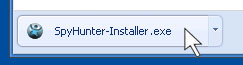
Click the "SpyHunter-Installer.exe" button displayed in the lower right-hand
corner of the Google Chrome browser.
-
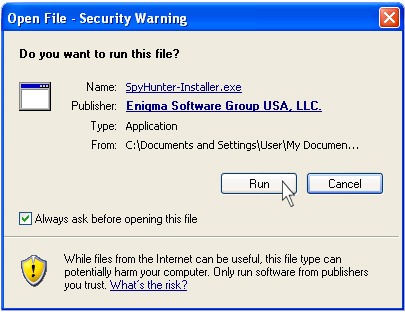
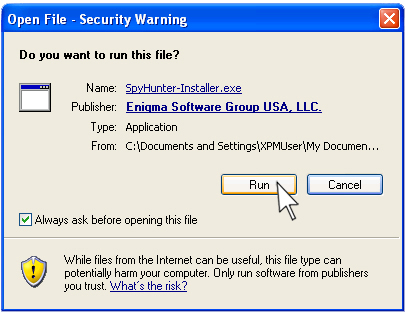
In the "Open File - Security Warning" window, click on the "Run"
button.
-
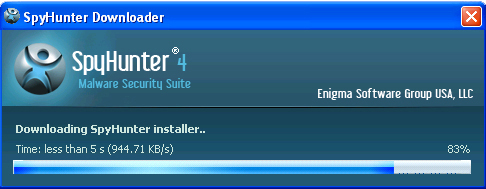
SpyHunter downloader will start downloading to your computer.
-
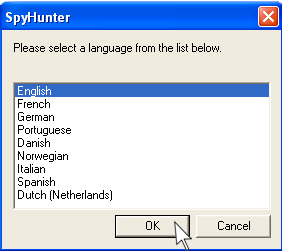
Select your desired language and click the "OK" button.
-
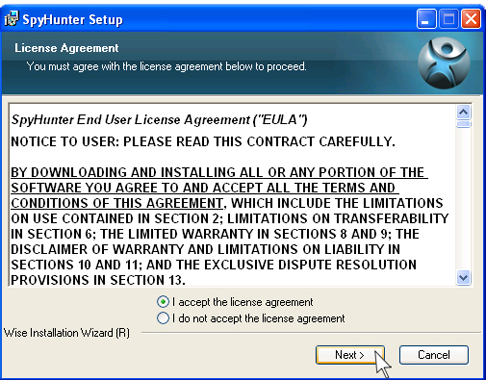
Once the "SpyHunter setup" window appears, read the License Agreement, choose
the "I accept the license agreement" radio button, and then click the "Next"
button.
-
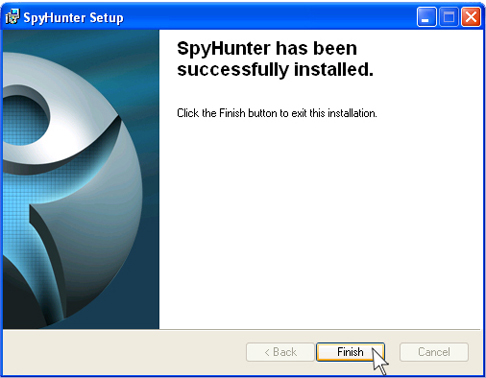
Click the "Finish" button to exit the "SpyHunter setup" window.
Follow the SpyHunter installation instructions for Firefox browser below.
You may need to print these instructions.
-
Click the "Download SpyHunter" link listed above.
-
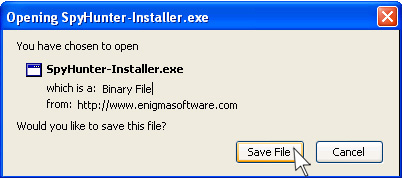
When the "File Download" window pops up, click "Save File" button to start
the installation.
-
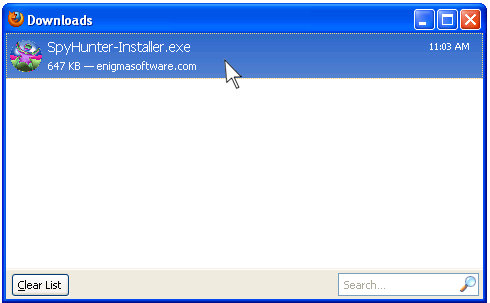
Once the "Downloads" window appears, double-click the "SpyHunter" setup
file.
-
Click "Run" every time the "Open File - Security Warning" window pops
up or click on the "OK" button if you have a dialog windows that asks "Open Executable
File?".
-
SpyHunter downloader will start downloading to your computer.
-
Select your desired language and click the "OK" button.
-
Once the "SpyHunter setup" window appears, read the License Agreement,
choose the "I accept the license agreement" radio button, and then click the
"Next" button.
-
Click the "Finish" button to exit the "SpyHunter setup" window.
Follow the SpyHunter installation instructions for Chrome browser below.
You may need to print these instructions.
-
Click the "Download SpyHunter" link listed above.
-
Click on the "Save" button displayed in the lower right-hand corner of the
Google Chrome browser.
-
Click the "SpyHunter-Installer.exe" button displayed in the lower right-hand
corner of the Google Chrome browser.
-
In the "Open File - Security Warning" window, click on the "Run"
button.
-
SpyHunter downloader will start downloading to your computer.
-
Select your desired language and click the "OK" button.
-
Once the "SpyHunter setup" window appears, read the License Agreement,
choose the "I accept the license agreement" radio button, and then click the
"Next" button.
-
Click the "Finish" button to exit the "SpyHunter setup" window.
Follow the SpyHunter installation instructions for Internet Explorer browser below.
You may need to print these instructions.
-
Click the "Download SpyHunter" link listed above.
-
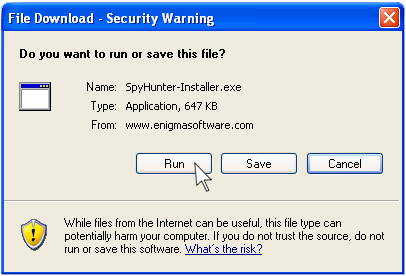
When the "File Download" window pops up, click "Run" button to start
the installation.
-
SpyHunter downloader will start downloading to your computer.
-
Select your desired language and click the "OK" button.
-
Once the "SpyHunter setup" window appears, read the License Agreement,
choose the "I accept the license agreement" radio button, and then click the
"Next" button.
-
Click the "Finish" button to exit the "SpyHunter setup" window.