Smart Anti-Malware Protection
Threat Scorecard
EnigmaSoft Threat Scorecard
EnigmaSoft Threat Scorecards are assessment reports for different malware threats which have been collected and analyzed by our research team. EnigmaSoft Threat Scorecards evaluate and rank threats using several metrics including real-world and potential risk factors, trends, frequency, prevalence, and persistence. EnigmaSoft Threat Scorecards are updated regularly based on our research data and metrics and are useful for a wide range of computer users, from end users seeking solutions to remove malware from their systems to security experts analyzing threats.
EnigmaSoft Threat Scorecards display a variety of useful information, including:
Ranking: The ranking of a particular threat in EnigmaSoft’s Threat Database.
Severity Level: The determined severity level of an object, represented numerically, based on our risk modeling process and research, as explained in our Threat Assessment Criteria.
Infected Computers: The number of confirmed and suspected cases of a particular threat detected on infected computers as reported by SpyHunter.
See also Threat Assessment Criteria.
| Threat Level: | 100 % (High) |
| Infected Computers: | 372 |
| First Seen: | February 2, 2012 |
| Last Seen: | June 19, 2023 |
| OS(es) Affected: | Windows |
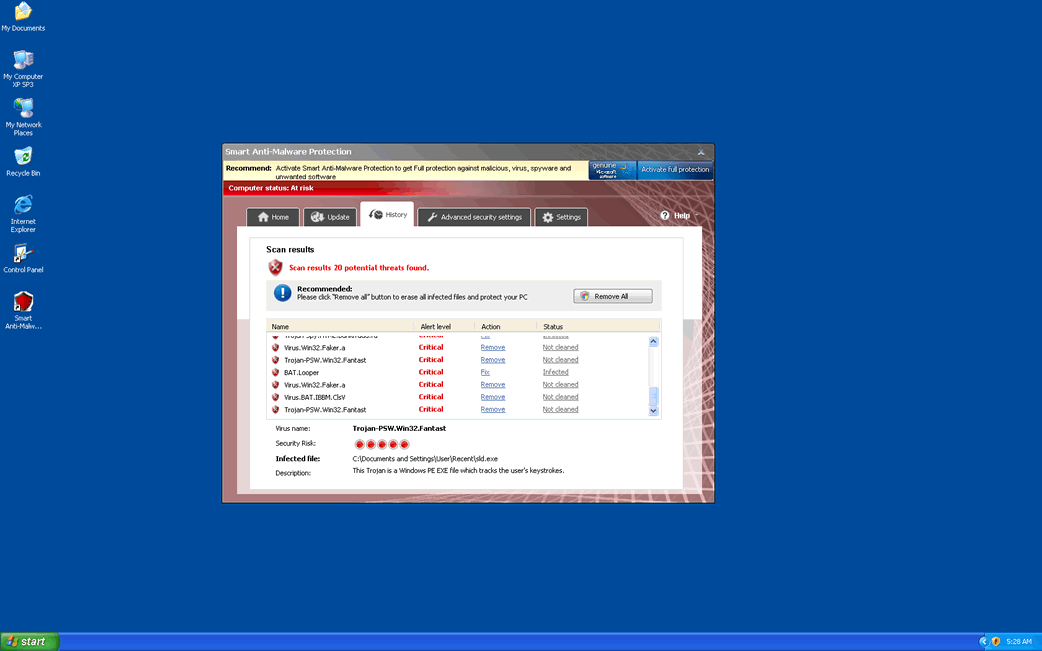
Smart Anti-Malware Protection Image
Table of Contents
There is Nothing Smart About Using Smart Anti-Malware Protection
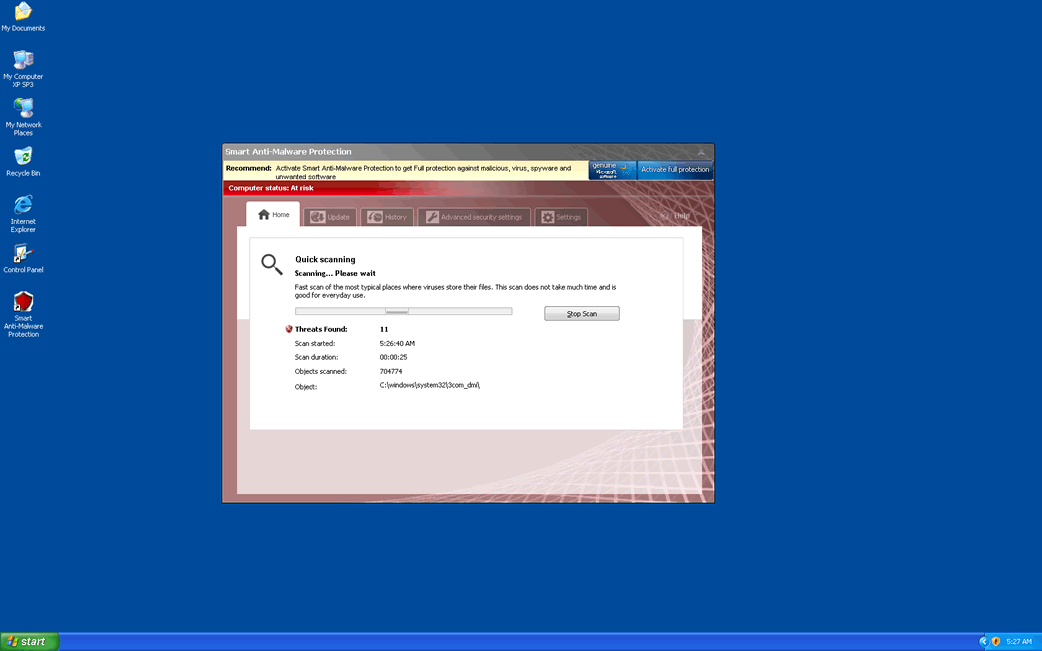
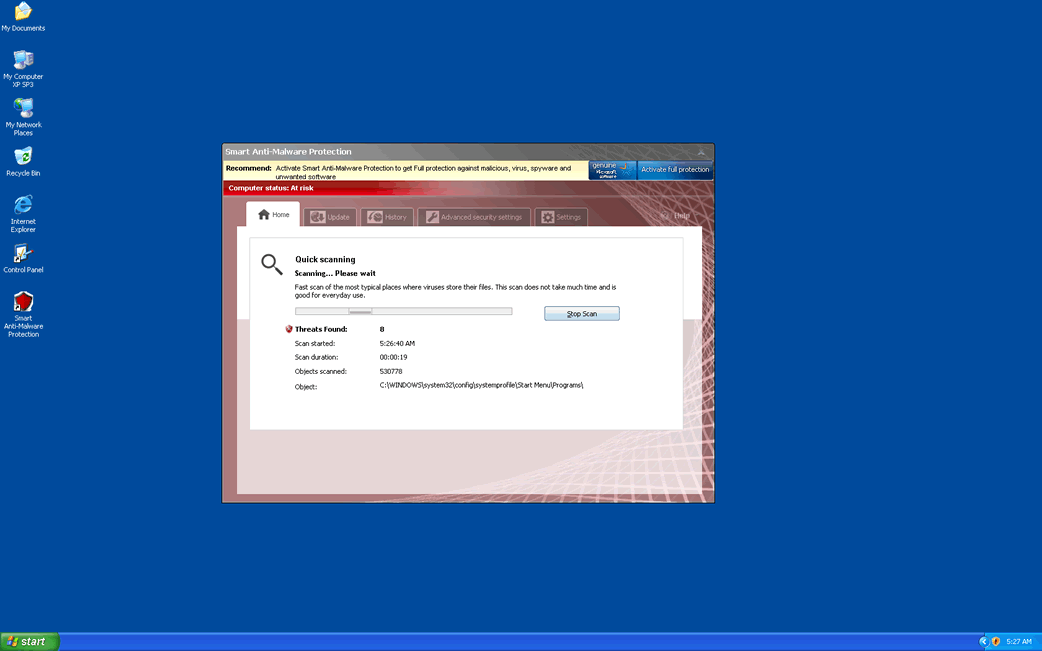
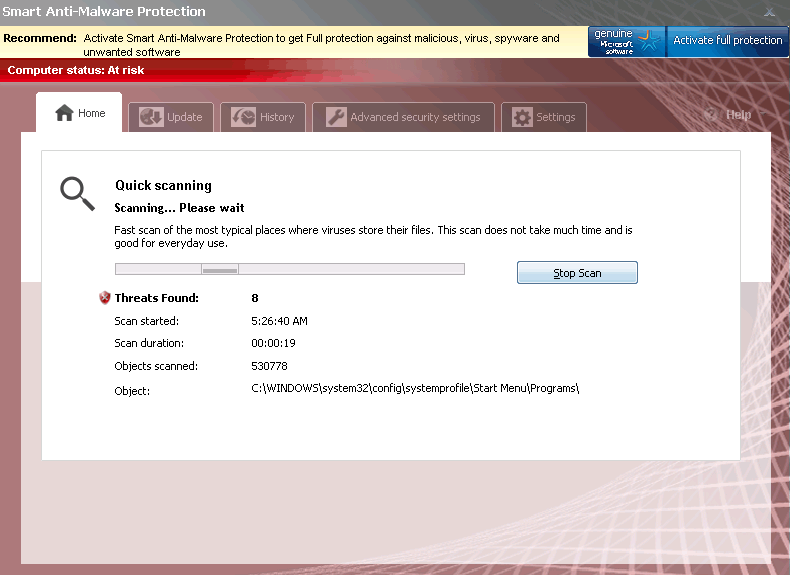
If Smart Anti-Malware Protection is installed on your computer system, it is important that you remove Smart Anti-Malware Protection immediately. This is because Smart Anti-Malware Protection is a rogue anti-malware application; that is, a fake security program that, rather than protecting your computer from malware, is actually trying to scam you. Rogue anti-malware programs like Smart Anti-Malware Protection are designed to inundate their victims with no ending error messages and scary security alerts that attempt to induce the computer user to acquire a registration code for a useless 'full version' of the rogue anti-malware program. ESG security researchers report that, despite its convincing interface and numerous claims, Smart Anti-Malware Protection has without question no anti-malware features. This program is designed for two things only: to display constant error messages and to direct its victim to the Smart Anti-Malware Protection website so that the victim can enter a credit card number there. Smart Anti-Malware Protection should be removed with a legitimate anti-virus application (using the add/remove panel in the Control Panel will do nothing to uninstall Smart Anti-Malware Protection from your computer system). Since Smart Anti-Malware Protection will almost never attack alone, it is highly likely that running a full scan of your hard drive you will find various other malware infections as well.
How Smart Anti-Malware Protection May Have Entered Your Computer System
Smart Anti-Malware Protection is installed through a Trojan infection, usually some variant of the Zlob, Vundo, or the Fake Microsoft Security Essentials Alert Trojans. These will then install another Trojan, such as the FakeVimes Trojan, which is the malware component behind Smart Anti-Malware Protection's disguise.
Smart Antimalware Protection has numerous clones that include Virus Melt, Presto TuneUp, Fast Antivirus 2009, Extra Antivirus, Windows Security Suite, Smart Virus Eliminator, Packed.Generic.245, Volcano Security Suite, Windows Enterprise Suite, Enterprise Suite, Additional Guard, PC Live Guard, Live PC Care, Live Enterprise Suite, Security Antivirus, My Security Wall, CleanUp Antivirus, Smart Security, Windows Protection Suite, Windows Work Catalyst.
Most of the time, these Trojan infections come from a corrupted online download. The two most common ways in which Smart Anti-Malware Protection spreads is through fake video codecs and malicious email attachments. In the case of fake codecs, these can usually be found on websites with pornographic videos or pirated movies as well as bundled with fake popular movie downloads on peer-to-peer or torrent networks. The Trojan behind a Smart Anti-Malware Protection infection may also be acquired through a compressed folder attached to an unsolicited email message. ESG security researchers strongly advise being especially careful with what you download onto your hard drives, thoroughly researching any potential downloads before letting them into your system. While a reliable security application is important in order to prevent a Smart Anti-Malware Protection infection, being careful when going online is even more essential.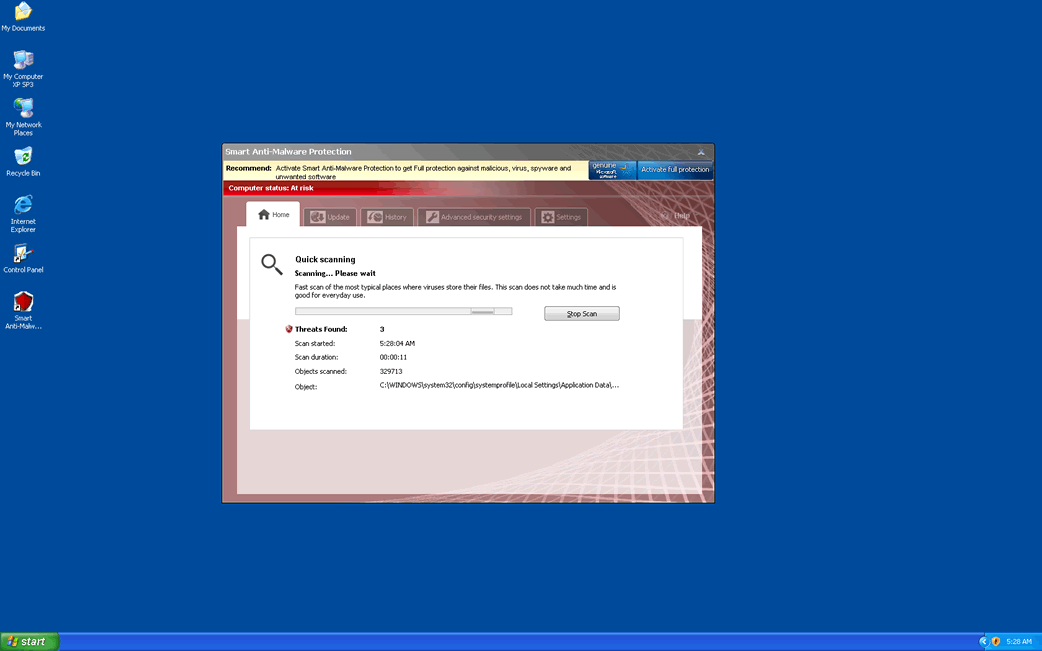

Aliases
15 security vendors flagged this file as malicious.
| Anti-Virus Software | Detection |
|---|---|
| AVG | Suspicion: unknown virus |
| Fortinet | Riskware/EoRezo |
| Sophos | EoRezo Adware |
| NOD32 | Win32/Adware.EoRezo.E |
| McAfee | Adware-Eorezo |
| AVG | Generic_r.FJ |
| Fortinet | Adware/Gaba |
| Ikarus | not-a-virus:AdWare.Win32.Gaba |
| AhnLab-V3 | Adware/Win32.Gaba |
| AntiVir | Adware/Rogue.421888 |
| BitDefender | Adware.Generic.242425 |
| Kaspersky | not-a-virus:AdWare.Win32.Gaba.niz |
| eSafe | Win32.TrjCI.A |
| Sophos | Mal/EncPk-OJ |
| AntiVir | SPR/Patcher.N.11 |
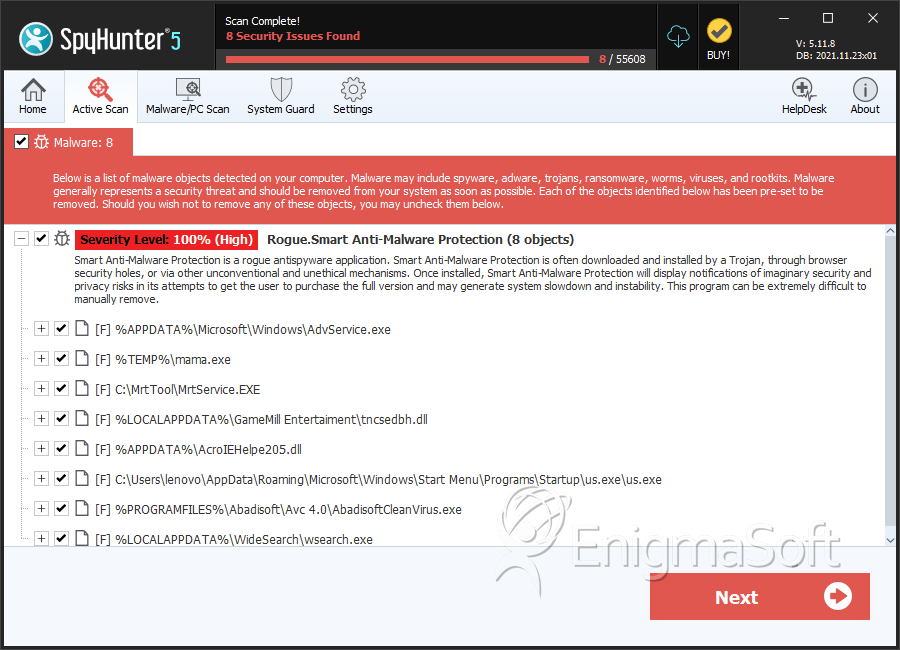
SpyHunter Detects & Remove Smart Anti-Malware Protection
Smart Anti-Malware Protection Video
Tip: Turn your sound ON and watch the video in Full Screen mode.

File System Details
| # | File Name | MD5 |
Detections
Detections: The number of confirmed and suspected cases of a particular threat detected on
infected computers as reported by SpyHunter.
|
|---|---|---|---|
| 1. | AdvService.exe | b8aa527c20fd1a6a40fb43d02ef66ab7 | 81 |
| 2. | mama.exe | 07a8a3dfe4e53f65dab43c5077028598 | 55 |
| 3. | us.exe | 76315677eb12c5d30ffb51b2d9fc8fd4 | 30 |
| 4. | MrtService.EXE | 2d1d52bb1f634e62d9c5940c94a10530 | 20 |
| 5. | tncsedbh.dll | e8fdc66b7e707239296d60645faebdcd | 20 |
| 6. | AcroIEHelpe205.dll | fed1faf78e669054e49d80603c97b972 | 15 |
| 7. | AbadisoftCleanVirus.exe | 0854e7fc7375175d3598815242e0f6aa | 14 |
| 8. | Smart Anti-Malware Protection.exe | 20decd92e59f465a85db3facde1999d6 | 11 |
| 9. | wsearch.exe | 64284646cfdd7615cab0afe15c74917c | 8 |
| 10. | rpcnet.exe | 99f6b8a83bb84cc5e4433b36ee13d343 | 5 |
| 11. | uTorrent Serenity x8.exe | eeaed86e5b285dc8dc1e889a023a3123 | 4 |
| 12. | czu1sgadva.exe | 03c10a9e81cccba3efc4c8bb97e82c2b | 4 |
| 13. | firefox.dll | 4a70c4880dd340c21d5e29e827c94b3c | 4 |
| 14. | nbt.exe | c9412a7d818995b1b8136068cd7406de | 3 |
| 15. | ttcbnzmo.exe | d979831f5137e3836c748c22ec319bfe | 3 |
| 16. | mqerhajyqbas.exe | 89992c24991aebfa0d5f2f24c9680f9f | 2 |
| 17. | SelectRebates.exe | ed9cbe1838f3bbcdfd0657d849f636ec | 2 |
| 18. | bho.dll | 89206a62feded977cada91b410c9f671 | 2 |
| 19. | Updating System Now.exe | 745e4fd107823fba24d812ce5668887d | 1 |
| 20. | 53.exe | a683b2e63538f0934dde0216ddccb1d8 | 1 |
| 21. | n. | 97843b9c3ceed27959f5a499cb39e532 | 1 |
| 22. | kqpq.exe | 8532e5e75a35b11256f3c01cbc7623ac | 1 |
| 23. | %CommonAppData%\79b35\SAa76.exe | ||
| 24. | %UserProfile%\Recent\eb.dll | ||
| 25. | %AppData%\Smart Anti-Malware Protection\ScanDisk_.exe | ||
| 26. | %CommonAppData%\79b35\mozcrt19.dll | ||
| 27. | %UserProfile%\Recent\ddv.exe | ||
| 28. | %UserProfile%\Recent\PE.sys | ||
| 29. | %CommonAppData%\79b35\sqlite3.dll | ||
| 30. | %UserProfile%\Recent\ANTIGEN.exe | ||
| 31. | %UserProfile%\Recent\kernel32.sys | ||
| 32. | %CommonAppData%\79b35\SAMP.ico | ||
| 33. | %StartMenu%\Smart Anti-Malware Protection.lnk | ||
| 34. | %CommonAppData%\79b35\BackUp\Adobe Reader Speed Launch.lnk | ||
| 35. | %CommonAppData%\79b35\Quarantine Items\ | ||
| 36. | %UserProfile%\Recent\CLSV.drv | ||
| 37. | %AppData%\Microsoft\Internet Explorer\Quick Launch\Smart Anti-Malware Protection.lnk | ||
| 38. | %AppData%\Smart Anti-Malware Protection\Instructions.ini | ||
| 39. | %CommonAppData%\[RANDOM CHARACTERS]\ISG.ico | ||
| 40. | %StartMenu%\Programs\Smart Anti-Malware Protection.lnk | ||
| 41. | %CommonAppData%\79b35\BackUp\ | ||
| 42. | %CommonAppData%\79b35\SAMPSys\ | ||
| 43. | %CommonAppData%\SAPPKIDMP\SAQNMP.cfg | ||
| 44. | %UserProfile%\Recent\SICKBOY.tmp | ||
| 45. | %AppData%\Smart Anti-Malware Protection\cookies.sqlite | ||
| 46. | %CommonAppData%\79b35\367.mof | ||
| 47. | %CommonAppData%\79b35\ | ||
| 48. | %Desktop%\Smart Anti-Malware Protection.lnk | ||
| 49. | %CommonAppData%\79b35\BackUp\Adobe Reader Synchronizer.lnk | ||
| 50. | %CommonAppData%\SAPPKIDMP\ | ||
| 51. | %UserProfile%\Recent\PE.drv | ||
| 52. | %AppData%\Smart Anti-Malware Protection\ |
Registry Details
Directories
Smart Anti-Malware Protection may create the following directory or directories:
| %AppData%\Smart Anti-Malware Protection |



