Zlob
Zlob is a kind of malicious software known as a Trojan horse. This is a kind of attacker that exploits vulnerabilities in a computer to wreak havoc. The first time the Zlob Trojan was identified was in the last months of 2005. Since the middle of 2006, this Trojan has gained considerable attention from computer security experts.
Table of Contents
Who Created the Zlob Trojan?
The Zlob Trojan is thought to have been created by hackers in the Russian Federation. It is still not known exactly who created the Zlob Trojan, but it has been used in many of the criminal activities of the Russian Business Network. This is a shadowy criminal organization dedicated to providing hosting for criminal activities, child pornography, and distributing harmful malware.
How Does the Zlob Trojan Get into a Computer?
Like many Trojans, the Zlob Trojan is often disguised as an ActiveX video codec. There are phony adult video websites dedicated to spreading the Zlob Trojan. They will require that the computer user download a specific, fake codec to view any videos. Other ways the Zlob Trojan has been known to infect computers is through a Java attack in fake online malware scans and by downloading the file "atnvrsinstall.exe". This file is designed to look like a legitimate Microsoft anti-virus.
What Happens When the Zlob Trojan Attacks a Computer?
Once the computer user has inadvertently installed the fake codec, the first symptom is usually a multitude of pop-up and advertisement prompting the computer user to download a rogue anti-spyware program. Clicking any of the advertisements will download a rogue anti-spyware application which contains the Zlob Trojan in itself. Well-known rogue anti-spyware programs associated with Zlob are XP Antivirus 2012, XP Antispyware 2012, XP Security 2012, Personal Shield Pro Version 2.20, Vista Anti-virus 2012, Vista Security 2012, and Win 7 Security 2012. Some variants of the Zlob Trojan can also alter the Windows Registry and hack routers associated with the infected computer to redirect Internet traffic to malicious domains.
Variants and Clones of the Zlob Trojan
There are multiple versions of the Zlob Trojan. RSPlug, a dangerous Trojan that affects Apple computers, is very similar to Zlob, and though to come from the same creators. Other well known versions of Zlob are Vundo, VirtuMonde, DNSChanger, which specifically changes DNS settings to redirect Internet traffic.
What Can You Do if Your Computer Is Infected With the Zlob Trojan?
A properly updated legitimate anti-virus application will usually detect and remove the Zlob Trojan. Make sure to download your security software and all its updates directly from the manufacturer. The Zlob Trojan poses a severe security problem and should be removed immediately.
Aliases
15 security vendors flagged this file as malicious.
| Anti-Virus Software | Detection |
|---|---|
| Sophos | Troj/Zlobie-Gen |
| Prevx1 | Trojan.eCodec |
| Panda | Adware/GoldCodec |
| Microsoft | Zlob (threat-c) |
| McAfee | Puper.dll.gen |
| Kaspersky | Trojan-Downloader.Win32.Zlob.bba |
| Fortinet | Zlobie!tr |
| eWido | Downloader.Zlob.bba |
| eSafe | Win32.Win32.Zlob.bba |
| DrWeb | Trojan.Fakealert.217 |
| CAT-QuickHeal | TrojanDownloader.Zlob.ako |
| BitDefender | Trojan.Downloader.Zlob.IX |
| AVG | Downloader.Zlob.FPT |
| Avast | Win32:Zlob-OO |
| AntiVir | TR/Dldr.Zlob.IX.7 |
SpyHunter Detects & Remove Zlob
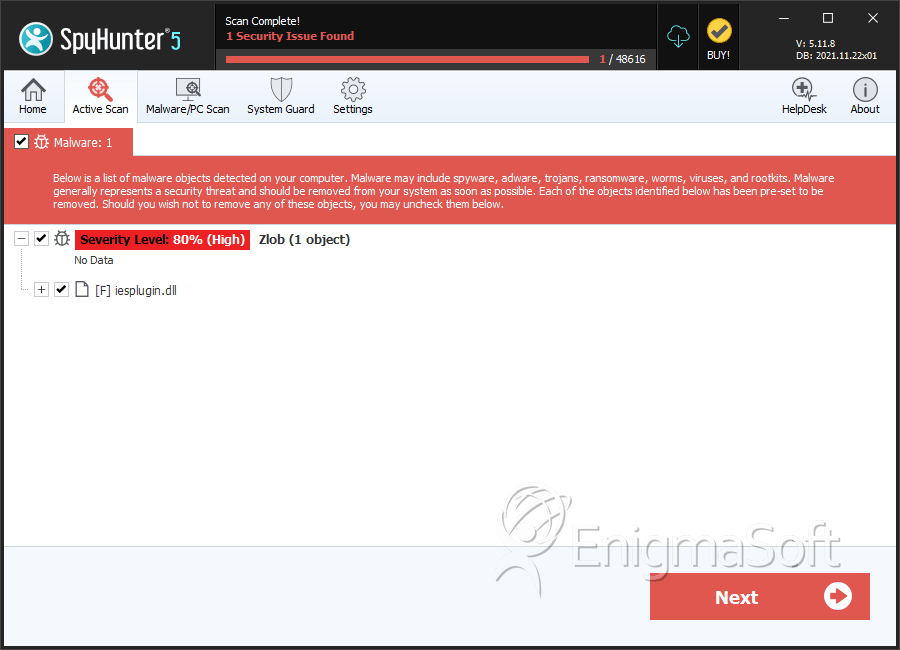
Zlob Screenshots
File System Details
| # | File Name | MD5 |
Detections
Detections: The number of confirmed and suspected cases of a particular threat detected on
infected computers as reported by SpyHunter.
|
|---|---|---|---|
| 1. | iesplugin.dll | e46bbd7733738efa1a3516ef1d4b19d3 | 0 |
| 2. | iesplugin.dll | ebfa464c1338269f7e7730b7f4624df0 | 0 |




