WORM_MORTO.SM
Threat Scorecard
EnigmaSoft Threat Scorecard
EnigmaSoft Threat Scorecards are assessment reports for different malware threats which have been collected and analyzed by our research team. EnigmaSoft Threat Scorecards evaluate and rank threats using several metrics including real-world and potential risk factors, trends, frequency, prevalence, and persistence. EnigmaSoft Threat Scorecards are updated regularly based on our research data and metrics and are useful for a wide range of computer users, from end users seeking solutions to remove malware from their systems to security experts analyzing threats.
EnigmaSoft Threat Scorecards display a variety of useful information, including:
Ranking: The ranking of a particular threat in EnigmaSoft’s Threat Database.
Severity Level: The determined severity level of an object, represented numerically, based on our risk modeling process and research, as explained in our Threat Assessment Criteria.
Infected Computers: The number of confirmed and suspected cases of a particular threat detected on infected computers as reported by SpyHunter.
See also Threat Assessment Criteria.
| Threat Level: | 50 % (Medium) |
| Infected Computers: | 242 |
| First Seen: | October 22, 2012 |
| Last Seen: | December 14, 2021 |
| OS(es) Affected: | Windows |
There's a dangerous malware that spread using Remote Desktop Protocol, as well as traditional worm techniques. There are variants of what was originally known as the WORM_MORTO.SM worm (also detected as WORM_MORTO.SMA). Most WORM_MORTO.SM infections are concentrated in the Asian Pacific and Middle East. WORM_MORTO.SM poses a severe security risk that can be used to steal vital private information or install other malware on the victim's computer.
This dangerous worm infection drops its files in the Windows folder. The main component of WORM_MORTO.SM is a malicious DLL file named clb.dll which loads WORM_MORTO.SM whenever it is executed. Whenever the Registry Editor is executed, the way that WORM_MORTO.SM is installed ensures that this malicious DLL file is executed first, giving priority to this dangerous malware infection. WORM_MORTO.SM's payload is actually in an encrypted file which is decrypted whenever this malicious DLL file is executed on the infected computer.
Table of Contents
WORM_MORTO.SM’s Payload
Once this file is decrypted, it carries out this malware infection's main attack, searching for the Remote Desktop Servers used on the infected computer and attempting to use a variety of passwords from a list in order to gain access to it. If these PCs are protected using weak passwords, then WORM_MORTO.SM will infect that computer and make copies of itself on the infected machine. Since Remote Desktop Protocol is used to gain access to a computer remotely, the WORM_MORTO.SM infection concede to criminals the control of the infected computer from afar, often without having to install a backdoor and a Remote Access Trojan on the infected computer. When this occurs on a computer with particularly sensitive information or on a server, this can be devastating.
The main way to protect your computer and your network from WORM_MORTO.SM is by using strong passwords, preferably passwords that are considerably long, containing a mix of characters, numbers and letters and not found on lists of common passwords (such as qwerty12345 or 'password'). It is also wise to use a secure, encrypted VPN if you plan to use the Remote Desktop Protocol on your computer.
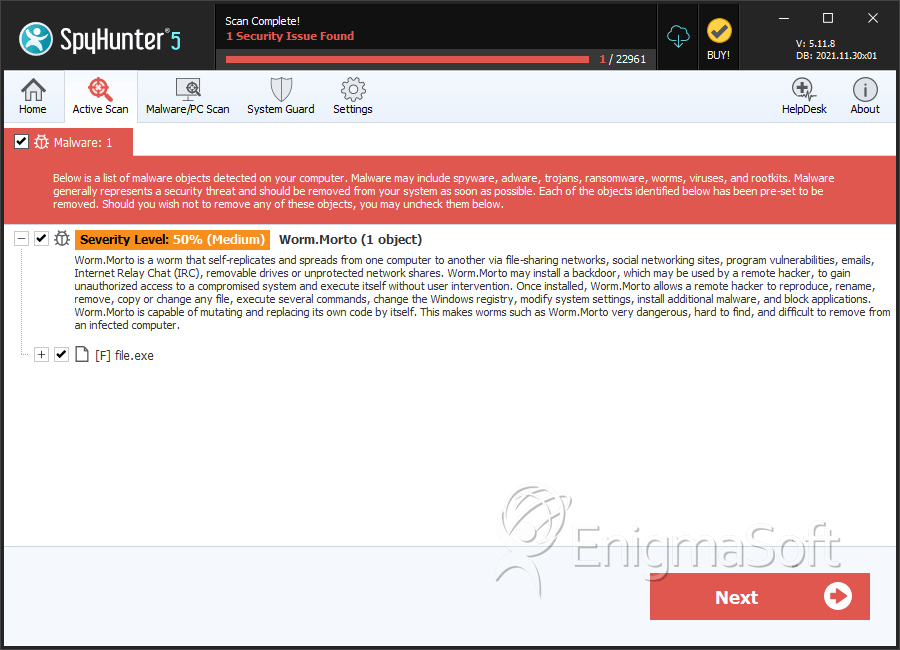
SpyHunter Detects & Remove WORM_MORTO.SM
File System Details
| # | File Name | MD5 |
Detections
Detections: The number of confirmed and suspected cases of a particular threat detected on
infected computers as reported by SpyHunter.
|
|---|---|---|---|
| 1. | %System%\Sens32.dll | ||
| 2. | %Windows%\clb.dll.bak | ||
| 3. | %Windows%\clb.dl | ||
| 4. | %Windows%\Offline Web Pages\cache.txt | ||
| 5. | file.exe | 9bf82a30dcbb45bfc39e978a00a5460c | 0 |
| 6. | file.exe | d856249f4a33f6c88b7c70e7968b976b | 0 |
| 7. | file.exe | 1e1b189c39c0d8d5fbd72f05eb1cceee | 0 |




Submit Comment
Please DO NOT use this comment system for support or billing questions. For SpyHunter technical support requests, please contact our technical support team directly by opening a customer support ticket via your SpyHunter. For billing issues, please refer to our "Billing Questions or Problems?" page. For general inquiries (complaints, legal, press, marketing, copyright), visit our "Inquiries and Feedback" page.