Windows Privacy Counsel
Threat Scorecard
EnigmaSoft Threat Scorecard
EnigmaSoft Threat Scorecards are assessment reports for different malware threats which have been collected and analyzed by our research team. EnigmaSoft Threat Scorecards evaluate and rank threats using several metrics including real-world and potential risk factors, trends, frequency, prevalence, and persistence. EnigmaSoft Threat Scorecards are updated regularly based on our research data and metrics and are useful for a wide range of computer users, from end users seeking solutions to remove malware from their systems to security experts analyzing threats.
EnigmaSoft Threat Scorecards display a variety of useful information, including:
Ranking: The ranking of a particular threat in EnigmaSoft’s Threat Database.
Severity Level: The determined severity level of an object, represented numerically, based on our risk modeling process and research, as explained in our Threat Assessment Criteria.
Infected Computers: The number of confirmed and suspected cases of a particular threat detected on infected computers as reported by SpyHunter.
See also Threat Assessment Criteria.
| Threat Level: | 100 % (High) |
| Infected Computers: | 15 |
| First Seen: | June 11, 2012 |
| Last Seen: | January 8, 2020 |
| OS(es) Affected: | Windows |
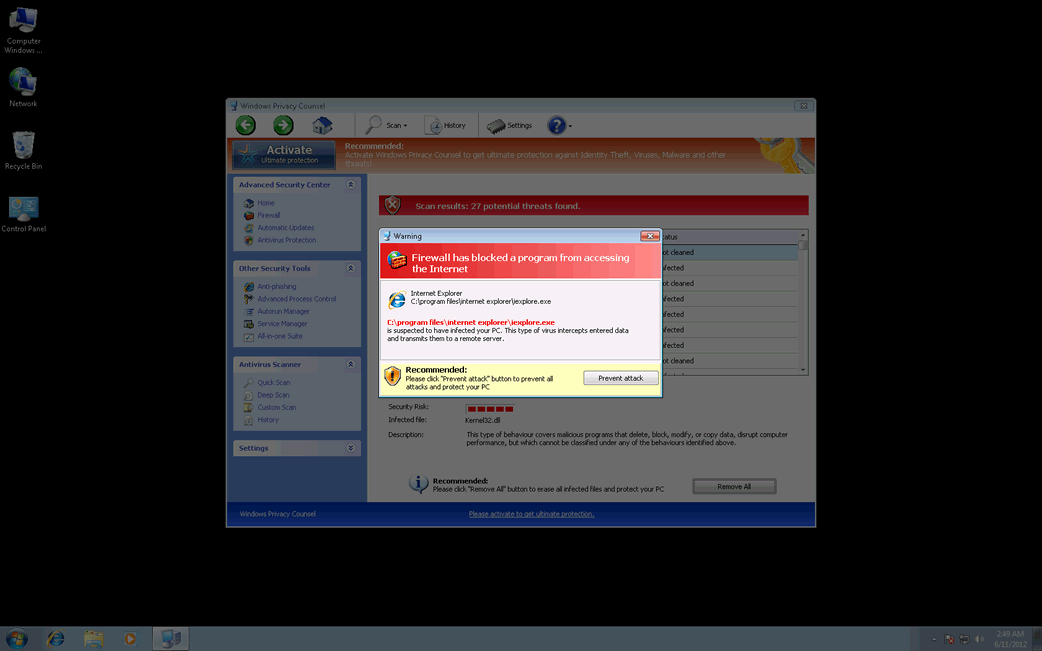
Windows Privacy Counsel Image
Windows Privacy Counsel is a rogue anti-spyware application that uses lots of scary tactics to intimidate PC users their computers are contaminated with malware, and then, encourages them to buy its bogus software product. Windows Privacy Counsel claims its "full version" can detect and remove any computer infections; however, in reality, it is a lie. Although Windows Privacy Counsel may appear to be a helpful software program, it is everything but helpful. Windows Privacy Counsel will use Trojans to get inside a targeted PC. Once installed on a corrupted machine, Windows Privacy Counsel executes a bogus system scan pretending to check your PC for possible malware threats. Then, it uses system scan reports to illustrate to PC users that their computers are riddled with malware threats. All of the notifications and system scan results rendered by Windows Privacy Counsel are false. These false positives are used as a way to get PC users to purchase Windows Privacy Counsel. ESG's malware analysts highly recommend you to use an updated malware removal tool to eliminate Windows Privacy Counsel completely from the corrupted PC.
Table of Contents
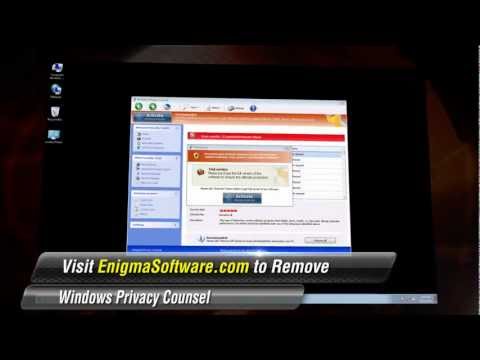
SpyHunter Detects & Remove Windows Privacy Counsel
Windows Privacy Counsel Video
Tip: Turn your sound ON and watch the video in Full Screen mode.
File System Details
| # | File Name | MD5 |
Detections
Detections: The number of confirmed and suspected cases of a particular threat detected on
infected computers as reported by SpyHunter.
|
|---|---|---|---|
| 1. | Protector-ujiq.exe | 9248aefd0886cda740764d5b808e3b87 | 1 |
| 2. | %AppData%\Protector-[RANDOM CHARACTERS].exe |




Submit Comment
Please DO NOT use this comment system for support or billing questions. For SpyHunter technical support requests, please contact our technical support team directly by opening a customer support ticket via your SpyHunter. For billing issues, please refer to our "Billing Questions or Problems?" page. For general inquiries (complaints, legal, press, marketing, copyright), visit our "Inquiries and Feedback" page.