Windows Necessary Firewall
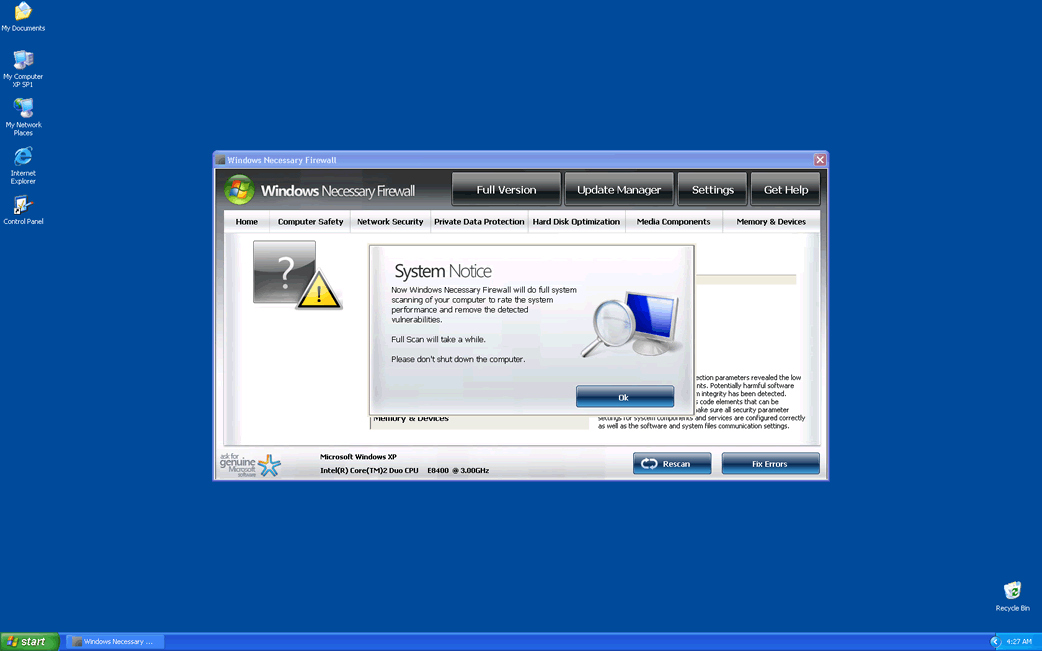
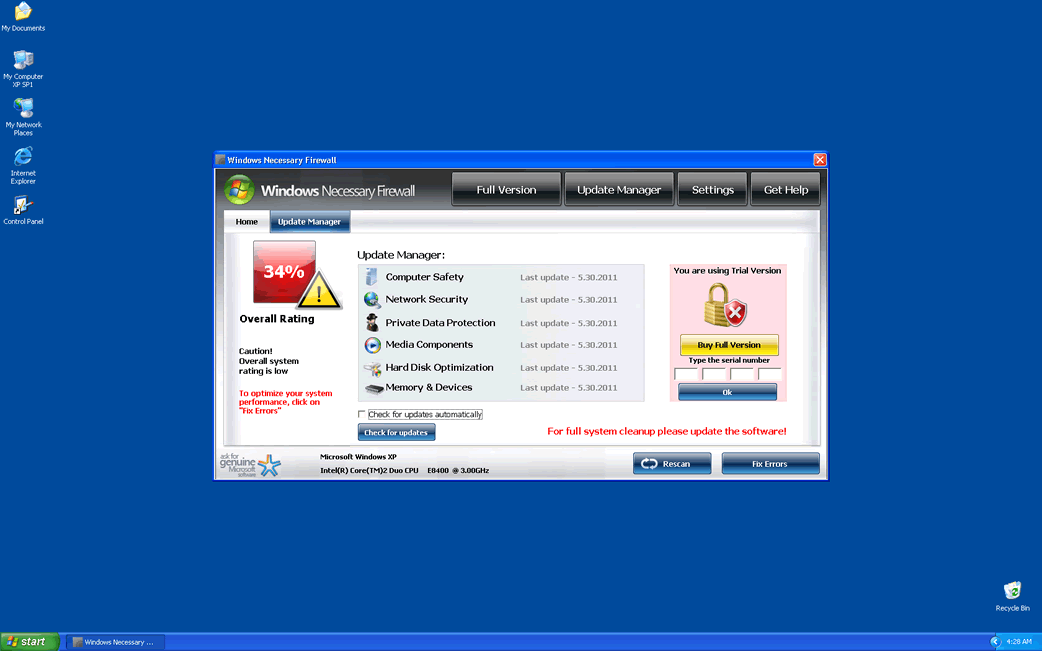
Windows Necessary Firewall Image
Windows Necessary Firewall is not a firewall by any means. In fact, Windows Necessary Firewall has nothing to do with firewalls or Windows. Windows Necessary Firewalll is a malicious program that is disguised as a legitimate security tool. These kinds of programs are known as rogue anti-spyware program. Windows Necessary Firewall belongs to a particularly large group known as the "Fake Microsoft Security Essentials Alert" family of rogue anti-spyware programs. All of these programs use a fake alert from Microsoft Security Essentials, generated by a Trojan, to download and install themselves on your computer. Once they are installed, these programs try to trick you into giving them your credit card information. Never give your personal information to Windows Necessary Firewall. Recognize Windows Necessary Firewall for what Windows Necessary Firewall is; a dangerous intruder that wants to steal your money. If you suspect that your computer is infected with Windows Necessary Firewall, use a reliable anti-malware tool to remove Windows Necessary Firewall completely.
Table of Contents
How Windows Necessary Firewall Invades Your Computer System
Windows Necessary Firewall is usually downloaded without your knowledge or authorization. The one thing that Windows Necessary Firewall and all of its clones share is the way to invade a computer system. The first sign of a Windows Necessary Firewall attack on your computer is a fake alert from Microsoft Security Essentials. This notification typically looks like this:
Microsoft Security Essentials Alert
Potential Threat Details
Microsoft Security Essentials detected potential threats that might compromise your private or damage your computer. Your access to these items may be suspended until you take an action. Click 'show details' to learn more.
If one looks closer, one will find several details on this alert that are somewhat suspicious. However, most computer users will simply click on it, like most people usually do with most Windows notifications. Once you click on it, it will show that the computer system is infected with Trojan.Horse.Win32.PAV.64.a or a similar infection. Then, it will prompt you to install Windows Necessary Firewall to remove the infection. To prompt the user into doing this, Windows Necessary Firewall will usually display a message that looks like this:
Threat prevention solution found
Security system analysis has revealed critical file system vulnerability caused by severe malware attacks.
Risk of system files infection:
The detected vulnerability may result in unauthorized access to private information and hard drive data with a serious possibility of irreversible data loss and unstable PC performance. To remove the malware please run a full system scan. Press 'OK' to install the software necessary to initiate system files check. To complete the installation process please reboot your computer.
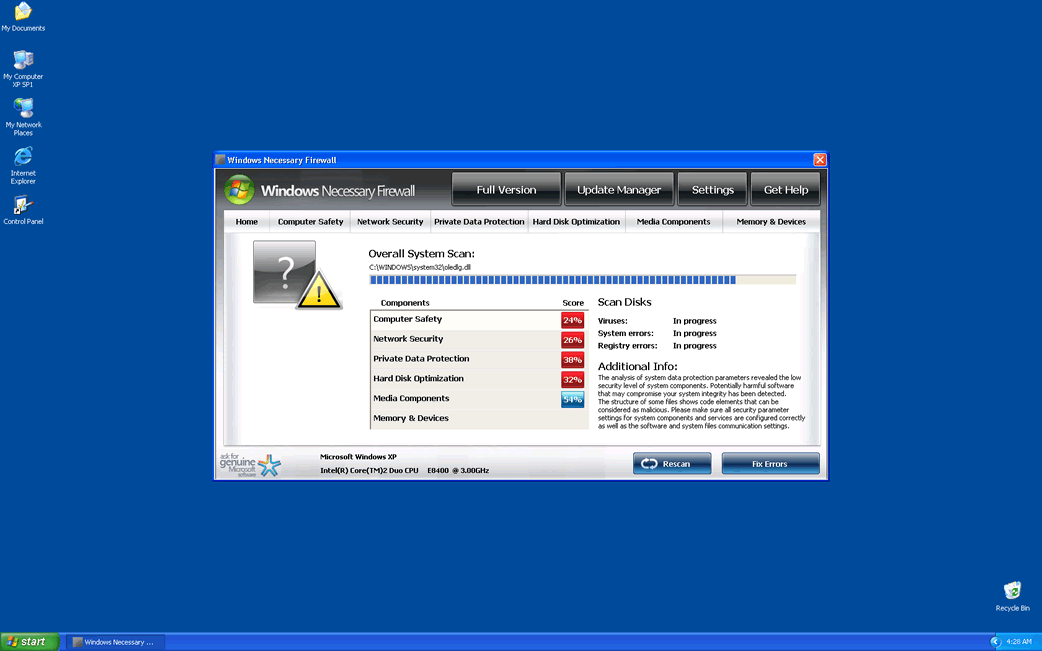
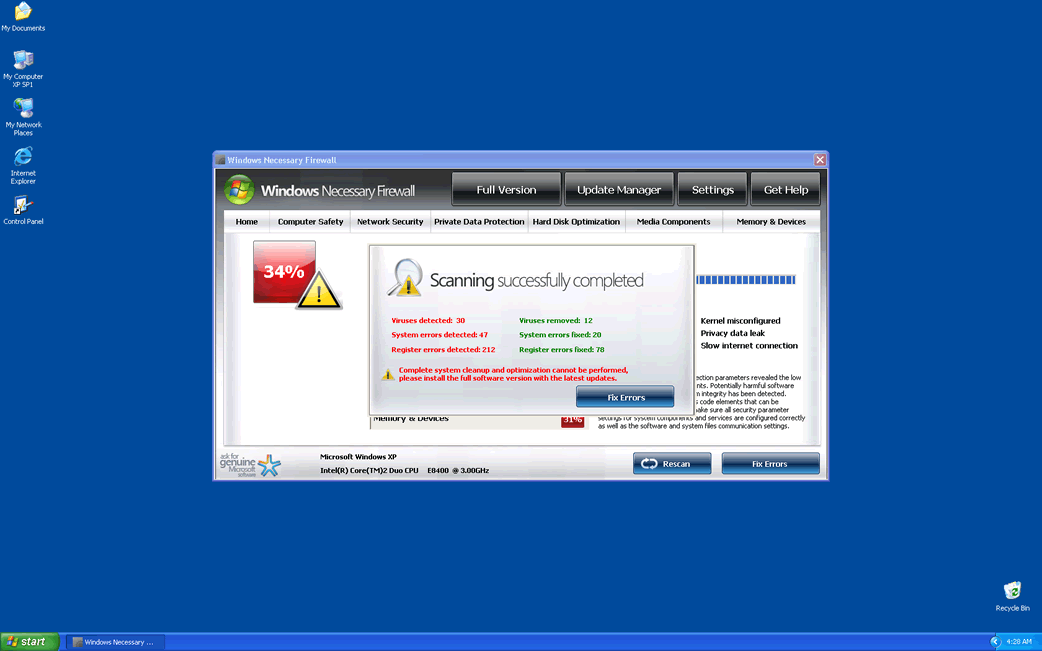
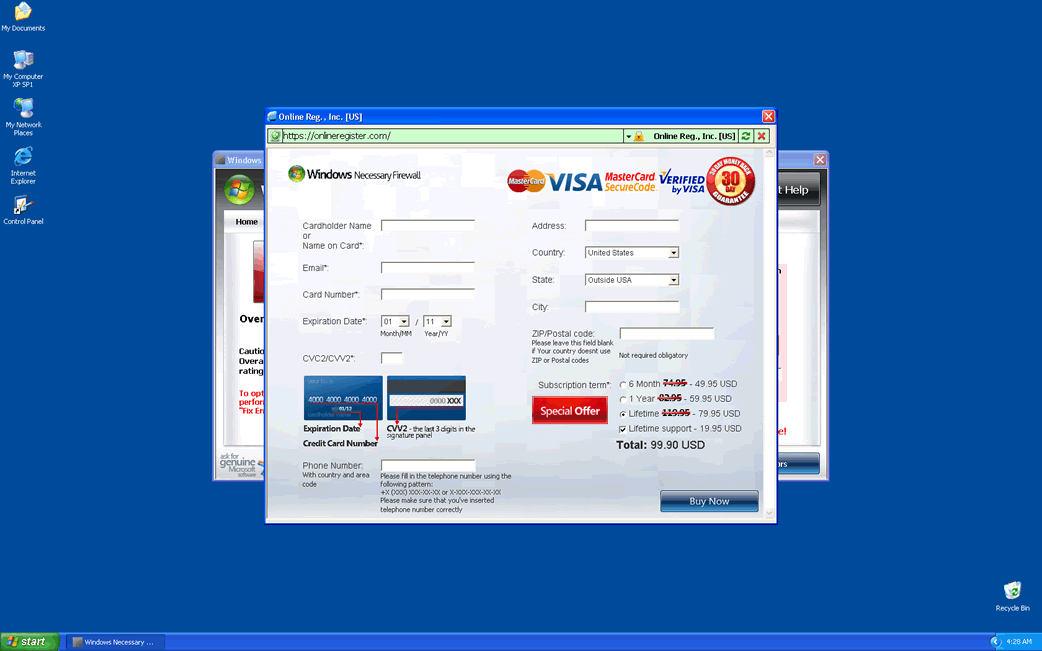
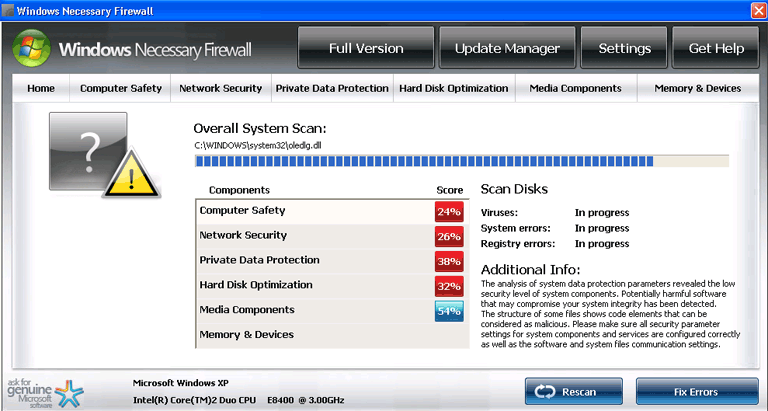
Pressing "OK" will cause your computer to download and install Windows Necessary Firewalll. As part of Windows Necessary Firewall's installation, Windows Necessary Firewall will create garbage files on your hard drive and cause malicious changes to your registry. Once Windows Necessary Firewall has installed, you will find that you have less control over your computer. Windows Necessary Firewalll will start up with Windows and will not allow you to leave Windows Necessary Firewall's splash screen, until Windows Necessary Firewall runs a fake scan of your system. This scan will always show multiple infections on your computer (most of the time these infections are really the garbage files Windows Necessary Firewall created). If you click on the "Fix problems" button, you will be taken to a window where you can purchase a license for Windows Necessary Firewall. If you purchase Windows Necessary Firewall, you’ll only be wasting your money. More importantly, giving the criminals behind this rogue anti-spyware program access to your personal information leaves you at a risk for identity theft and loss of money.
How Windows Necessary Firewall Tries to Scare You
Windows Necessary Firewall tries to scare you into thinking that there is a problem with your computer. Of course, the real problem on your computer is Windows Necessary Firewall itself. One of the ways Windows Necessary Firewall will try to scare you is to show pop-up security alerts like these:
System Security Warning
Attempt to modify register key entries is detected. Register entries analysis is recommended.
Warning!
Location: c:\windows\system32\taskmgr.exe
Viruses: Backdoor.Win32.Rbot
Windows Necessary Firewalll will also slow down your computer and cause it to crash constantly. Other ways Windows Necessary Firewalll tries to scare you is by blocking access to your executable files, making files disappear from your hard drive and altering your browser settings. Don't fall for any of this. Running a genuine anti-malware application will usually take care of a Windows Necessary Firewalll infection on your computer.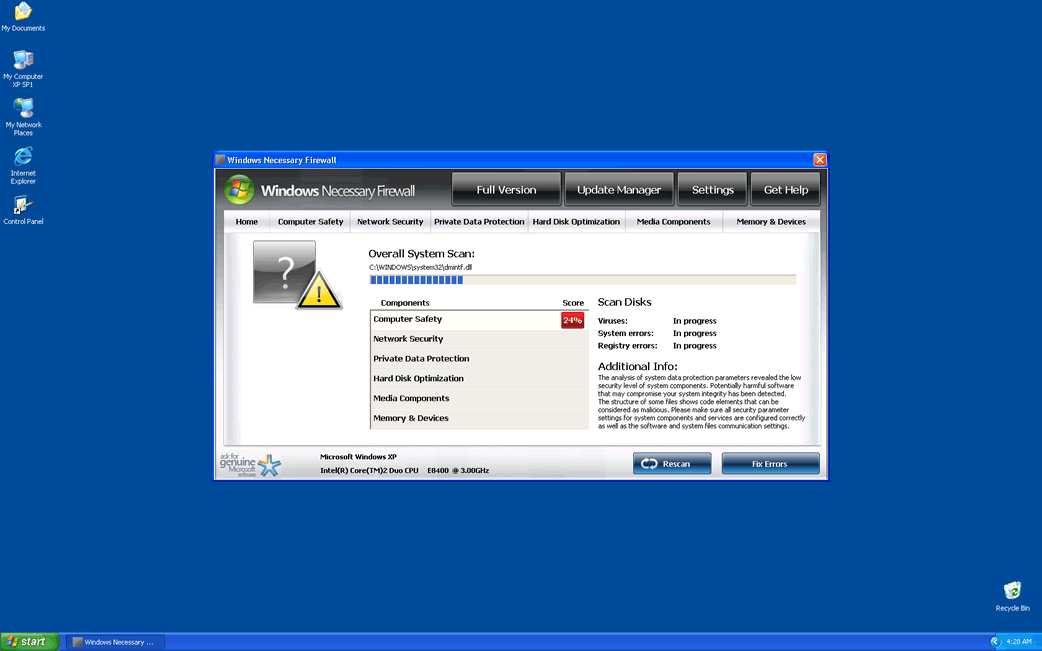
File System Details
| # | File Name |
Detections
Detections: The number of confirmed and suspected cases of a particular threat detected on
infected computers as reported by SpyHunter.
|
|---|---|---|
| 1. | %AppData%\Microsoft\[RANDOM CHARACTERS].exe |




Submit Comment
Please DO NOT use this comment system for support or billing questions. For SpyHunter technical support requests, please contact our technical support team directly by opening a customer support ticket via your SpyHunter. For billing issues, please refer to our "Billing Questions or Problems?" page. For general inquiries (complaints, legal, press, marketing, copyright), visit our "Inquiries and Feedback" page.