Trojan.Milicenso
Threat Scorecard
EnigmaSoft Threat Scorecard
EnigmaSoft Threat Scorecards are assessment reports for different malware threats which have been collected and analyzed by our research team. EnigmaSoft Threat Scorecards evaluate and rank threats using several metrics including real-world and potential risk factors, trends, frequency, prevalence, and persistence. EnigmaSoft Threat Scorecards are updated regularly based on our research data and metrics and are useful for a wide range of computer users, from end users seeking solutions to remove malware from their systems to security experts analyzing threats.
EnigmaSoft Threat Scorecards display a variety of useful information, including:
Ranking: The ranking of a particular threat in EnigmaSoft’s Threat Database.
Severity Level: The determined severity level of an object, represented numerically, based on our risk modeling process and research, as explained in our Threat Assessment Criteria.
Infected Computers: The number of confirmed and suspected cases of a particular threat detected on infected computers as reported by SpyHunter.
See also Threat Assessment Criteria.
| Threat Level: | 90 % (High) |
| Infected Computers: | 4 |
| First Seen: | June 22, 2012 |
| Last Seen: | March 30, 2020 |
| OS(es) Affected: | Windows |
Malware researchers have warned against a recent outbreak of Trojan.Milicenso infections. This irritating Trojan will cause printers to start up unexpectedly and start printing without being prompted by the computer user. Basically, this has led to a shortage of printer paper in various regions and a tremendous waste. The printouts caused by the Trojan.Milicenso Trojan are pure garbage and are designed to prompt waste and irritate computer users. Basically, this malware infection forces the victim's printer to print out until the machine is out of paper. Initially discovered in 2010, the Trojan.Milicenso Trojan will usually be associated with an adware infection detected as Adware.Eorezo.
Table of Contents
How Trojan.Milicenso Enters a Computer
Like most Trojans, the Trojan.Milicenso Trojan cannot spread on its own from one computer to another. Rather, Trojan.Milicenso uses social engineering tactics to convince computer users themselves to download and install Trojan.Milicenso itself, or other malware designed to download and install this malware infection along with other malware threats. Some examples of ways in which Trojan.Milicenso can enter a computer include spam email attachments and attack websites that install Trojan.Milicenso with the use of malicious exploits. Often, a Trojan.Milicenso infection will occur by accident due to a computer user unintentionally clicking a malicious email attachment. Like many Trojans, the Trojan.Milicenso Trojan has also been distributed as a bogus video codec in order to view online streaming videos on suspicious online streaming video websites or packaged along with popular movies in peer to peer file sharing networks.
The Trojan.Milicenso Trojan Has Spread all Around the World
Malware analysts have observed Trojan.Milicenso widespread infections in the United States and India, and as of 2012, this malware infection has also started to infect regions of Europe and South America. Keeping your security software fully updated should contribute greatly towards protecting your computer system from this malware threat. ESG security analysts recommend that offices in affected regions of the world monitor their printer activity since a Trojan.Milicenso infection can cause a considerable waste of money and resources. A Trojan.Milicenso infection will have several effects, such as running aware on the victim's computer and enabling the presence of other malware infections on the victim's PCs. However, the main characteristic of this malware infection is the fact that Trojan.Milicenso causes printers to spew out random characters until they run out of paper. While for a domestic user, this can mean little more than losing a single package of printer paper; an infection throughout a company's network can cause considerable waste.
SpyHunter Detects & Remove Trojan.Milicenso
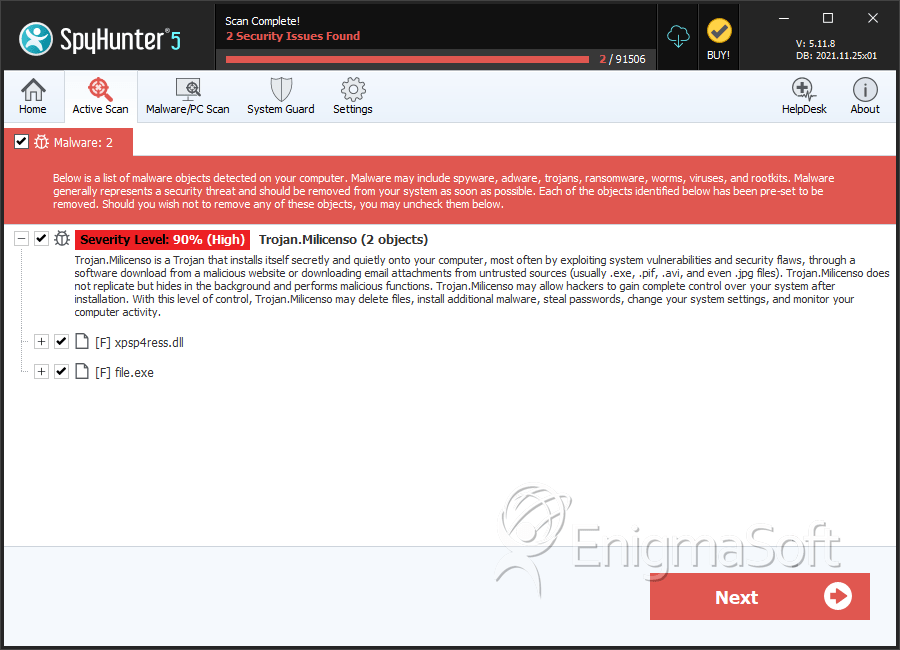
File System Details
| # | File Name | MD5 |
Detections
Detections: The number of confirmed and suspected cases of a particular threat detected on
infected computers as reported by SpyHunter.
|
|---|---|---|---|
| 1. | file.exe | baa1ad467a34144b20cea02e8b537979 | 2 |
| 2. | %ProgramFiles%\[EXISTING FOLDER NAME]\[RANDOM FILE NAME].dll | ||
| 3. | %System%\[RANDOM CHARACTERS].dll | ||
| 4. | %Temp%\[RANDOM FILE NAME].dll | ||
| 5. | %Temp%\[RANDOM FILE NAME].exe | ||
| 6. | %Temp%\[RANDOM CHARACTERS].bat | ||
| 7. | %ProgramFiles%\[EXISTING FOLDER NAME]\[RANDOM FILE NAME].exe | ||
| 8. | %System%\[RANDOM FILE NAME].exe | ||
| 9. | %Windir%\Tasks\[RANDOM CHARACTERS].job | ||
| 10. | xpsp4ress.dll | ee4e11342f6c94d31e212bdc8b003395 | 0 |
| 11. | file.exe | c8e45651512cf3275b0d12307b27ae7d | 0 |
| 12. | file.exe | a6bb2fa68a4852f8f163deb64dd3b065 | 0 |
| 13. | file.exe | e0bcce62bc17811660fdc8e882f8a119 | 0 |




Submit Comment
Please DO NOT use this comment system for support or billing questions. For SpyHunter technical support requests, please contact our technical support team directly by opening a customer support ticket via your SpyHunter. For billing issues, please refer to our "Billing Questions or Problems?" page. For general inquiries (complaints, legal, press, marketing, copyright), visit our "Inquiries and Feedback" page.