Home.sweetim.com
Threat Scorecard
EnigmaSoft Threat Scorecard
EnigmaSoft Threat Scorecards are assessment reports for different malware threats which have been collected and analyzed by our research team. EnigmaSoft Threat Scorecards evaluate and rank threats using several metrics including real-world and potential risk factors, trends, frequency, prevalence, and persistence. EnigmaSoft Threat Scorecards are updated regularly based on our research data and metrics and are useful for a wide range of computer users, from end users seeking solutions to remove malware from their systems to security experts analyzing threats.
EnigmaSoft Threat Scorecards display a variety of useful information, including:
Ranking: The ranking of a particular threat in EnigmaSoft’s Threat Database.
Severity Level: The determined severity level of an object, represented numerically, based on our risk modeling process and research, as explained in our Threat Assessment Criteria.
Infected Computers: The number of confirmed and suspected cases of a particular threat detected on infected computers as reported by SpyHunter.
See also Threat Assessment Criteria.
| Ranking: | 7,174 |
| Threat Level: | 50 % (Medium) |
| Infected Computers: | 12,286 |
| First Seen: | July 8, 2015 |
| Last Seen: | August 29, 2023 |
| OS(es) Affected: | Windows |
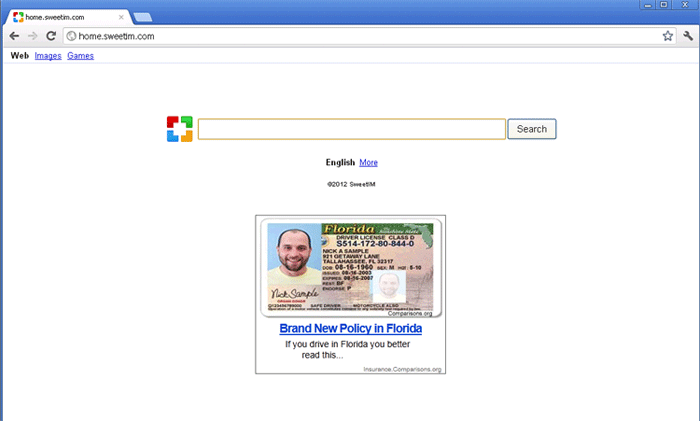
Home.sweetim.com Image
Free smilies, emoticons, and toolbars for your web browser are common delivery vehicles for malware. In fact, the presence of these kinds of applications will usually indicate to PC security analysts that a computer is infected with malware. This is because these kinds of components are often used to target inexperienced computer users whose online interactions are usually limited to social media websites and instant messaging. Since these kinds of tools can often be attractive to these kinds of computer users, and they are also less likely to use effective, fully-updated anti-malware software, criminals specifically use them to deliver malware frequently. The Home.sweetim.com website is associated with SweetIM, often advertised as an emoticon pack.
SweetIM advertisements are often found on websites with unsafe or poorly-overseen advertisements. Installing the SweetIM emoticons will install a web browser toolbar that includes a browser hijacker that leads to websites such as Home.sweetim.com and Search.sweetim.com. These websites promote SweetIM while at the same time containing search functions and numerous sponsored advertisements. These allow unscrupulous marketers to gain enormous profits through advertisement revenue and pay per click marketing schemes. If your web browser is coercing you to access Home.sweetim.com repeatedly, it is highly likely that your computer has become infected with a browser hijacker associated with SweetIM. Steps should be taken to erase this infection with a competent anti-malware program.
Table of Contents
Home.sweetim.com is Closely Related to Browser Hijacking Malware
Browser hijackers come in many varieties, including some that are limited to a particular web browser and those that involve a full-fledged malware attack with rootkit techniques. Fortunately, browser hijackers associated with Home.sweetim.com seem to be limited to a malicious web browser toolbar. The main problem with browser hijackers linked to Home.sweetim.com or in the toolbar reinstalling itself on its own. Because of this, a strong anti-malware program should be used to remove both the browser hijacker itself and revert any changes it may have made to the infected computer's system settings and Windows Registry.
Some symptoms of Home.sweetim.com-related hijacks include the following:
- The infected web browser's homepage has been changed to Home.sweetim.com.
- The infected web browser will display Home.sweetim.com in a pop-up window.
- The victim will be forced to visit Home.sweetim.com after clicking on an unrelated link or at random intervals.
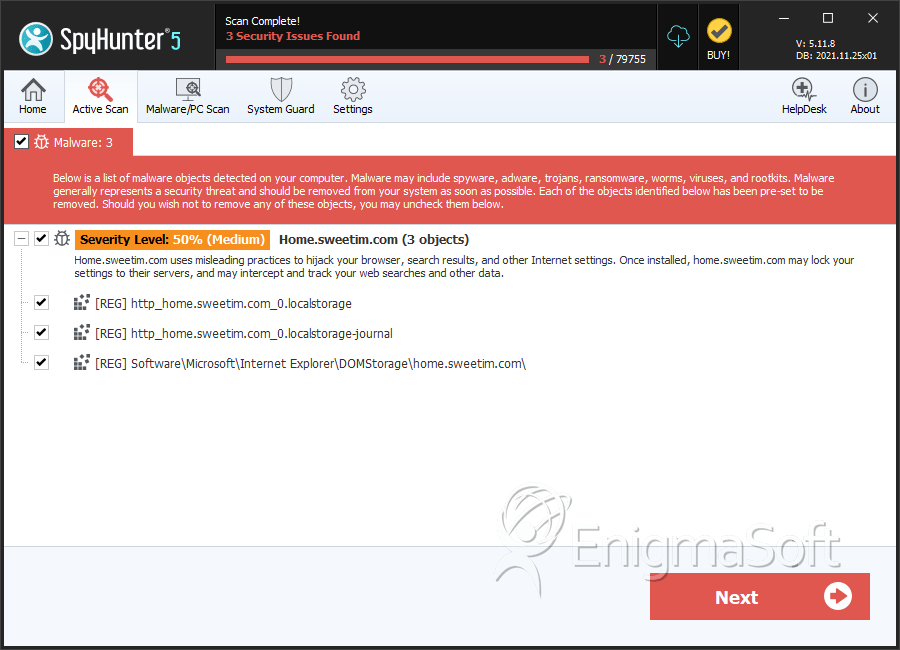
SpyHunter Detects & Remove Home.sweetim.com




Submit Comment
Please DO NOT use this comment system for support or billing questions. For SpyHunter technical support requests, please contact our technical support team directly by opening a customer support ticket via your SpyHunter. For billing issues, please refer to our "Billing Questions or Problems?" page. For general inquiries (complaints, legal, press, marketing, copyright), visit our "Inquiries and Feedback" page.