Finderquery.com
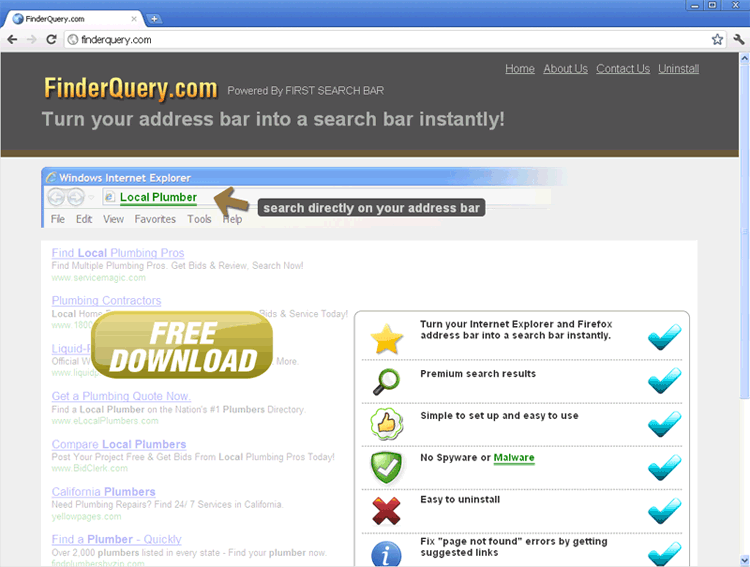
Finderquery.com Image
Finderquery.com is a browser add-on that is supposedly designed to aid you in finding what you need. However, Finderquery.com is really an extremely annoying add-on that forces you to visit Finderquery.com repeatedly. Even worse, Finderquery.com is designed to change your Internet browser's settings. For example, the Finderquery.com add-on makes your browser use the Finderquery.com website as its homepage. This is particularly worrying because, despite its slick design, Finderquery.com is used to direct traffic to other websites associated with malware and illegal activities. If you have any doubt about the validity of Finderquery.com, all you need to do is try to uninstall Finderquery.com. As you will see, the browser hijacker associated with Finderquery.com makes uninstalling Finderquery add-on very difficult. According to ESG security researchers, the best way to remove a browser hijacker is to use a strong, legitimate and up-to-date anti-malware application.
Table of Contents
Protecting Yourself from Finderquery.com Malware
Browser hijackers are designed to infect inexperienced computer users. Because of this, this kind of malware will often use deceptive tactics and a social engineering approach, in order to trick users into downloading and installing Finderquery.com. That is not to say that there is no need for security software. However, ESG PC security researchers consider that the best approach to protect your computer from a malware infection is a combination of strong security programs and safe Internet browsing habits.
The main thing you can do to save yourself from browser hijackers is to install a reliable anti-malware application and a firewall. It is also essential to keep these programs updated with the latest malware threats. However, one of the main things you can do to protect yourself from browser hijacker is to make basic changes to your browsing habits. Below, ESG security researchers have listed some safe browsing habits that will allow you to avoid infections like browser hijackers in the future:
- To avoid malware such as the one associated with Finderquery.com, ESG security researchers strongly recommend being extremely wary of unknown file downloads. This means that you should never open email attachments from an unknown source, or download files, if you are not absolutely sure of their contents and what they do.
- Malware associated with websites such as Finderquery.com can often be found at websites typically regarded as unsafe. These include adult video websites and file sharing networks.
- ESG PC security researchers advise being particularly careful about downloading software updates from third party sites.
File System Details
| # | File Name |
Detections
Detections: The number of confirmed and suspected cases of a particular threat detected on
infected computers as reported by SpyHunter.
|
|---|---|---|
| 1. | C:ProgramDatascanquery131.exe | |
| 2. | C:Program FilesScanQueryuninstall.exe | |
| 3. | C:Program FilesScanQueryscanquery.exe | |
| 4. | C:Program FilesScanQueryscanquery.dll | |
| 5. | C:Program FilesScanQueryScanQuery_deleted_ |



