File Restore
Threat Scorecard
EnigmaSoft Threat Scorecard
EnigmaSoft Threat Scorecards are assessment reports for different malware threats which have been collected and analyzed by our research team. EnigmaSoft Threat Scorecards evaluate and rank threats using several metrics including real-world and potential risk factors, trends, frequency, prevalence, and persistence. EnigmaSoft Threat Scorecards are updated regularly based on our research data and metrics and are useful for a wide range of computer users, from end users seeking solutions to remove malware from their systems to security experts analyzing threats.
EnigmaSoft Threat Scorecards display a variety of useful information, including:
Ranking: The ranking of a particular threat in EnigmaSoft’s Threat Database.
Severity Level: The determined severity level of an object, represented numerically, based on our risk modeling process and research, as explained in our Threat Assessment Criteria.
Infected Computers: The number of confirmed and suspected cases of a particular threat detected on infected computers as reported by SpyHunter.
See also Threat Assessment Criteria.
| Ranking: | 7,838 |
| Threat Level: | 100 % (High) |
| Infected Computers: | 1,164 |
| First Seen: | October 16, 2012 |
| Last Seen: | April 6, 2024 |
| OS(es) Affected: | Windows |
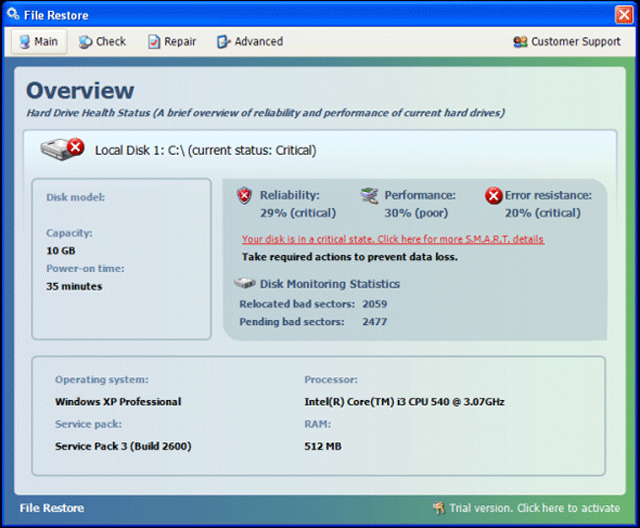
File Restore Image
File Restore is a fake hard drive defragmentation tool from the FakeSysDef family, which is not able to repair system errors and other security issues. File Restore is distributed to the infected computer system by using a Trojan infection and invades your PC without your permission and knowledge. File Restore may create an impression of a reliable security program; however, it's a malware application, which only attempts to dupe you into thinking there were numerous registry errors detected on your computer system. Then, File Restore tries to convince you to purchase the bogus application to fix found system problems. Once installed, File Restore generates itself to start automatically every time you turn on your computer. Then, File Restore loads a fictitious scanner and pretends to be looking for computer threats and Windows Registry problems. File Restore creates some imaginary hard drive errors and security issues to scare you that your computer is seriously infected.
Known clones of File Restore include System Defragmenter, Ultra Defragger, HDD Control, Win HDD, Win Defrag, Win Defragmenter, Disk Doctor, Hard Drive Diagnostic, HDD Diagnostic, HDD Plus, HDD Repair, HDD Rescue, Smart HDD, Defragmenter, HDD Tools, Disk Repair, Windows Optimization Center, Scanner, HDD Low, Hdd Fix.
File Restore also displays numerous annoying security warning messages to inform you about hard disk drive errors. After that, File Restore will offer you to buy the imaginary registered license to repair PC problems. Never purchase and believe File Restore because it will destroy your machine and steal money. ESG's malware researchers strongly recommend you to uninstall File Restore immediately upon detection with a recognized and trustworthy anti-malware program.
Table of Contents
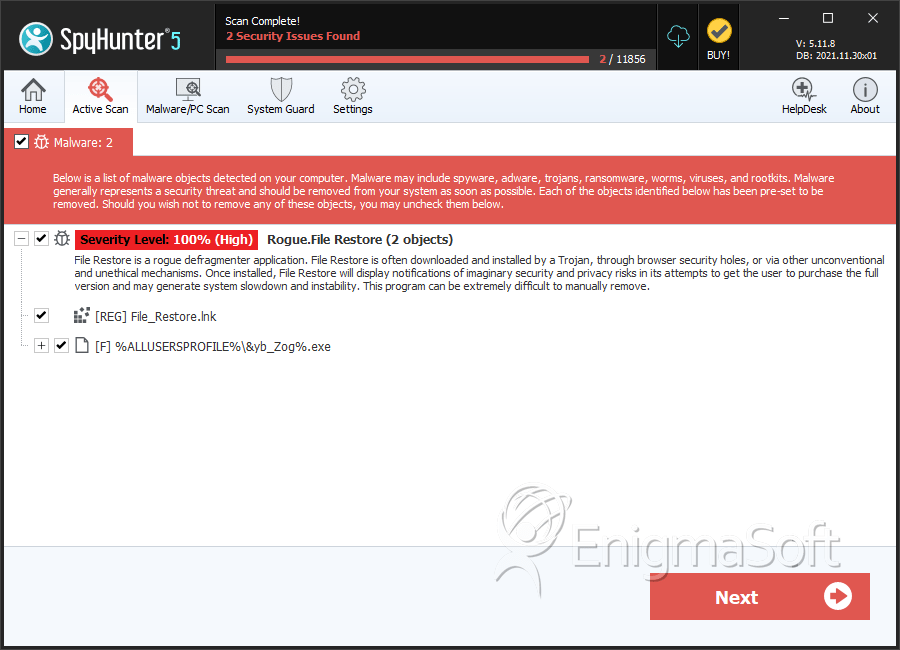
SpyHunter Detects & Remove File Restore
File System Details
| # | File Name | MD5 |
Detections
Detections: The number of confirmed and suspected cases of a particular threat detected on
infected computers as reported by SpyHunter.
|
|---|---|---|---|
| 1. | DUMP_04E70000-04F69000.exe | dae81e01d143caaa70b126dc75971e58 | 13 |
| 2. | %CommonAppData%\[RANDOM CHARACTERS_0].exe | ||
| 3. | %CommonAppiData%\[RANDOM CHARACTERS_1].exe | ||
| 4. | %Programs%\File Restore\File Restore.lnk | ||
| 5. | %AppData%\Microsoft\Internet Explorer\Quick Launch\File_Restore.lnk | ||
| 6. | %CommonAppData%\[RANDOM CHARACTERS_1] | ||
| 7. | %Desktopdir%\File_Restore.lnk | ||
| 8. | %Programs%\File Restore\Uninstall File Restore.lnk |



