Antivirus .NET
Threat Scorecard
EnigmaSoft Threat Scorecard
EnigmaSoft Threat Scorecards are assessment reports for different malware threats which have been collected and analyzed by our research team. EnigmaSoft Threat Scorecards evaluate and rank threats using several metrics including real-world and potential risk factors, trends, frequency, prevalence, and persistence. EnigmaSoft Threat Scorecards are updated regularly based on our research data and metrics and are useful for a wide range of computer users, from end users seeking solutions to remove malware from their systems to security experts analyzing threats.
EnigmaSoft Threat Scorecards display a variety of useful information, including:
Ranking: The ranking of a particular threat in EnigmaSoft’s Threat Database.
Severity Level: The determined severity level of an object, represented numerically, based on our risk modeling process and research, as explained in our Threat Assessment Criteria.
Infected Computers: The number of confirmed and suspected cases of a particular threat detected on infected computers as reported by SpyHunter.
See also Threat Assessment Criteria.
| Threat Level: | 100 % (High) |
| Infected Computers: | 350 |
| First Seen: | January 27, 2011 |
| OS(es) Affected: | Windows |
Antivirus .NET Image
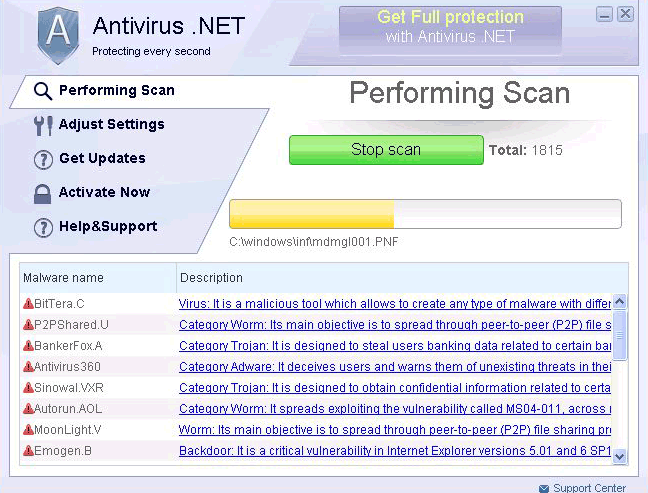
Antivirus. NET is a rogue anti-virus application in the same family as Antivirus Action, AV Security Suite, Antispyware Soft, and Antivirus Scan – so if you're familiar with those, Antivirus. NET shouldn't surprise you. Of course, it has its own slightly modified interface, and its own malicious, bogus payment website, which is Checkeran.com. If you're not familiar with this kind of threat and you find your web browser is constantly redirecting you to Checkeran.com, then be warned that Antivirus. NET is on your computer. This browser hijacking is only one of the things it does try to manipulate you.
Table of Contents
How Antivirus .NET Infects a Computer
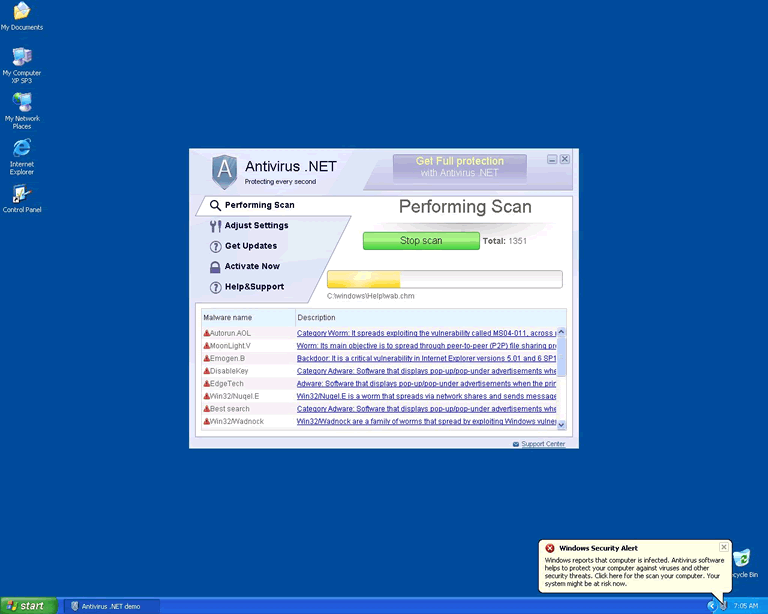
An infection like Antivirus. NET has several noticeable symptoms. The first you'll see on an infected computer is the fake user interface that will appear when Windows starts. This interface exists in order to show you fake system scans and fabricated scan results. Every time you see this fake home screen, Antivirus. NET will play an animation and tell you that it is scanning the computer for threats. This bogus scan will always turn up a list of results, and the list uses the names of real viruses; then, Antivirus. NET will warn you that it isn't capable of removing all the threats unless you activate your copy of the software. These prompts will direct you to Checkeran.com, where you can pay for Antivirus. NET, and see absolutely no difference in the performance of the software. This is hardly surprising, because despite its slogan of "Protecting every second," Antivirus. NET is incapable of scanning for or removing any threats, no matter what.
In addition to the fake scan results, Antivirus. NET will generate alerts that pop up and warn you about supposed threats to your computer. Typically, these alerts will say that a virus has been detected, or that your computer is under attack from some remote source. These alerts are written in order to sound as frightening as possible, and will include prompts to "activate" the Antivirus. NET software in order to protect the system and your own private information.
Even assuming you don't fall for the fake scans or alerts, Antivirus. NET can be extremely disruptive. When you try to open any program other than Firefox or Internet Explorer, Antivirus. NET will prevent it from running, and then give you an alert that says that the program was prevented from running because it presented a threat. As mentioned above, when it comes to the web browsers, Antivirus. NET hijacks them and then redirects them to its own malicious site. Ultimately, Antivirus. NET holds the computer for ransom and does everything it can in order to prevent you from removing it.
Other Indications of Antivirus .NET Presence
In this case, as with all rogue antivirus applications, paying the ransom that Antivirus. NET requests will not change anything; the malware will not release its grip on your computer, and won't behave differently in any way. Antivirus. NET is nothing more than a scam, which originated in Russia, and which is going through various superficial changes over time in an attempt to avoid suspicion. Antivirus. NET seems to have begun causing problems around the end of January 2011, but the scam that it supports is much longer-lived, with many other rogue anti-virus incarnations.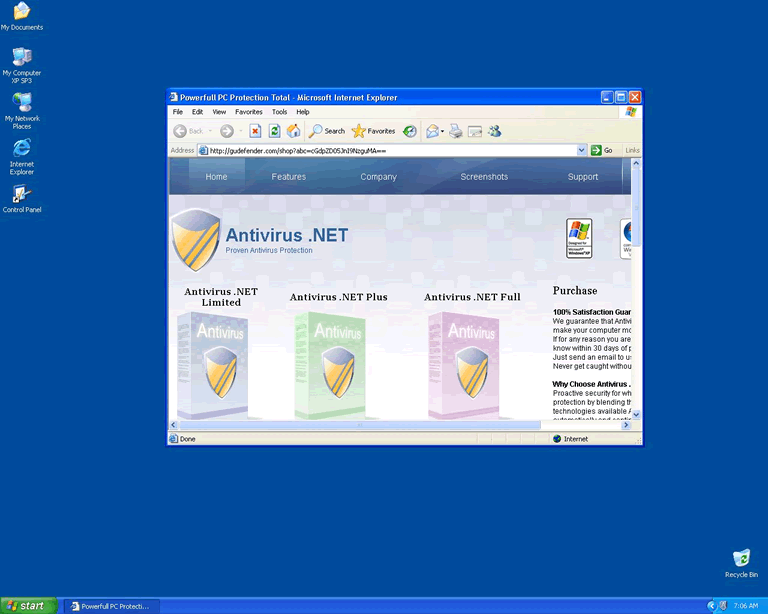
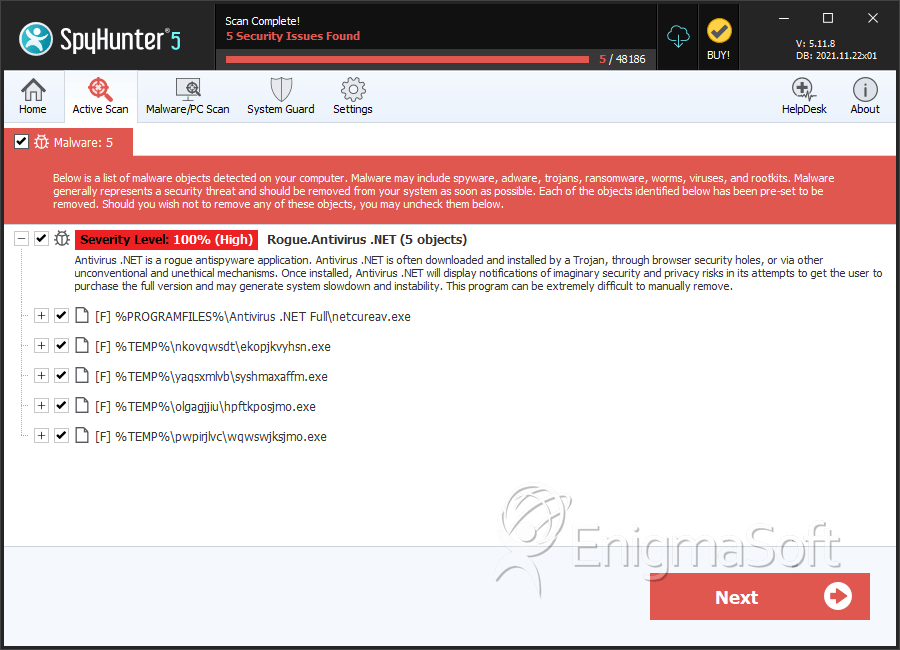
SpyHunter Detects & Remove Antivirus .NET
Antivirus .NET Video
Tip: Turn your sound ON and watch the video in Full Screen mode.
File System Details
| # | File Name | MD5 |
Detections
Detections: The number of confirmed and suspected cases of a particular threat detected on
infected computers as reported by SpyHunter.
|
|---|---|---|---|
| 1. | netcureav.exe | e0a25cad24103ec4df84dd167b55b83a | 224 |
| 2. | ekopjkvyhsn.exe | 7a9ef75292c4f9bee53cdc71c753b25d | 112 |
| 3. | syshmaxaffm.exe | 2db0c58426a3a3c5bb47f282a9bfd214 | 11 |
| 4. | hpftkposjmo.exe | 8b792bc6886e2671b1ecd8f61ab5c790 | 2 |
| 5. | wqwswjksjmo.exe | 11ea2649665cc1a35c96358b69c88bc9 | 1 |





Submit Comment
Please DO NOT use this comment system for support or billing questions. For SpyHunter technical support requests, please contact our technical support team directly by opening a customer support ticket via your SpyHunter. For billing issues, please refer to our "Billing Questions or Problems?" page. For general inquiries (complaints, legal, press, marketing, copyright), visit our "Inquiries and Feedback" page.