Windows Protection Master
Threat Scorecard
EnigmaSoft Threat Scorecard
EnigmaSoft Threat Scorecards are assessment reports for different malware threats which have been collected and analyzed by our research team. EnigmaSoft Threat Scorecards evaluate and rank threats using several metrics including real-world and potential risk factors, trends, frequency, prevalence, and persistence. EnigmaSoft Threat Scorecards are updated regularly based on our research data and metrics and are useful for a wide range of computer users, from end users seeking solutions to remove malware from their systems to security experts analyzing threats.
EnigmaSoft Threat Scorecards display a variety of useful information, including:
Ranking: The ranking of a particular threat in EnigmaSoft’s Threat Database.
Severity Level: The determined severity level of an object, represented numerically, based on our risk modeling process and research, as explained in our Threat Assessment Criteria.
Infected Computers: The number of confirmed and suspected cases of a particular threat detected on infected computers as reported by SpyHunter.
See also Threat Assessment Criteria.
| Ranking: | 15,821 |
| Threat Level: | 100 % (High) |
| Infected Computers: | 23 |
| First Seen: | February 12, 2012 |
| Last Seen: | May 6, 2024 |
| OS(es) Affected: | Windows |
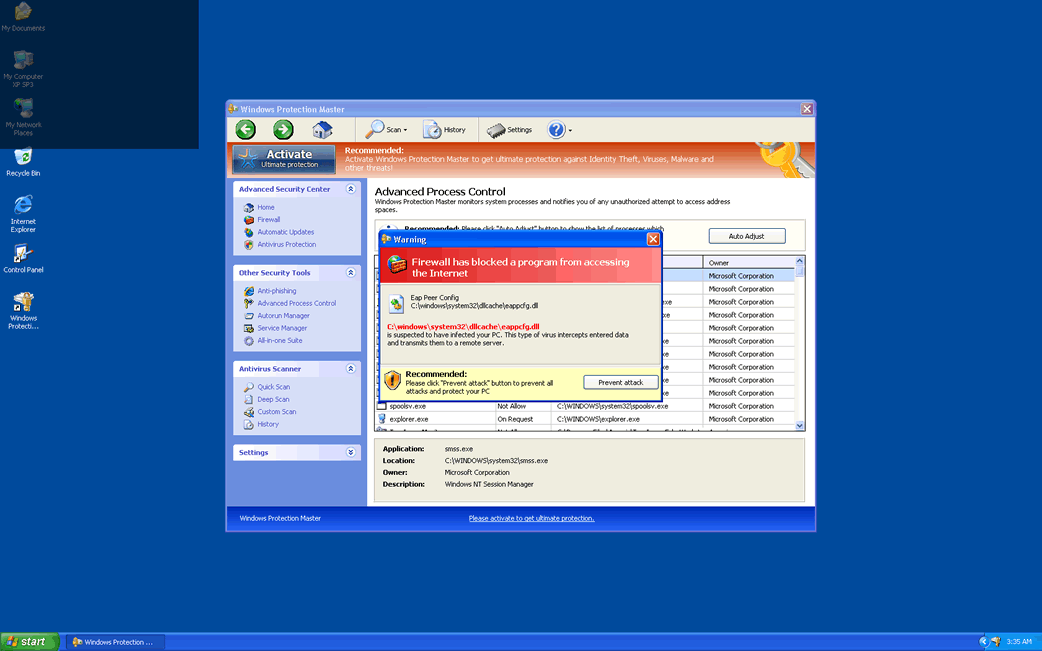
Windows Protection Master Image
Windows Protection Master is a malicious security application that should sound familiar to PC security researchers. This rogue anti-spyware program that is one more member of the FakeVimes family of fraudulent security applications has plenty of clones, many of which follow a similar naming pattern, as well as dozens of other fake security programs that are the same in every visible feature but for their respective names. Windows Protection Master is part of a common online scam which consists in selling fake security products to inexperienced computer users in order to steal their money. Windows Protection Master itself is a kind of malware infection and to remove it safely, computer users should use a reliable anti-malware program.
Examples of clones of Windows Protection Master include Virus Melt, Presto TuneUp, Fast Antivirus 2009, Extra Antivirus, Windows Security Suite, Smart Virus Eliminator, Packed.Generic.245, Volcano Security Suite, Windows Enterprise Suite, Enterprise Suite, Additional Guard, PC Live Guard, Live PC Care, Live Enterprise Suite, Security Antivirus, My Security Wall, CleanUp Antivirus, Smart Security, Windows Protection Suite, Windows Work Catalyst.
Table of Contents
Identifying Windows Protection Master and other Rogue Anti-Spyware Programs
The best way to protect yourself from Windows Protection Master and other rogue anti-spyware applications is to learn how to identify them and differentiate them from legitimate security products. Windows Protection Master has several characteristics that are very common in most rogue anti-spyware programs:
- Windows Protection Master is installed without the computer user's permission or after a large number of pop-up windows and fake error messages warning of a possible security problem are displayed.
- Windows Protection Master does not allow the computer user to remove Windows Protection Master from the infected computer displaying error messages, crashing when the uninstaller is run or simply reinstalling itself when the infected computer reboots.
- Windows Protection Master displays constant alarming error messages and starts up automatically when Windows is launched, running a fake scan of the infected computer system which invariably detects numerous fake infections. Regardless of the state of the victim's computer system, Windows Protection Master will detect numerous problems while being vague when probed for more details.
- Windows Protection Master will often conflict with other applications or with the operating system, causing the victim's computer system to run slowly, crash frequently or behave erratically.
- Windows Protection Master will also often block access to certain files or to certain websites, claiming that Windows Protection Master does so for the victim's own security. If other security software is installed on the infected computer system, it is not uncommon for this security software to be disabled or for it not to function properly. Typically, Windows Protection Master will direct the victim to its own website where the he/she will be prompted to enter their credit card information.
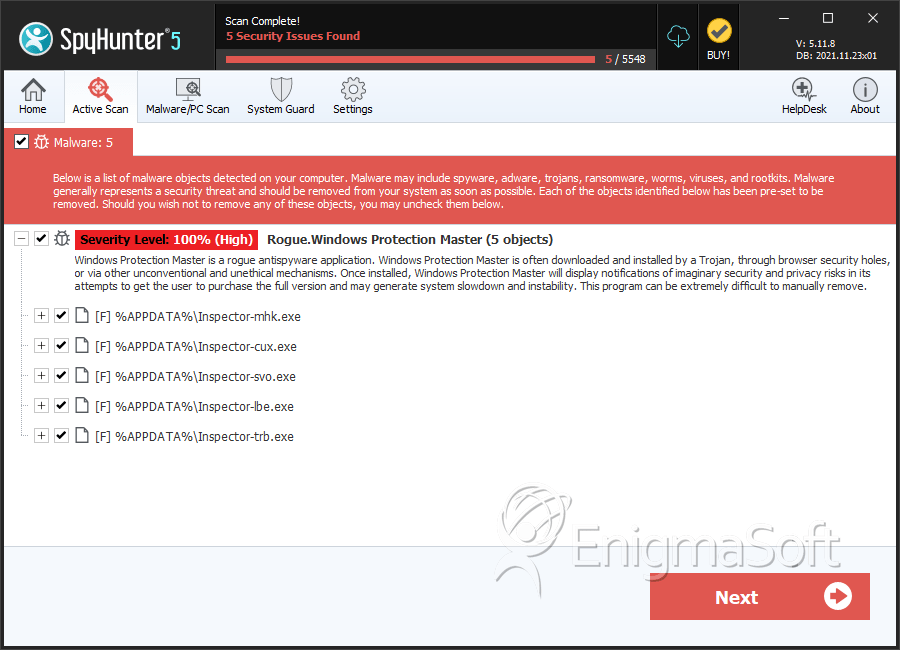
SpyHunter Detects & Remove Windows Protection Master
Windows Protection Master Video
Tip: Turn your sound ON and watch the video in Full Screen mode.
File System Details
| # | File Name | MD5 |
Detections
Detections: The number of confirmed and suspected cases of a particular threat detected on
infected computers as reported by SpyHunter.
|
|---|---|---|---|
| 1. | Windows Protection Master.exe | 456d83a75d1e96a3787c0d92f10622c3 | 4 |
| 2. | Inspector-mhk.exe | 3a72fd214b076f343167b45633347061 | 2 |
| 3. | Inspector-cux.exe | de46e3c96422246c44304996eb4d80ed | 1 |
| 4. | Inspector-lbe.exe | 4941fcc45213c87accaddb8303d66d0f | 1 |
| 5. | Inspector-trb.exe | 65126d03bfb1e03822330f5178ccafc3 | 1 |
| 6. | %AppData%\NPSWF32.dll | ||
| 7. | %AppData%\Inspector-[random three characters].exe | ||
| 8. | [RANDOM].exe | ||
| 9. | %UserProfile%\Desktop\Windows Protection Master.lnk | ||
| 10. | %AppData%\result.db | ||
| 11. | %AllUsersProfile%\Start Menu\Programs\Windows Protection Master\Windows Protection Master.lnk | ||
| 12. | %StartMenu%\Programs\Windows Protection Master.lnk |



