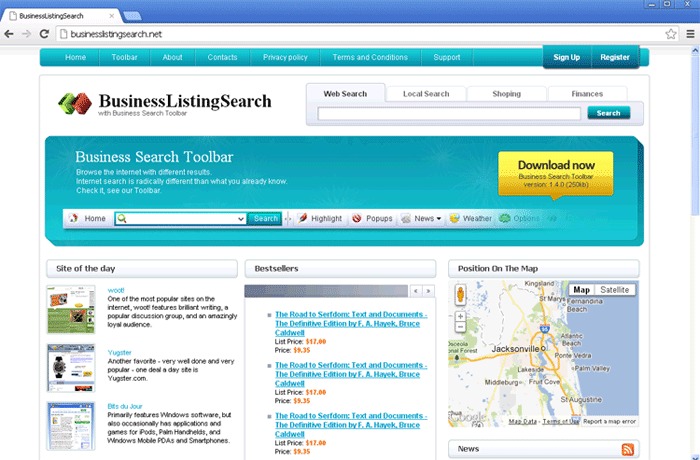
Widgi Toolbar
Threat Scorecard
EnigmaSoft Threat Scorecard
EnigmaSoft Threat Scorecards are assessment reports for different malware threats which have been collected and analyzed by our research team. EnigmaSoft Threat Scorecards evaluate and rank threats using several metrics including real-world and potential risk factors, trends, frequency, prevalence, and persistence. EnigmaSoft Threat Scorecards are updated regularly based on our research data and metrics and are useful for a wide range of computer users, from end users seeking solutions to remove malware from their systems to security experts analyzing threats.
EnigmaSoft Threat Scorecards display a variety of useful information, including:
Popularity Rank: The ranking of a particular threat in EnigmaSoft’s Threat Database.
Severity Level: The determined severity level of an object, represented numerically, based on our risk modeling process and research, as explained in our Threat Assessment Criteria.
Infected Computers: The number of confirmed and suspected cases of a particular threat detected on infected computers as reported by SpyHunter.
See also Threat Assessment Criteria.
| Popularity Rank: | 12,832 |
| Threat Level: | 10 % (Normal) |
| Infected Computers: | 5,502 |
| First Seen: | July 31, 2012 |
| Last Seen: | January 12, 2026 |
| OS(es) Affected: | Windows |
There are many kinds of malware threats, ranging from full-fledged infections that can place your whole computer in jeopardy to Potentially Unwanted Programs that can have annoying effects and are not straightforward to remove. The Widgi Toolbar is a Potentially Unwanted Program (also known as a PUP) that can be quite difficult to remove. The Widgi Toolbar is created by Spigot, Inc., a company that is well known for producing these kinds of applications. This program is often detected as a spyware or adware infection by many security programs. It installs itself as a Browser Helper Object (BHO) for Internet Explorer, although computer users using the Mozilla Firefox web browser have also reported problems with the Widgi Toolbar. Although the Widgi Toolbar is advertised as a potentially helpful add-on for your web browser, Widgi Toolbar is actually designed to take over your online searches and gather marketing information that can then be used to deliver advertisements to your computer.
The Widgi Toolbar is designed to be difficult to remove through normal means, and using the 'Add/Remove programs' panel in the Control Panel will do nothing against this intrusive toolbar. Removing this add-on by using your web browser preferences will also not work. This is because the Widgi Toolbar makes changes to the Windows Registry that allows it Widgi Toolbar to reinstall itself automatically. This annoying toolbar also runs in the background instantly when you start up your computer, hogging system resources and affecting your connection speeds and system performance. Fortunately, most properly updated anti-malware applications can remove the Widgi Toolbar with few problems. ESG security researchers have observed the activities of this malware threat since May of 2011 and, since then, most security programs are able to detect and remove this Potentially Unwanted Program from your computer.
Table of Contents
How the Widgi Toolbar Enters Your Computer in the First Place
Most computer users infected with the Widgi Toolbar will acquire this infection because they have tried to install a freeware application without carefully looking through the installation process. Some examples of freeware programs that tend to include potentially unwanted programs such as the Widgi Toolbar include free PDF conversion programs, audio and video format converters, and freeware media players and editors. The installation process for these programs will often prompt you to install Widgi toolbar and other similar programs as a way to 'help' the creators of the freeware in question. ESG malware analysts recommend looking for freeware alternatives that do not require the installation of dubious software on your computer.
SpyHunter Detects & Remove Widgi Toolbar
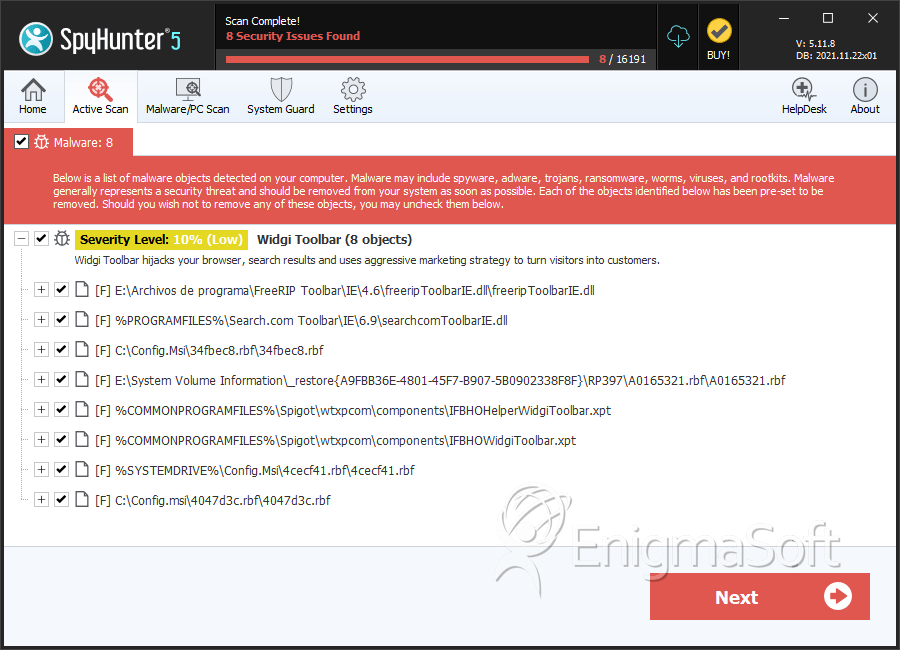
File System Details
| # | File Name | MD5 |
Detections
Detections: The number of confirmed and suspected cases of a particular threat detected on
infected computers as reported by SpyHunter.
|
|---|---|---|---|
| 1. | freeripToolbarIE.dll | 42c62a8cdb10de179747f917070efbea | 2,183 |
| 2. | searchcomToolbarIE.dll | 3cffa72079d81334e92b778eeb204498 | 1,992 |
| 3. | 34fbec8.rbf | 6a5ef17c5c7522d0250f2e7088d3e8d6 | 130 |
| 4. | A0165321.rbf | d79b36c31244dd84ed40abf487a73255 | 82 |
| 5. | IFBHOHelperWidgiToolbar.xpt | d2fe788edbfafcb041a266faa706251a | 64 |
| 6. | IFBHOWidgiToolbar.xpt | 78790228a0f4cacc233ed694b6c70cb2 | 64 |
| 7. | 4cecf41.rbf | fc6572f8e23ab65f6d167d909737db97 | 55 |
| 8. | 4047d3c.rbf | 61d418b5df113ab280f91130a92d7fec | 36 |
| 9. | A0168575.rbf | 4b17a2330d2b392b2f512f30fc7016bd | 31 |
| 10. | SearchSettings.exe | 6253d6b467ee6193215d6fea00413da2 | 27 |