UltimateCleaner

Domesticus By Domesticus in Rogue Anti-Spyware Program | 40 views
Rate it:
1 Star2 Stars3 Stars4 Stars5 Stars (No Ratings Yet)
Loading ... Loading ...

UltimateCleaner Description

UltimateCleaner is a rogue anti-spyware application that uses deceptive advertising tactics to trick you into purchasing the full downloadable version. UltimateCleaner is commonly brought onto your machine by a Trojan called Zlob which compromises your computer system and allows fake error messages to pop up on your Taskbar. After UltimateCleaner is installed, it will run a full scan on your computer and issue exaggerated spyware reports. After the scanning process is finished, a security message will pop up urging you to click on the button to purchase UltimateCleaner.

In some cases error messages will continue to pop up after you’ve either press “X” or “Cancel” button. Such malicious actions will not only put your computer at risk, but will also consume your machine’s processing power causing it to slow down severely or even crash. UltimateCleaner is designed for one purpose – to profit from vulnerable computer users by scaring them into buying the “full version” of the program. Immediate removal of UltimateCleaner is strongly recommended. UltimateCleaner is known to be a clone of UltimateDefender.

Type: Malware

How Can You Detect UltimateCleaner?


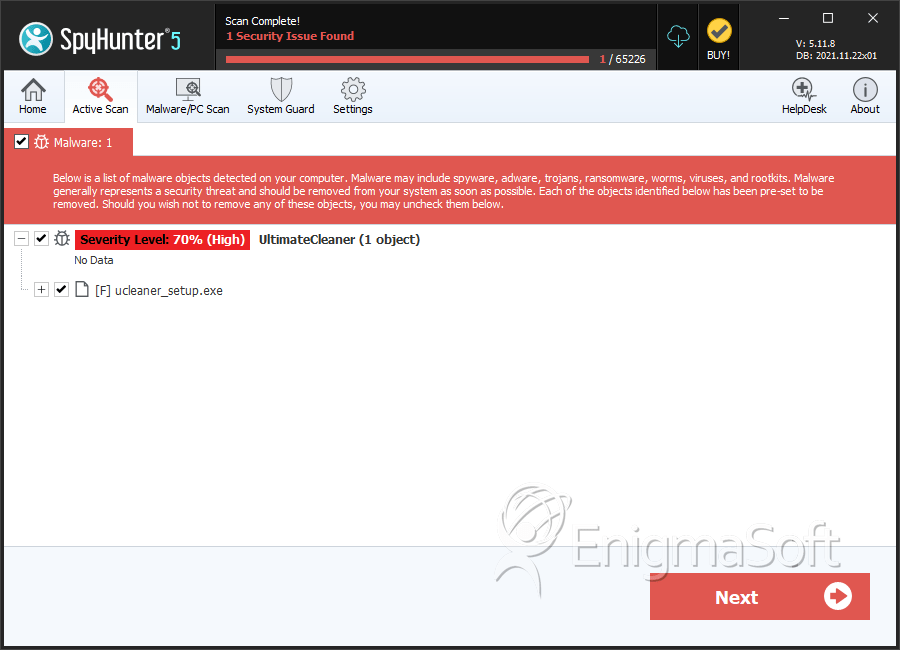
Download SpyHunter’s Detection Scanner
to Detect UltimateCleaner.


UltimateCleaner Technical Report

As new UltimateCleaner details are reported by our customers and findings from our Threat Research Center, we will update this section.

The following UltimateCleaner files with its MD5s were created in the system:

File Name File Size MD5
ucleaner_setup.exe 149808 c7e3838e6df033e6335ef0c9a0020fa6

UltimateCleaner has typically the following processes in memory:

  • UltimateCleaner.exe
  • iesafe.exe
  • app.exe
  • ucsecuredelete.dll

UltimateCleaner creates the following registry entries:

  • HKEY_LOCAL_MACHINE\SOFTWARE\Ultimate Cleaner
  • HKEY_CLASSES_ROOT\AllFilesystemObjects\shellex\ContextMenuHandlers\UCSecureDelete
  • HKEY_LOCAL_MACHINE\SOFTWARE\Microsoft\Windows\CurrentVersion\Uninstall\Ultimate Cleaner
  • HKEY_ALL_USERS\Software\Ultimate Cleaner
  • HKEY_CLASSES_ROOT\CLSID\{D0BD3D02-4A54-45D4-9502-7DB00F92392A}
  • HKEY_LOCAL_MACHINE\SOFTWARE\Microsoft\Windows\CurrentVersion\Shell Extensions\Approved\”{D0BD3D02-4A54-45D4-9502-7DB00F92392A}” = “UCSecureDelete”

Important Article Disclaimer

ESG Support Center

Share and Enjoy: These icons link to social bookmarking sites where readers can share and discover new web pages.
  • Digg
  • del.icio.us
  • Furl
  • StumbleUpon
  • Technorati
  • YahooMyWeb
This entry was posted on 10/2/07 and is filed under Rogue Anti-Spyware Program. You can follow any responses to this entry through the RSS 2.0 feed. You can leave a response, or trackback from your own site.

Leave a Comment

Note: Abusive comments are not allowed. Please do not post comments regarding technical support issues. ESG customers that have issues with SpyHunter should open a customer support ticket.

*
To prove you're a person (not a spam script), type the security word shown in the picture. Click on the picture to hear an audio file of the word.
Click to hear an audio file of the anti-spam word

Poll

How much money have you spent trying to rid your PC of spyware?
View Results
Follow Us on Twitter

Archives

Home Sitemap RSS Feed Privacy Policy End User License Agreement Copyright 2003-2010. Enigma Software Group USA, LLC. All Rights Reserved.