SearchEnhancer
Threat Scorecard
EnigmaSoft Threat Scorecard
EnigmaSoft Threat Scorecards are assessment reports for different malware threats which have been collected and analyzed by our research team. EnigmaSoft Threat Scorecards evaluate and rank threats using several metrics including real-world and potential risk factors, trends, frequency, prevalence, and persistence. EnigmaSoft Threat Scorecards are updated regularly based on our research data and metrics and are useful for a wide range of computer users, from end users seeking solutions to remove malware from their systems to security experts analyzing threats.
EnigmaSoft Threat Scorecards display a variety of useful information, including:
Ranking: The ranking of a particular threat in EnigmaSoft’s Threat Database.
Severity Level: The determined severity level of an object, represented numerically, based on our risk modeling process and research, as explained in our Threat Assessment Criteria.
Infected Computers: The number of confirmed and suspected cases of a particular threat detected on infected computers as reported by SpyHunter.
See also Threat Assessment Criteria.
| Threat Level: | 40 % (Medium) |
| Infected Computers: | 15 |
| First Seen: | July 24, 2009 |
| Last Seen: | January 9, 2019 |
| OS(es) Affected: | Windows |
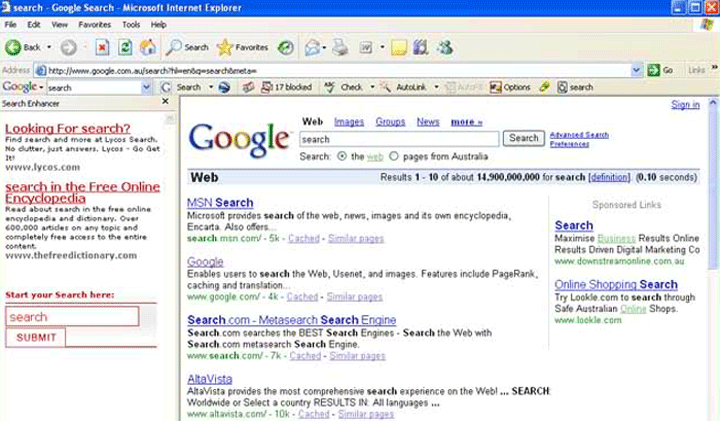
SearchEnhancer Image
Search Enhancer is one of the many adware infections that take the form of a web browser add-on or extension. Search Enhancer is marketed as a browser toolbar that allows computer users to carry out better online searches by aggregating various results from different search engines and generally displaying better search results. However, Search Enhancer is actually designed to spam you with irritating advertisements in the form of banner advertisements and pop-up windows and track your online activity. If your web browser is displaying pop-up windows containing advertisements while visiting normally trustworthy or reliable web pages, this is an indication that your computer has been infected with Search Enhancer or a similar malicious web browser plug-in.
Table of Contents
The Relationship Between Search Enhancer and Other Web Browser Hijackers
Browser hijackers, in the form of web browser toolbars promising to enhance online searches, are among the most common forms of malware. These are often also linked to fake search engine websites that display advertisements instead of legitimate search results. Browser hijackers receive their name because the main element of these kinds of infections involves taking over the victim's web browser and forcing it to visit certain websites without the computer user's authorization. These websites will often be fake search engines and the redirect will occur when the victim visits a legitimate search engine website. Inexperienced computer users may be ambushed into having no doubt that this is actually normal and are more probable to fall prey to this scam.
Protecting Your Computer from Search Enhancer
ESG malware analysts strongly advise avoiding the installation of toolbars on your web browser. While there are, undoubtedly, legitimate toolbars out there, these are so commonly associated with online scams, adware and other forms of malware, that PC security researchers will almost always associate toolbars with malicious online content. To prevent infections similar to Search Enhancer, ESG malware analysts advise using reliable security software and keeping it always updated. It is also important to practice safe online browsing, such as avoiding unsafe websites and never downloading unknown files or clicking on links leading to unknown web pages.
SpyHunter Detects & Remove SearchEnhancer
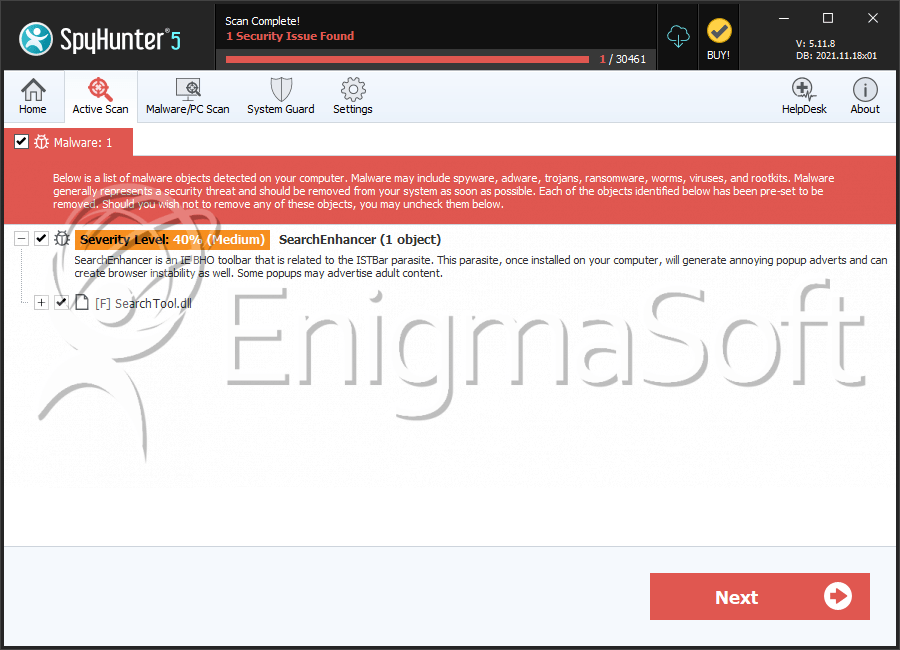
File System Details
| # | File Name | MD5 |
Detections
Detections: The number of confirmed and suspected cases of a particular threat detected on
infected computers as reported by SpyHunter.
|
|---|---|---|---|
| 1. | SearchTool.dll | d58bdcba6f1f9ff4de3ae490a82e4039 | 0 |




Submit Comment
Please DO NOT use this comment system for support or billing questions. For SpyHunter technical support requests, please contact our technical support team directly by opening a customer support ticket via your SpyHunter. For billing issues, please refer to our "Billing Questions or Problems?" page. For general inquiries (complaints, legal, press, marketing, copyright), visit our "Inquiries and Feedback" page.