Micorsoft Essential Security Pro 2013
Threat Scorecard
EnigmaSoft Threat Scorecard
EnigmaSoft Threat Scorecards are assessment reports for different malware threats which have been collected and analyzed by our research team. EnigmaSoft Threat Scorecards evaluate and rank threats using several metrics including real-world and potential risk factors, trends, frequency, prevalence, and persistence. EnigmaSoft Threat Scorecards are updated regularly based on our research data and metrics and are useful for a wide range of computer users, from end users seeking solutions to remove malware from their systems to security experts analyzing threats.
EnigmaSoft Threat Scorecards display a variety of useful information, including:
Ranking: The ranking of a particular threat in EnigmaSoft’s Threat Database.
Severity Level: The determined severity level of an object, represented numerically, based on our risk modeling process and research, as explained in our Threat Assessment Criteria.
Infected Computers: The number of confirmed and suspected cases of a particular threat detected on infected computers as reported by SpyHunter.
See also Threat Assessment Criteria.
| Ranking: | 17,574 |
| Threat Level: | 100 % (High) |
| Infected Computers: | 5,702 |
| First Seen: | October 29, 2012 |
| Last Seen: | September 17, 2024 |
| OS(es) Affected: | Windows |
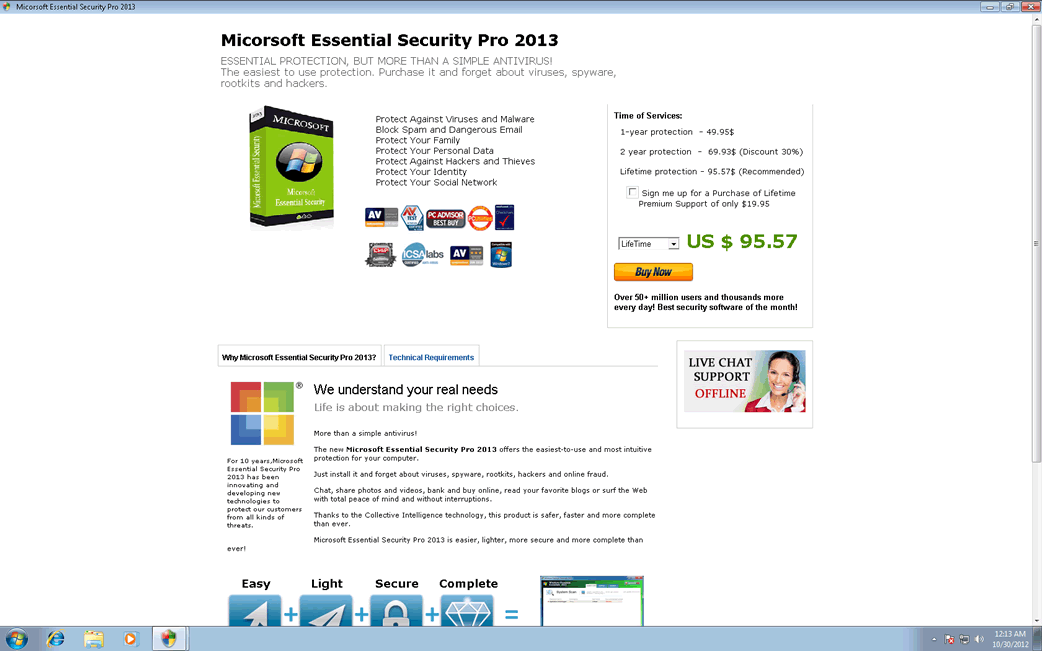
Micorsoft Essential Security Pro 2013 Image
Despite what its name implies, Micorsoft Essential Security Pro 2013 is not affiliated with Microsoft and Micorsoft Essential Security Pro 2013 does not provide security for your computer. Rather, Micorsoft Essential Security Pro 2013 is a rogue security program which is a fake anti-malware application that is used to lure inexperienced computer users. If Micorsoft Essential Security Pro 2013 is installed on your machine, this bring about that you have become the target of a threat designed to attempt to steal your money. Rather than following any of Micorsoft Essential Security Pro 2013's recommendations, security researchers urge affected computer users to use a reliable, powerful anti-malware program to remove Micorsoft Essential Security Pro 2013 and all of its associated harmful components.
Table of Contents
How Micorsoft Essential Security Pro 2013 Tries to Lure Naive PC Users
Rogue security applications are a very popular way that its creators use to fool naive PC users. Basically, criminals use these bogus security programs to make PC users to be convinced that their machine is severely infected. This is done by displaying various fake error messages, including security alerts and pop-up notifications that seem to come from Windows itself (this is done by making harmful changes to the Windows Registry) and by causing several problems in the infected computer, such as poor system performance or hiding the victim's files. Although Micorsoft Essential Security Pro 2013 is disguised as a security program, using Micorsoft Essential Security Pro 2013 to attempt to fix these supposed threat problems only results in additional error messages. These error messages claim that Micorsoft Essential Security Pro 2013 needs to be upgraded to an expensive 'full version'. It is important to avoid paying for this supposed full version due to the fact that Micorsoft Essential Security Pro 2013 is a useless anti-malware program and is actually a kind of threat itself.
Protecting Your Computer from Micorsoft Essential Security Pro 2013 and Other Threats
Although a strong anti-malware application and a good firewall are a powerful protection against Micorsoft Essential Security Pro 2013, the main measure you can take to protect yourself is being extremely careful when downloading anything from the Internet. Micorsoft Essential Security Pro 2013 and any kind of fake security programs may spread using social engineering. This means that most Micorsoft Essential Security Pro 2013 infections are actually downloaded and installed by the victim who will often be made to believe that what is being downloaded is actually harmless or even beneficial.
Aliases
15 security vendors flagged this file as malicious.
| Anti-Virus Software | Detection |
|---|---|
| F-Secure | Trojan:W32/Kamala.A |
| Comodo | TrojWare.Win32.PWS.ZBot.XD |
| K7AntiVirus | Trojan |
| Panda | Trj/CI.A |
| AVG | SHeur4.ASHB |
| Fortinet | W32/ZBOT.HL!tr |
| Ikarus | Trojan.Signed |
| AhnLab-V3 | Trojan/Win32.Foreign |
| Microsoft | Rogue:Win32/FakeRean |
| TrendMicro | TSPY_ZBOT.SM14 |
| AntiVir | TR/Crypt.XPACK.Gen |
| DrWeb | Trojan.MulDrop4.8826 |
| Comodo | Heur.Suspicious |
| Sophos | Mal/Cleaman-B |
| Kaspersky | Trojan.Win32.Agent.ulow |
SpyHunter Detects & Remove Micorsoft Essential Security Pro 2013
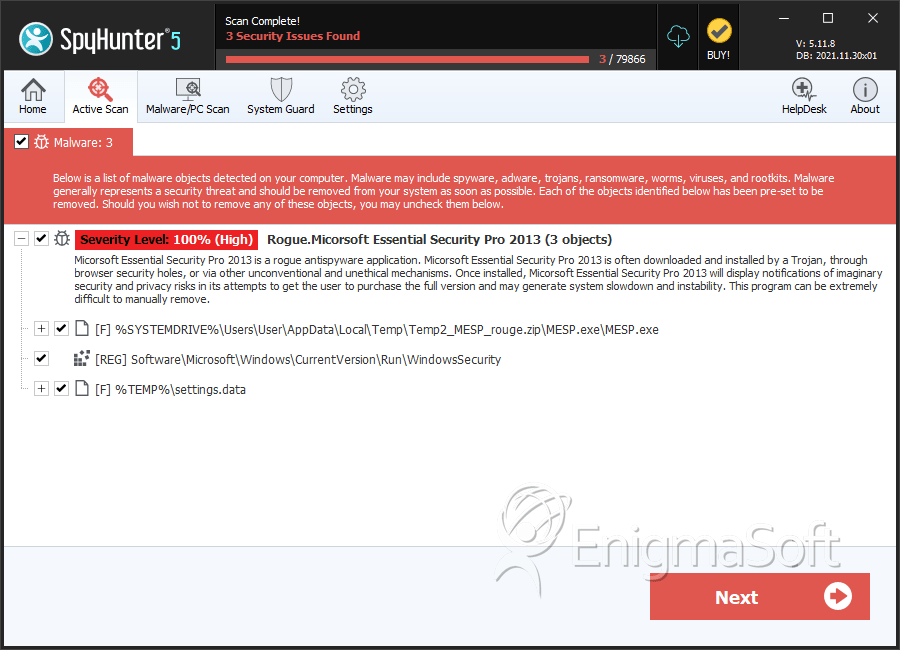
File System Details
| # | File Name | MD5 |
Detections
Detections: The number of confirmed and suspected cases of a particular threat detected on
infected computers as reported by SpyHunter.
|
|---|---|---|---|
| 1. | MESP.exe | 3d5ebecbbbc1184e8aeb3851dd39d777 | 2,706 |
| 2. | settings.data | c2e17b2d1947c0ffe2ae7f5e0e72ae5b | 0 |



