CoolWebSearch
Threat Scorecard
EnigmaSoft Threat Scorecard
EnigmaSoft Threat Scorecards are assessment reports for different malware threats which have been collected and analyzed by our research team. EnigmaSoft Threat Scorecards evaluate and rank threats using several metrics including real-world and potential risk factors, trends, frequency, prevalence, and persistence. EnigmaSoft Threat Scorecards are updated regularly based on our research data and metrics and are useful for a wide range of computer users, from end users seeking solutions to remove malware from their systems to security experts analyzing threats.
EnigmaSoft Threat Scorecards display a variety of useful information, including:
Ranking: The ranking of a particular threat in EnigmaSoft’s Threat Database.
Severity Level: The determined severity level of an object, represented numerically, based on our risk modeling process and research, as explained in our Threat Assessment Criteria.
Infected Computers: The number of confirmed and suspected cases of a particular threat detected on infected computers as reported by SpyHunter.
See also Threat Assessment Criteria.
| Ranking: | 11,283 |
| Threat Level: | 50 % (Medium) |
| Infected Computers: | 1,326 |
| First Seen: | July 24, 2009 |
| Last Seen: | September 6, 2023 |
| OS(es) Affected: | Windows |
CoolWebSearch is a low quality search engine that is closely associated with adware and browser hijackers. Components associated with CoolWebSearch are commonly referred to as Potentially Unwanted Programs because they have many of the characteristics of threats without being nearly as destructive and being easier to remove from the affected computer. CoolWebSearch is usually installed as a Web browser plug-in or add-on on the most commonly used Web browser on the Windows operating system. CoolWebSearch may be installed on Google Chrome, Internet Explorer or Mozilla Firefox. Once installed, CoolWebSearch may make various changes to the affected Web browser, including changing its default search engine and homepage to CoolWebSearch and forcing the affected Web browser to visit CoolWebSearch repeatedly. Despite being marketed as a legitimate search engine, CoolWebSearch is designed to profit at the expense of computer users by causing a wide variety of problems.
Table of Contents
How CoolWebSearch may Reach a Computer
There are several ways in which CoolWebSearch may infect a Web browser. In many cases, computer users may not be aware that CoolWebSearch has been installed, and since CoolWebSearch is considered a PUP and not completely unsafe, many security programs may not detect CoolWebSearch as harmful. In most cases, CoolWebSearch is installed after the careless installation of a freeware program from a dubious source. During the installation process, computer users may not notice the option to opt out of installing bundled extensions and toolbars like CoolWebSearch, allowing this PUP to enter their computers.
Removing the Not-So-Cool CoolWebSearch
If CoolWebSearch is installed on your computer, PC security researchers recommend removing CoolWebSearch at once with the help of a reliable anti-malware application. Usually, CoolWebSearch can be uninstalled using normal software removal methods. However, CoolWebSearch redirects and pop-ups may have exposed your computer to truly unsafe content. Because of this, scanning the affected computer with a reliable security program once CoolWebSearch has been removed is strongly recommended. Future infections involving CoolWebSearch or PUPs similar to CoolWebSearch can be avoided by refusing to install any bundled browser toolbars or extensions when installing new software.
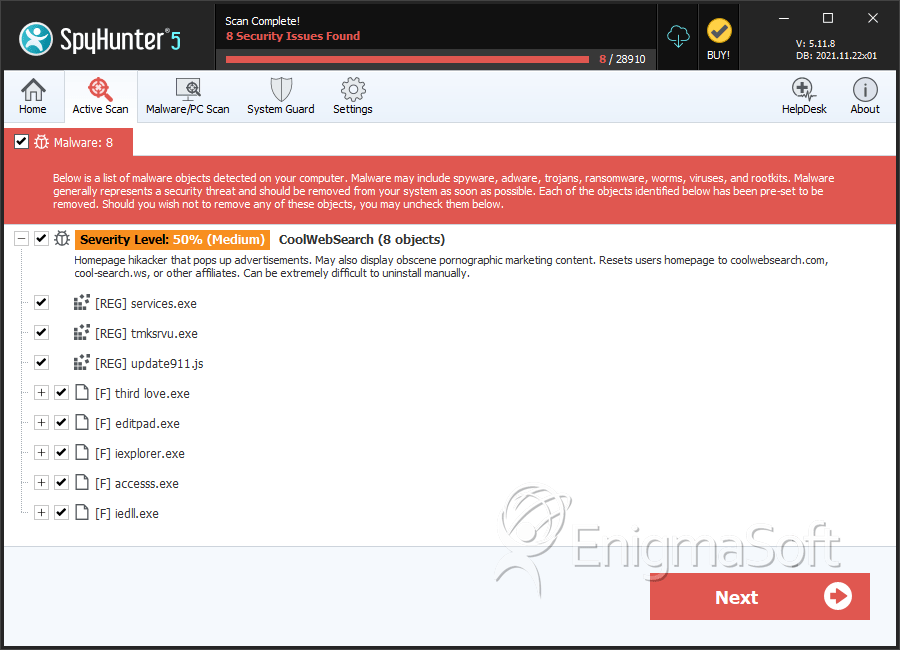
SpyHunter Detects & Remove CoolWebSearch
File System Details
| # | File Name | MD5 |
Detections
Detections: The number of confirmed and suspected cases of a particular threat detected on
infected computers as reported by SpyHunter.
|
|---|---|---|---|
| 1. | uc1362.exe | 4976bb48a9f2fa8eb7a19f46b797c312 | 1 |
| 2. | rsysinit.exe | 41d7bbec3b2bc56a523523397978da6e | 1 |
| 3. | third love.exe | 14c3db0f7ed243bb5353b4b855e6de98 | 0 |
| 4. | editpad.exe | f176fa7a43cfaa9fdeb798b8c746f9d0 | 0 |
| 5. | iexplorer.exe | ac61b50419f874260a67c85acd8ea8ca | 0 |
| 6. | accesss.exe | deda65303ef2f2ce3bc625c1cbad1ce5 | 0 |
| 7. | iedll.exe | fe28422592c516f6f5138609446368cf | 0 |
| 8. | win64.exe | 1b351540eec899e91d63d9c1e466c735 | 0 |
| 9. | qttasks.exe | bf3cf36a72cf27a64f21cbf9134f6ed4 | 0 |
| 10. | svchost32.exe | 95d8d1f08b7f88f1e61616790d4055b6 | 0 |
| 11. | waol.exe | d5b080ea4a1c219bffcb6a5e5d94e35e | 0 |
| 12. | msupdate.exe | 829881bd2981178ccdcf945f0a3d0c30 | 0 |
| 13. | svcinit.exe | 312544f9eae93d1e80258267137d4a31 | 0 |
| 14. | winmgnt.exe | 2fb2d1aa9a445614d0d07c1bd03461b2 | 0 |
| 15. | internet.exe | 3ded54edea9488b3177c3c8981dbd01c | 0 |
| 16. | loader.exe | 02c588d40bc0e511690f1cfa7f8047dd | 0 |
| 17. | win32e.exe | 7607f53286d88c8816ccc6822e4a0e5f | 0 |
| 18. | time.exe | e8f70c8a1f9b78232187855eb709fe7b | 0 |
| 19. | funniest.exe | 2f2ce1eba638136042b6bd9bef9ad634 | 0 |
| 20. | x.exe | 2a98a97c6e8582957b5577c3d3cd9cfe | 0 |
| 21. | svchost.exe | 30f792c0af69801584462a0bb85928f0 | 0 |
| 22. | y.exe | cce97f3359c4dd28345436e0a5b4a543 | 0 |
| 23. | window.exe | 4049f412286d04892aee670dda627439 | 0 |
| 24. | javaef.dll | 949deaf6bced3ec6ac2bffcbb549ad1a | 0 |
| 25. | sp.exe, spr[1].exe | 3da9e7dd50a1491924fa26c5286f8f90 | 0 |
| 26. | 1tcdhfwx.exe, 26vks59f.exe, aiqkawmm.exe, du7nptd8.exe, fpxbnng9.exe, jbf4azag.exe, kn1k9r57.exe, pl7srsn5.exe, rhu3smep.exe, xyawckzp.exe, aimee2[2].exe | 46dae5962f0ef360161e672299473f2c | 0 |