Conficker
Threat Scorecard
EnigmaSoft Threat Scorecard
EnigmaSoft Threat Scorecards are assessment reports for different malware threats which have been collected and analyzed by our research team. EnigmaSoft Threat Scorecards evaluate and rank threats using several metrics including real-world and potential risk factors, trends, frequency, prevalence, and persistence. EnigmaSoft Threat Scorecards are updated regularly based on our research data and metrics and are useful for a wide range of computer users, from end users seeking solutions to remove malware from their systems to security experts analyzing threats.
EnigmaSoft Threat Scorecards display a variety of useful information, including:
Popularity Rank: The ranking of a particular threat in EnigmaSoft’s Threat Database.
Severity Level: The determined severity level of an object, represented numerically, based on our risk modeling process and research, as explained in our Threat Assessment Criteria.
Infected Computers: The number of confirmed and suspected cases of a particular threat detected on infected computers as reported by SpyHunter.
See also Threat Assessment Criteria.
| Popularity Rank: | 14,934 |
| Threat Level: | 90 % (High) |
| Infected Computers: | 49 |
| First Seen: | July 24, 2009 |
| Last Seen: | September 24, 2025 |
| OS(es) Affected: | Windows |
Conficker, also known as W32/Conficker.worm, Win32/Conficker.A, W32.Downadup, Downadup and Kido, is a worm that exploits flaws found in Windows MS08-067 vulnerability. When Conficker infects your PC, it may prevent you from accessing security websites and disables Windows system services such as Windows Security Center, Windows Error Reporting and Windows Defender. The danger with Conficker is its ability to spread itself to other vulnerable computers through network shares. If one computer in a network is infected, then it can spread to other computers within that network. Microsoft has released a patch to fix the Windows vulnerability.
It is imperative that you download the latest released patch from Microsoft Windows Update. Also, take advantage of our Conficker Removal Tool, which is specifically designed to automatically assist you with the removal of the infectious Conficker Worm from your PC. Conficker uses random file names to prevent easy detection so it is best to use an anti-virus or anti-spyware software that will allow you to scan your entire computer instead of attempting to delete Conficker's files manually.
Table of Contents
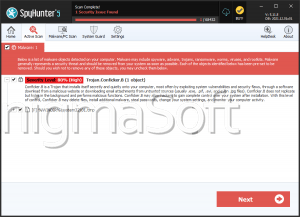
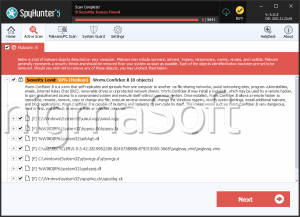
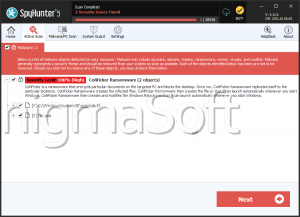
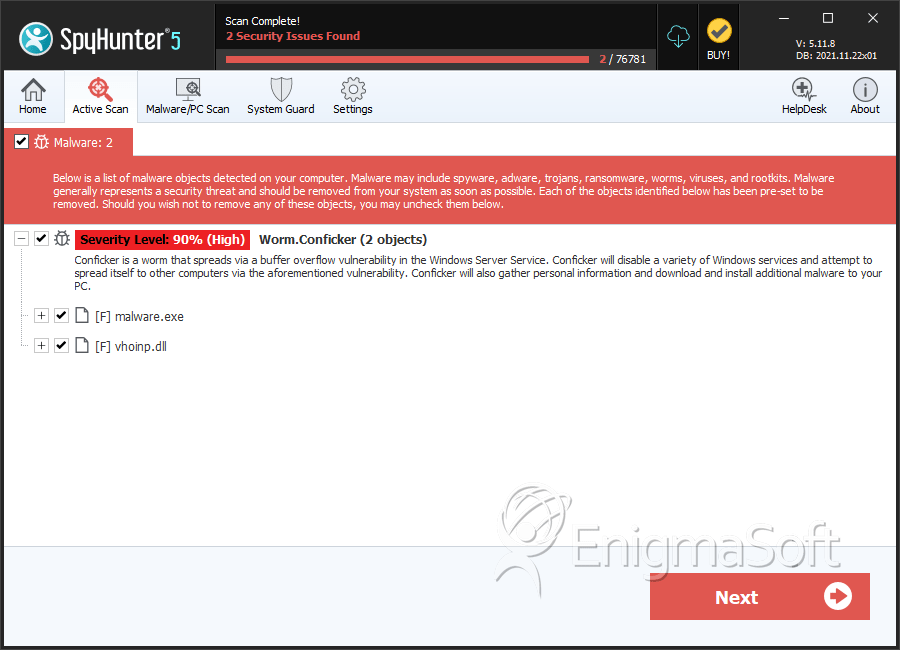
SpyHunter Detects & Remove Conficker
File System Details
| # | File Name | MD5 |
Detections
Detections: The number of confirmed and suspected cases of a particular threat detected on
infected computers as reported by SpyHunter.
|
|---|---|---|---|
| 1. | malware.exe | 09edf06953b56ee6a8cb6823cb3b2996 | 0 |
| 2. | vhoinp.dll | e80c7cb77020f9326e15b3a0fb298045 | 0 |
Analysis Report
General information
| Family Name: | Worm.Conficker |
|---|---|
| Signature status: | No Signature |
Known Samples
Known Samples
This section lists other file samples believed to be associated with this family.|
MD5:
2c2c5fdcfd368151b6c0e090c53aa300
SHA1:
8c981285d9caa0c5d6285b980377e4721f26e7a0
SHA256:
66BEE08996C38F985AE00BA02DDB0BDDB4A3ADC062334B90D0E6F9DC1ECBB337
File Size:
2.09 MB, 2093056 bytes
|
Windows Portable Executable Attributes
- File doesn't have "Rich" header
- File doesn't have debug information
- File doesn't have security information
- File has exports table
- File is 32-bit executable
- File is either console or GUI application
- File is GUI application (IMAGE_SUBSYSTEM_WINDOWS_GUI)
- File is Native application (NOT .NET application)
- File is not packed
- IMAGE_FILE_DLL is not set inside PE header (Executable)
Show More
- IMAGE_FILE_EXECUTABLE_IMAGE is set inside PE header (Executable Image)
Windows PE Version Information
Windows PE Version Information
This section displays values and attributes that have been set in the Windows file version information data structure for samples within this family. To mislead users, malware actors often add fake version information mimicking legitimate software.| Name | Value |
|---|---|
| Company Name | Itesoft |
| Compile Date | vendredi 28 janvier 2005 17:18 |
| File Description | Itesoft.FreeMind Component |
| File Version | 1.9.5.508 |
| Internal Name | FMEntity |
| Legal Copyright | Copyright © ITESOFT SA |
| Legal Trademarks | ITESOFT.FreeMind and ITESOFT.Invoices are registered trademarks of ITESOFT SA. |
| Original Filename | IT_FMEntity.dll |
| Product Name | Itesoft FreeMind |
| Product Version | 1.9 |
File Traits
- dll
- HighEntropy
- imgui
- VirtualQueryEx
- WriteProcessMemory
- x86
Block Information
Block Information
During analysis, EnigmaSoft breaks file samples into logical blocks for classification and comparison with other samples. Blocks can be used to generate malware detection rules and to group file samples into families based on shared source code, functionality and other distinguishing attributes and characteristics. This section lists a summary of this block data, as well as its classification by EnigmaSoft. A visual representation of the block data is also displayed, where available.| Total Blocks: | 7,335 |
|---|---|
| Potentially Malicious Blocks: | 184 |
| Whitelisted Blocks: | 5,837 |
| Unknown Blocks: | 1,314 |
Visual Map
? - Unknown Block
x - Potentially Malicious Block
Windows API Usage
Windows API Usage
This section lists Windows API calls that are used by the samples in this family. Windows API usage analysis is a valuable tool that can help identify malicious activity, such as keylogging, security privilege escalation, data encryption, data exfiltration, interference with antivirus software, and network request manipulation.| Category | API |
|---|---|
| Syscall Use |
Show More
|
| Process Shell Execute |
|
| Anti Debug |
|
Shell Command Execution
Shell Command Execution
This section lists Windows shell commands that are run by the samples in this family. Windows Shell commands are often leveraged by malware for nefarious purposes and can be used to elevate security privileges, download and launch other malware, exploit vulnerabilities, collect and exfiltrate data, and hide malicious activity.
C:\WINDOWS\SysWOW64\rundll32.exe C:\WINDOWS\system32\rundll32.exe c:\users\user\downloads\8c981285d9caa0c5d6285b980377e4721f26e7a0_0002093056.,LiQMAxHB
|