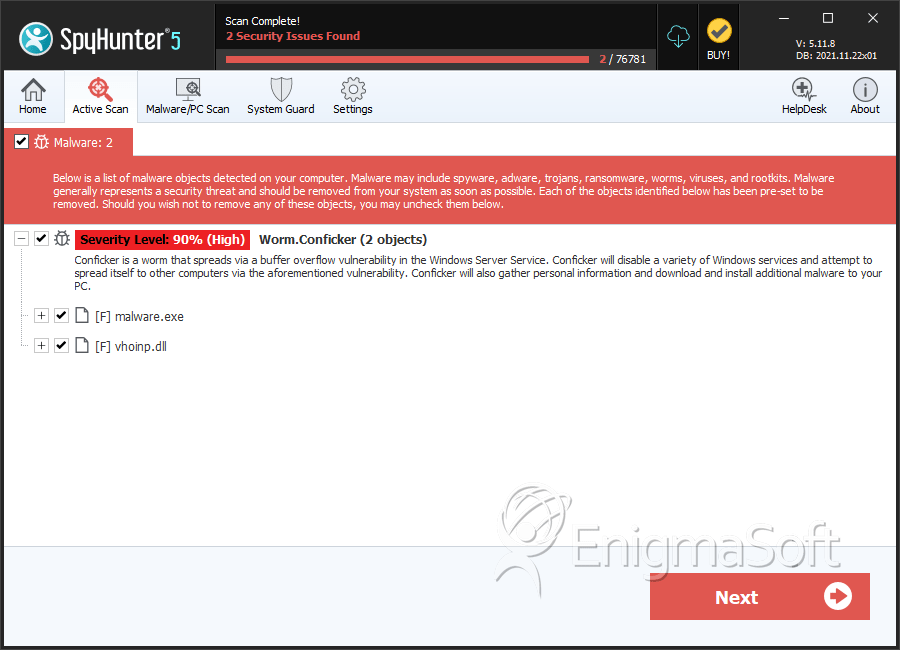
必須從Microsoft Windows Update下載最新發布的補丁。另外,請利用我們的Conficker刪除工具 ,該工具專門用於自動幫助您從PC上刪除Conficker蠕蟲病毒。 Conficker使用隨機文件名來防止容易檢測,因此最好使用防病毒或反間諜軟件,該軟件將允許您掃描整個計算機,而不是嘗試手動刪除Conficker的文件。
This section lists file attributes found within family samples. These attributes are extracted
from the files’ Windows PE (Portable Executable) specification and various system flags. Portable
Executable Attributes give malware researchers insight into a file’s functionality, executable details,
platform and runtime environment.
File doesn't have "Rich" header
File doesn't have debug information
File doesn't have security information
File has exports table
File is 32-bit executable
File is either console or GUI application
File is GUI application (IMAGE_SUBSYSTEM_WINDOWS_GUI)
File is Native application (NOT .NET application)
File is not packed
IMAGE_FILE_DLL is not set inside PE header (Executable)
Show More
IMAGE_FILE_EXECUTABLE_IMAGE is set inside PE header (Executable Image)
Windows PE Version Information
Windows PE Version Information
This section displays values and attributes that have been set in the Windows file version
information data structure for samples within this family. To mislead users, malware actors often add
fake version information mimicking legitimate software.
ITESOFT.FreeMind and ITESOFT.Invoices are registered trademarks of ITESOFT SA.
Original Filename
IT_FMEntity.dll
Product Name
Itesoft FreeMind
Product Version
1.9
File Traits
dll
HighEntropy
imgui
VirtualQueryEx
WriteProcessMemory
x86
Block Information
Block Information
During analysis, EnigmaSoft breaks file samples into logical blocks for classification and
comparison with other samples. Blocks can be used to generate malware detection rules and to group file
samples into families based on shared source code, functionality and other distinguishing attributes and
characteristics. This section lists a summary of this block data, as well as its classification by
EnigmaSoft. A visual representation of the block data is also displayed, where available.
This section lists Windows API calls that are used by the samples in this family. Windows API
usage analysis is a valuable tool that can help identify malicious activity, such as keylogging,
security privilege escalation, data encryption, data exfiltration, interference with antivirus software,
and network request manipulation.
Category
API
Syscall Use
ntdll.dll!NtAlpcSendWaitReceivePort
ntdll.dll!NtClose
ntdll.dll!NtCreateFile
ntdll.dll!NtCreateSection
ntdll.dll!NtFreeVirtualMemory
ntdll.dll!NtMapViewOfSection
ntdll.dll!NtOpenFile
ntdll.dll!NtOpenKey
ntdll.dll!NtOpenProcessToken
ntdll.dll!NtProtectVirtualMemory
Show More
ntdll.dll!NtQueryAttributesFile
ntdll.dll!NtQueryDebugFilterState
ntdll.dll!NtQueryInformationProcess
ntdll.dll!NtQueryInformationThread
ntdll.dll!NtQueryInformationToken
ntdll.dll!NtQuerySystemInformationEx
ntdll.dll!NtQueryValueKey
ntdll.dll!NtQueryVirtualMemory
ntdll.dll!NtQueryVolumeInformationFile
ntdll.dll!NtReadFile
ntdll.dll!NtSetEvent
ntdll.dll!NtSetInformationFile
ntdll.dll!NtSetInformationProcess
ntdll.dll!NtTestAlert
ntdll.dll!NtUnmapViewOfSection
ntdll.dll!NtWriteFile
ntdll.dll!NtWriteVirtualMemory
win32u.dll!NtUserGetKeyboardLayout
win32u.dll!NtUserGetThreadState
Process Shell Execute
CreateProcess
Anti Debug
NtQuerySystemInformation
Shell Command Execution
Shell Command Execution
This section lists Windows shell commands that are run by the samples in this family. Windows
Shell commands are often leveraged by malware for nefarious purposes and can be used to elevate security
privileges, download and launch other malware, exploit vulnerabilities, collect and exfiltrate data,
and hide malicious activity.
Enigmasoftware.com uses cookies to provide you with a better browsing experience and analyze how users navigate and utilize the Site. By using this Site or clicking on "OK", you consent to the use of cookies. 了解更多。