Window Raws Manager
Threat Scorecard
EnigmaSoft Threat Scorecard
EnigmaSoft Threat Scorecards are assessment reports for different malware threats which have been collected and analyzed by our research team. EnigmaSoft Threat Scorecards evaluate and rank threats using several metrics including real-world and potential risk factors, trends, frequency, prevalence, and persistence. EnigmaSoft Threat Scorecards are updated regularly based on our research data and metrics and are useful for a wide range of computer users, from end users seeking solutions to remove malware from their systems to security experts analyzing threats.
EnigmaSoft Threat Scorecards display a variety of useful information, including:
Popularity Rank: The ranking of a particular threat in EnigmaSoft’s Threat Database.
Severity Level: The determined severity level of an object, represented numerically, based on our risk modeling process and research, as explained in our Threat Assessment Criteria.
Infected Computers: The number of confirmed and suspected cases of a particular threat detected on infected computers as reported by SpyHunter.
See also Threat Assessment Criteria.
| Popularity Rank: | 17,478 |
| Threat Level: | 20 % (Normal) |
| Infected Computers: | 963 |
| First Seen: | August 31, 2016 |
| Last Seen: | December 20, 2025 |
| OS(es) Affected: | Windows |
The Window Raws Manager program is another modified version of the Window Range Manager software by Plamsoft Inc. However, users may encounter Window Raws Manager under several publishers among which are Homesat Co. and DevInst Ltd. The Window Raws Manager application is promoted as a network utility that can mask your location and IP address by connecting your PC to a private VPN server. That way when you access Internet advertisers and other entities, you will be provided with the VPN's address instead of yours. There are other benefits for joining a VPN server, which include Web filtering and improved DNS configuration.
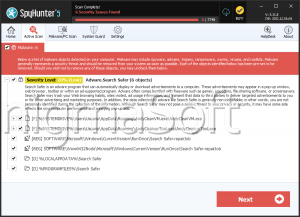
None of which are supported by Window Raws Manager because it is adware. The Window Raws Manager application is classified as adware because it may modify your browser to show ads by affiliated networks only. Also, the Window Raws Manager adware may run as a background service continuously and read data like your Internet history and software configuration to facilitate behavioral marketing. The Window Raws Manager adware may change your proxy settings to reroute your Web traffic to the servers of marketers that may read unencrypted data transmissions and what you download from the Internet. The activity of the Window Raws Manager may sound close to spyware but it is not. Third parties related to the Window Raws Manager adware may read unprotected data packets send from your PC.
The Window Raws Manager adware might install its files in the Program Files directory and register a background service named WinRawSync.exe. You will need to stop the WinRawSync.exe service if you wish to remove the Window Raws Manager adware manually. Keep in mind that the Window Raws Manager adware may have downloaded tracking cookies that you may not find in the AppData and Temp folders. Experts recommend using a trusted anti-spyware instrument to uninstall and delete files associated with the Window Raws Manager adware.
Table of Contents
Analysis Report
General information
| Family Name: | Adware.OpenSUpdater.F |
|---|---|
| Signature status: | Root Not Trusted |
Known Samples
Known Samples
This section lists other file samples believed to be associated with this family.|
MD5:
443fdaaaf395c615225e734043510ff8
SHA1:
4ffddf4aedb9237c2075af654189bbf44a5467f3
SHA256:
12AFD1B015EA1EA33A7BAC5B1830D9BBC701CDB53DA5011EAD9947D0CC315762
File Size:
1.68 MB, 1684024 bytes
|
Windows Portable Executable Attributes
- File doesn't have "Rich" header
- File doesn't have exports table
- File has TLS information
- File is 64-bit executable
- File is console application (IMAGE_SUBSYSTEM_WINDOWS_CUI)
- File is either console or GUI application
- File is Native application (NOT .NET application)
- File is not packed
- IMAGE_FILE_DLL is not set inside PE header (Executable)
- IMAGE_FILE_EXECUTABLE_IMAGE is set inside PE header (Executable Image)
File Icons
File Icons
This section displays icon resources found within family samples. Malware often replicates icons commonly associated with legitimate software to mislead users into believing the malware is safe.

Windows PE Version Information
Windows PE Version Information
This section displays values and attributes that have been set in the Windows file version information data structure for samples within this family. To mislead users, malware actors often add fake version information mimicking legitimate software.| Name | Value |
|---|---|
| Company Name | ProcessTwist. |
| File Description | ProcessTwist |
| File Version | 1.0.0.2 |
| Internal Name | processtwist.exe |
| Legal Copyright | ProcessTwist. 2019 |
| Original Filename | processtwist.exe |
| Product Name | ProcessTwist |
| Product Version | 1.0.0.2 |
Digital Signatures
Digital Signatures
This section lists digital signatures that are attached to samples within this family. When analyzing and verifying digital signatures, it is important to confirm that the signature’s root authority is a well-known and trustworthy entity and that the status of the signature is good. Malware is often signed with non-trustworthy “Self Signed” digital signatures (which can be easily created by a malware author with no verification). Malware may also be signed by legitimate signatures that have an invalid status, and by signatures from questionable root authorities with fake or misleading “Signer” names.| Signer | Root | Status |
|---|---|---|
| VictoryJoke | VictoryJoke | Root Not Trusted |
File Traits
- 2+ executable sections
- WriteProcessMemory
- x64
Block Information
Block Information
During analysis, EnigmaSoft breaks file samples into logical blocks for classification and comparison with other samples. Blocks can be used to generate malware detection rules and to group file samples into families based on shared source code, functionality and other distinguishing attributes and characteristics. This section lists a summary of this block data, as well as its classification by EnigmaSoft. A visual representation of the block data is also displayed, where available.| Total Blocks: | 6,013 |
|---|---|
| Potentially Malicious Blocks: | 281 |
| Whitelisted Blocks: | 5,623 |
| Unknown Blocks: | 109 |
Visual Map
? - Unknown Block
x - Potentially Malicious Block
Similar Families
Similar Families
This section lists other families that share similarities with this family, based on EnigmaSoft’s analysis. Many malware families are created from the same malware toolkits and use the same packing and encryption techniques but uniquely extend functionality. Similar families may also share source code, attributes, icons, subcomponents, compromised and/or invalid digital signatures, and network characteristics. Researchers leverage these similarities to rapidly and effectively triage file samples and extend malware detection rules.- OpenSUpdater.AC
- OpenSUpdater.F
Windows API Usage
Windows API Usage
This section lists Windows API calls that are used by the samples in this family. Windows API usage analysis is a valuable tool that can help identify malicious activity, such as keylogging, security privilege escalation, data encryption, data exfiltration, interference with antivirus software, and network request manipulation.| Category | API |
|---|---|
| Syscall Use |
Show More
|