恭喜!您的RegHunter將馬上開始下載。
如果您的 RegHunter 下載/安裝沒有自動啟動,請單擊此處下載 RegHunter*並按照下面提供的說明安裝 RegHunter。
* 請參閱下面的詳細資訊。 EULA 、隱私權政策和Cookie 政策。
有关 RegHunter 的更多详细信息并了解我们的政策,请查看我们的EULA 、隐私政策和Cookie 政策。
如果您不再希望使用RegHunter,請從計算機上按照以下步驟卸載RegHunter。
下載和安裝RegHunter的說明
-
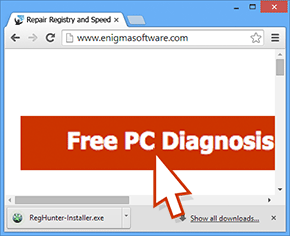
下載RegHunter。
-
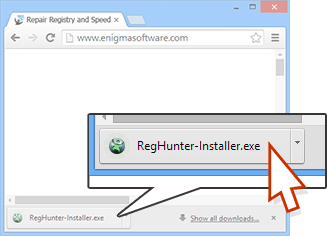
點擊下載按鈕後,文件“RegHunter-Installer.exe”將開始下載到您的電腦。如果需要,您可以刷新此頁面重新啟動下載。
-
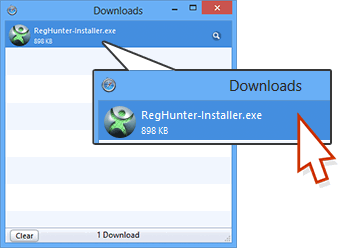
在“下載”對話框中,雙擊“RegHunter-Installer.exe”文件以打開。
-
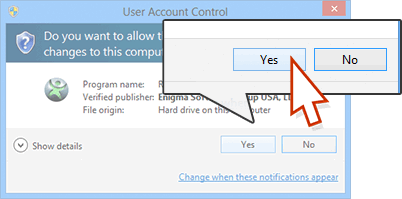
如果“用戶賬戶控制”對話框出現,選擇“是的”。
-
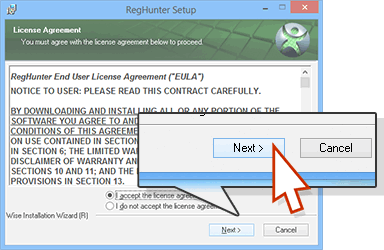
在設置過程中,請點擊“下一步”按鈕繼續執行安裝程序的下一步。
-
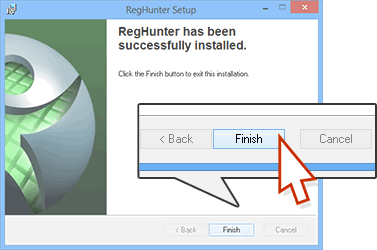
點擊最後一步中的“完成”。如果對話框提示您輸入信息,則可以選擇添加自己的信息,或者接受安裝程序提供的默認信息。
-
程序完全安裝后,您可以從桌面刪除“RegHunter-Installer.exe”。若要打開“RegHunter”,請在桌面上找到它并單擊其圖標,或選擇Windows“開始”菜單中的“程序”或“所有程序”并點擊“RegHunter”。
-
下載RegHunter。
-
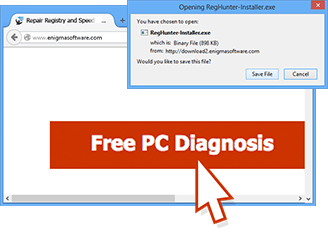
單擊下載按鈕後,“正在打開RegHunter-Installer.exe”窗口將出現在計算機上。如果需要,您可以刷新此頁面以重新開始下載。
-
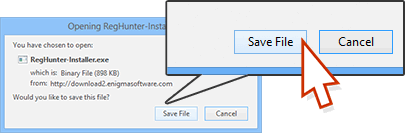
在“打開RegHunter-Installer.exe”窗口上,單擊“保存文件”按鈕。
-
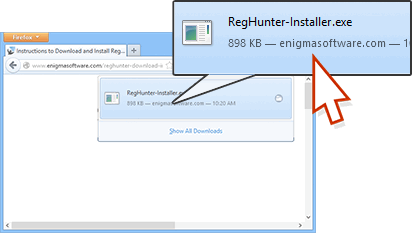
在“下載”對話框,(需要您點擊Firefox瀏覽器右上角菜單欄中綠色向下箭頭打開,)點擊“RegHunter-Installer.exe”文件。
-
如果“用戶賬戶控制”對話框出現,選擇“是的”。
-
在設置過程中,請點擊“下一步”按鈕繼續執行安裝程序的下一步。
-
點擊最後一步中的“完成”。如果對話框提示您輸入信息,則可以選擇添加自己的信息,或者接受安裝程序提供的默認信息。
-
程序完全安裝后,您可以從桌面刪除“RegHunter-Installer.exe”。若要打開“RegHunter”,請在桌面上找到它并單擊其圖標,或選擇Windows“開始”菜單中的“程序”或“所有程序”并點擊“RegHunter”。
-
下載RegHunter。
-
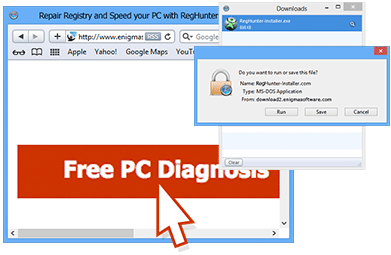
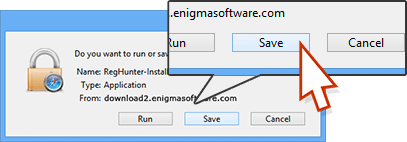
點擊下載按鈕後,“您想執行還是保存該文件?”窗口將出現在您的電腦上。如果需要,您可以刷新此頁面重新啟動下載。
-
在“您想執行還是保存該文件?”窗口,點擊“保存”按鈕。
-
在“下載”對話框中,雙擊“RegHunter-Installer.exe”文件以打開。
-
如果“用戶賬戶控制”對話框出現,選擇“是的”。
-
在設置過程中,請點擊“下一步”按鈕繼續執行安裝程序的下一步。
-
點擊最後一步中的“完成”。如果對話框提示您輸入信息,則可以選擇添加自己的信息,或者接受安裝程序提供的默認信息。
-
程序完全安裝后,您可以從桌面刪除“RegHunter-Installer.exe”。若要打開“RegHunter”,請在桌面上找到它并單擊其圖標,或選擇Windows“開始”菜單中的“程序”或“所有程序”并點擊“RegHunter”。
-
下載RegHunter。
-
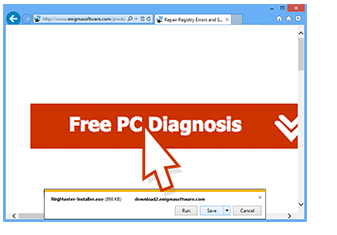
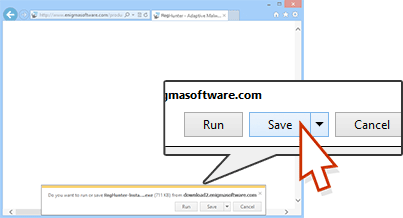
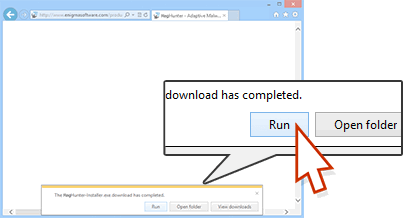
當您點擊下載按鈕後,瀏覽器底部會出現一個通知欄。如果需要,您可以刷新此頁面以重新啟動下載。
-
在通知欄,點擊“保存”按鈕。
-
在通知欄,點擊“運行”按鈕開始程序安裝。
-
如果“用戶賬戶控制”對話框出現,選擇“是的”。
-
在設置過程中,請點擊“下一步”按鈕繼續執行安裝程序的下一步。
-
點擊最後一步中的“完成”。如果對話框提示您輸入信息,則可以選擇添加自己的信息,或者接受安裝程序提供的默認信息。
-
程序完全安裝后,您可以從桌面刪除“RegHunter-Installer.exe”。若要打開“RegHunter”,請在桌面上找到它并單擊其圖標,或選擇Windows“開始”菜單中的“程序”或“所有程序”并點擊“RegHunter”。